Of course! Let's dive deep into the concept of a "byte array" in Java.
In Java, a byte array is simply an array where each element is of the primitive data type byte. It's used to store a sequence of 8-bit values, making it highly efficient for handling raw binary data like images, audio files, network packets, or reading from files.
Declaration and Initialization
There are several ways to declare and initialize a byte array.
a) Declaration and Initialization in One Step
You can declare the array and provide its values at the same time.
// An array of 4 bytes with initial values
byte[] byteArray = {10, 20, 30, 40};
b) Declaration, then Initialization
You can declare the array first and then initialize it later.
// 1. Declare the array
byte[] byteArray;
// 2. Initialize it with a specific size (creates an array of 5 bytes, all initialized to 0)
byteArray = new byte[5];
// 3. Assign values to individual elements
byteArray[0] = 1;
byteArray[1] = 2;
byteArray[2] = 3;
byteArray[3] = 4;
byteArray[4] = 5;
c) Declaration with a Size
You can declare an array with a specific size, and its elements will be automatically initialized to 0.
// Creates an array of 10 bytes, all initialized to 0
byte[] byteArray = new byte[10];
Key Characteristics of a byte[]
- Primitive Type: It holds primitive
bytevalues, notByteobjects. This makes it very memory-efficient. - Fixed Size: The size of an array is fixed once it's created. You cannot change its length.
- Zero-Based Indexing: The first element is at index
0, and the last is atlength - 1. - Default Value: If you create an array with
new byte[n], all elements are automatically initialized to0.
Common Operations
Here are the most common things you'll do with a byte array.
a) Getting the Length
Use the .length property to find out how many elements the array can hold.
byte[] data = new byte[100];
int length = data.length; // length will be 100
System.out.println("The array has " + length + " elements.");
b) Accessing Elements
You access elements using their index, just like with any other array.
byte[] scores = {98, 85, 91};
byte firstScore = scores[0]; // firstScore will be 98
scores[2] = 95; // Change the third element to 95
c) Iterating Over the Array
You can use a standard for loop or an enhanced for-each loop.
byte[] numbers = {10, 20, 30, 40, 50};
// Standard for loop (gives you the index)
System.out.println("Using standard for loop:");
for (int i = 0; i < numbers.length; i++) {
    System.out.println("Element at index " + i + ": " + numbers[i]);
}
// Enhanced for-each loop (gives you the value directly)
System.out.println("\nUsing for-each loop:");
for (byte number : numbers) {
    System.out.println("Element value: " + number);
}
d) Searching for an Element
You have to implement the search logic yourself, as there's no built-in indexOf() method for primitive arrays.
byte[] data = {5, 10, 15, 20, 25};
byte valueToFind = 15;
boolean found = false;
for (byte b : data) {
    if (b == valueToFind) {
        found = true;
        break; // Exit the loop once found
    }
}
if (found) {
    System.out.println("Value " + valueToFind + " was found.");
} else {
    System.out.println("Value " + valueToFind + " was not found.");
}
Converting Between byte[] and Other Types
This is a very common task in Java programming.
a) Converting byte[] to String
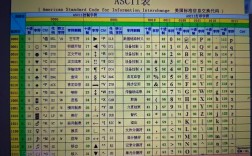
A byte[] can be converted to a String using a character encoding. This is critical! If you don't specify an encoding, Java uses the platform's default encoding, which can lead to bugs on different systems.
byte[] bytes = {'H', 'e', 'l', 'l', 'o'}; // Note: char literals are promoted to byte
// BEST PRACTICE: Specify the encoding (e.g., StandardCharsets.UTF_8)
String strFromBytes = new String(bytes, java.nio.charset.StandardCharsets.UTF_8);
System.out.println("String from bytes: " + strFromBytes);
// AVOID: Using the platform's default encoding
// String strDefault = new String(bytes);
b) Converting String to byte[]
The reverse operation also requires specifying an encoding.
String text = "Hello, World!";
// BEST PRACTICE: Specify the encoding
byte[] bytesFromString = text.getBytes(java.nio.charset.StandardCharsets.UTF_8);
System.out.println("Bytes from string: " + java.util.Arrays.toString(bytesFromString));
// AVOID: Using the platform's default encoding
// byte[] bytesDefault = text.getBytes();
c) Converting byte[] to int
You often need to combine multiple bytes to form a larger number. The ByteBuffer class from the java.nio package is the modern and safest way to do this.
import java.nio.ByteBuffer;
// Example: Converting 4 bytes into an integer (big-endian order)
byte[] bytes = {0, 0, 0, 42}; // Represents the integer 42
// Using ByteBuffer
ByteBuffer buffer = ByteBuffer.wrap(bytes);
int intValue = buffer.getInt(); // intValue will be 42
System.out.println("Integer from byte array: " + intValue);
Practical Example: Reading a File into a Byte Array
This is a classic use case. We'll read the content of a small file into a byte[].
import java.io.IOException;
import java.nio.file.Files;
import java.nio.file.Paths;
import java.util.Arrays;
public class ByteArrayExample {
    public static void main(String[] args) {
        // Create a dummy file for this example
        String filePath = "my_document.txt";
        try {
            Files.write(Paths.get(filePath), "This is a test.".getBytes());
        } catch (IOException e) {
            System.err.println("Could not create test file.");
            e.printStackTrace();
            return;
        }
        // Read the file into a byte array
        try {
            byte[] fileContent = Files.readAllBytes(Paths.get(filePath));
            System.out.println("File content as a String: " + new String(fileContent));
            System.out.println("File content as a byte array: " + Arrays.toString(fileContent));
        } catch (IOException e) {
            System.err.println("Error reading the file.");
            e.printStackTrace();
        }
    }
}
byte[] vs. Byte[] (Wrapper Array)
It's important to understand the difference.
| Feature | byte[] (Primitive Array) |
Byte[] (Object Array) |
|---|---|---|
| Type | Array of primitive byte values. |
Array of Byte objects (wrappers for byte). |
| Memory | Very memory-efficient. Each element is just 1 byte. | Less memory-efficient. Each element is an object (overhead). |
| Use Case | Ideal for raw binary data, performance-critical operations. | Used when you need an array of objects (e.g., to store in a List<Byte>). |
| Null Elements | Cannot have null elements. |
Can have null elements. |
| Methods | No built-in methods (e.g., no sort(), binarySearch()). |
Can use Arrays.sort(), Arrays.binarySearch(), etc. |
Example: Byte[] and List<Byte>
// You cannot use a primitive array in a generic collection like List
// List<byte> myList = ...; // COMPILE ERROR!
// You MUST use the wrapper object array
Byte[] objectByteArray = {10, 20, 30};
List<Byte> byteList = Arrays.asList(objectByteArray);
System.out.println("Byte List: " + byteList);
Summary
A byte[] in Java is a fundamental and powerful tool for handling low-level, binary data. It's the go-to choice for:
- File I/O (reading/writing binary files)
- Network communication (sending/receiving packets)
- Image and audio processing
- Cryptography
- Any situation where memory efficiency is paramount.
Always remember to specify character encoding when converting between byte[] and String, and prefer using ByteBuffer for converting between byte[] and primitive types like int, long, etc.