Of course! In Java, "string replace" can mean a few different things, depending on whether you want to replace characters, substrings, or use a more powerful pattern-matching approach.
Here’s a complete guide covering the most common methods, from simple to advanced.
replace(char oldChar, char newChar)
This is the simplest method. It replaces all occurrences of a single character with another single character.
- What it does: Returns a new string where all occurrences of
oldCharare replaced bynewChar. - Important: It does not modify the original string (strings are immutable in Java). It always returns a new string.
Example:
public class ReplaceExample {
    public static void main(String[] args) {
        String str = "hello world";
        // Replace all 'l' characters with 'p'
        String newStr = str.replace('l', 'p');
        System.out.println("Original string: " + str);    // Output: hello world
        System.out.println("New string:      " + newStr); // Output: hepwo worpd
    }
}
replace(CharSequence target, CharSequence replacement)
This is the most common and direct method for replacing a substring with another substring.
- What it does: Returns a new string where all occurrences of the
targetsubstring are replaced by thereplacementsubstring. - CharSequence is an interface that both
StringandStringBuilderimplement, so you can pass strings directly.
Example:
public class ReplaceSubstringExample {
    public static void main(String[] args) {
        String str = "I like Java, Java is fun.";
        // Replace all occurrences of "Java" with "Python"
        String newStr = str.replace("Java", "Python");
        System.out.println("Original string: " + str);   // Output: I like Java, Java is fun.
        System.out.println("New string:      " + newStr); // Output: I like Python, Python is fun.
    }
}
replaceFirst(String regex, String replacement)
This method replaces the first occurrence of a substring that matches a given regular expression (regex).

- What it does: It finds the first part of the string that matches the
regexand replaces it with thereplacementstring. - Key difference: It uses a regular expression, not a plain substring. This makes it very powerful but also means you need to be aware of special regex characters (like , , , , etc.).
Example:
Let's replace the first occurrence of a word.
public class ReplaceFirstExample {
    public static void main(String[] args) {
        String str = "apple orange apple banana apple";
        // Replace the first occurrence of "apple" with "grape"
        String newStr = str.replaceFirst("apple", "grape");
        System.out.println("Original string: " + str);   // Output: apple orange apple banana apple
        System.out.println("New string:      " + newStr); // Output: grape orange apple banana apple
    }
}
Regex Example:
Here's where it gets powerful. Let's replace the first number we find.
public class ReplaceFirstRegexExample {
    public static void main(String[] args) {
        String str = "Order 123 is for item A, and order 456 is for item B.";
        // Regex "\\d+" matches one or more digits (\d is a digit, + is one or more)
        // We need to escape the backslash, so it becomes "\\d+"
        String newStr = str.replaceFirst("\\d+", "999");
        System.out.println("Original string: " + str);
        // Output: Order 123 is for item A, and order 456 is for item B.
        System.out.println("New string:      " + newStr);
        // Output: Order 999 is for item A, and order 456 is for item B.
    }
}
replaceAll(String regex, String replacement)
This is the most powerful method. It replaces all occurrences of substrings that match a given regular expression.
- What it does: Scans the entire string and replaces every match of the
regexwith thereplacementstring. - This is the method to use when you need pattern-based, global replacement.
Example:
Let's replace all numbers with [NUM].
public class ReplaceAllExample {
    public static void main(String[] args) {
        String str = "User 101 logged in at 09:30. User 102 logged out at 10:15.";
        // Regex "\\d+" matches one or more digits
        String newStr = str.replaceAll("\\d+", "[NUM]");
        System.out.println("Original string: " + str);
        // Output: User 101 logged in at 09:30. User 102 logged out at 10:15.
        System.out.println("New string:      " + newStr);
        // Output: User [NUM] logged in at [NUM]:[NUM]. User [NUM] logged out at [NUM]:[NUM].
    }
}
Summary Table
| Method | What it Replaces | Use Case | Example |
|---|---|---|---|
replace(char, char) |
All occurrences of a single character. | Simple character-level replacement. | str.replace('a', 'b'); |
replace(CharSequence, CharSequence) |
All occurrences of a plain substring. | The most common way to replace text. | str.replace("old", "new"); |
replaceFirst(String regex, String replacement) |
The first match for a regular expression. | Replacing only the first instance of a pattern. | str.replaceFirst("\\d+", "N"); |
replaceAll(String regex, String replacement) |
All matches for a regular expression. | Powerful, pattern-based, global replacement. | str.replaceAll("\\s+", " "); |
Important Considerations
Immutability
Remember, strings in Java are immutable. Methods like replace() do not change the original string. They always return a new string with the changes.
String original = "hello";
original.replace('h', 'j'); // This line does nothing!
System.out.println(original); // Output: hello
// Correct way:
String original = "hello";
String modified = original.replace('h', 'j');
System.out.println(modified); // Output: jello
StringBuilder for Performance
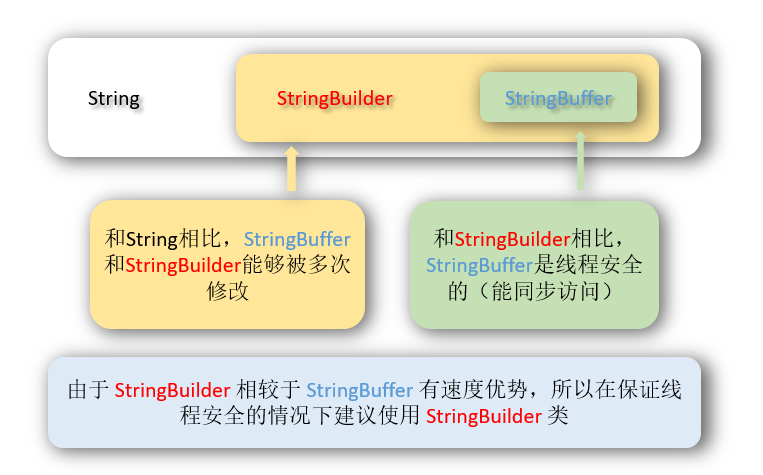
If you are performing many replacements or modifications on a string inside a loop, creating a new string each time can be inefficient. For this, use StringBuilder (or StringBuffer for thread-safety).
StringBuilder sb = new StringBuilder("hello world");
sb.replace(1, 3, "ipp"); // Replaces characters from index 1 (inclusive) to 3 (exclusive)
System.out.println(sb.toString()); // Output: hipp world
Note: StringBuilder.replace() has a different signature (start index, end index, replacement string) than the String.replace() methods.
Regex Special Characters
When using replaceFirst and replaceAll, the first argument is a regular expression. If you want to replace a literal string that contains special regex characters (like , , , , , ^, \, , , , [, ], , ), you must escape them using a backslash \.
For example, to replace the literal string "a.b", you need to write "a\\.b".
String str = "a.b a-b a*b";
// We want to replace "a.b" with "x"
String newStr = str.replaceFirst("a\\.b", "x"); // Note the escaped dot "\."
System.out.println(newStr); // Output: x a-b a*b