Of course! This is a very common and powerful combination. Here’s a comprehensive guide covering everything from installation to best practices, broken down into logical steps.
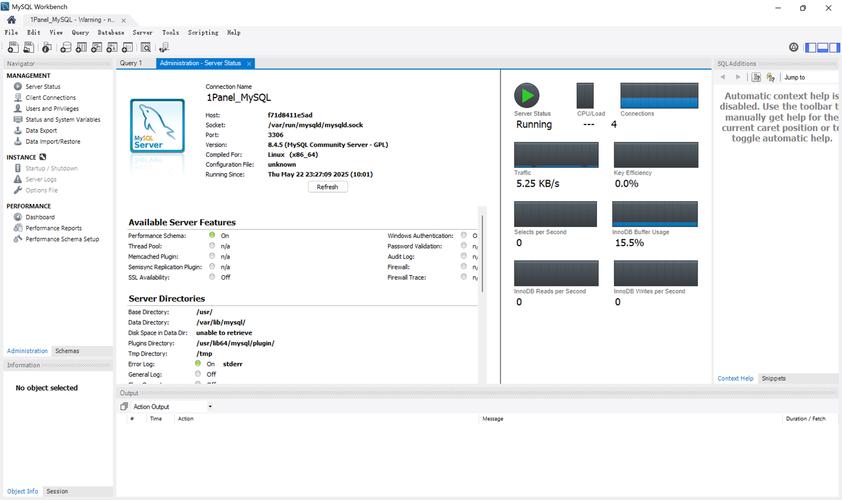
Overview: The Ubuntu + Python + MySQL Stack
This stack is a classic for building web applications, data analysis tools, and backend services.
- Ubuntu: The operating system providing a stable and secure environment.
- MySQL: The relational database management system (RDBMS) where your data is stored, organized, and managed.
- Python: The programming language used to write the application logic that interacts with the database.
The bridge between Python and MySQL is a database driver. The most modern and recommended one is mysql-connector-python.
Step 1: Install MySQL Server on Ubuntu
First, you need the database server itself running on your machine.
-
Update Your Package List: It's always good practice to update your package index before installing new software.
 (图片来源网络,侵删)
sudo apt update
-
Install the MySQL Server Package: The package is typically called
mysql-server.sudo apt install mysql-server
-
Verify the Installation and Start the Service: The installation process usually starts the MySQL service automatically. You can check its status to be sure.
sudo systemctl status mysql
If it's not active, you can start it with:
sudo systemctl start mysql
-
Run the Security Script (Highly Recommended): This script helps you set a root password, remove anonymous users, disallow remote root login, and remove test databases. It significantly improves your server's security.
 (图片来源网络,侵删)
sudo mysql_secure_installation
You will be guided through a series of prompts. It's generally recommended to:
- Set a root password.
- Answer 'Y' (yes) to all the security questions.
-
Connect to MySQL as Root: You can now connect to the MySQL server from your terminal.
sudo mysql -u root -p
Enter the root password you just set. You should see a
mysql>prompt, confirming the server is running and you can access it.
Step 2: Install Python and a MySQL Connector
Next, you need Python and the library that allows it to "talk" to MySQL.
Option A: Using a Virtual Environment (Best Practice)
Virtual environments keep your project's dependencies isolated from your system's Python installation, preventing conflicts.
-
Install
venv(if not already installed):sudo apt install python3-venv
-
Create a Project Directory and a Virtual Environment:
mkdir my_project
cd my_project
python3 -m venv venv
This creates a
venvfolder inside your project directory containing a self-contained Python environment. -
Activate the Virtual Environment:
source venv/bin/activate
Your command prompt will change to show
(venv), indicating the environment is active. Allpipcommands will now install packages into this isolated environment.
Option B: System-wide Installation (Not Recommended for Projects)
You can install the connector directly for your system's Python, but this can lead to dependency conflicts if you manage multiple projects.
sudo apt install python3-mysql.connector
However, using pip is generally preferred for managing Python packages.
Install the MySQL Connector (for both options)
Whether you are in a virtual environment or using the system's Python, install the official driver using pip.
pip install mysql-connector-python
Note: The older package mysql-python is now deprecated and should not be used for new projects.
Step 3: Connect Python to MySQL and Perform CRUD Operations
Now for the fun part: writing Python code to interact with your database.
Let's create a simple script to create a table, insert data, read data, update it, and delete it (CRUD).
Create a file named db_example.py in your project directory and add the following code.
import mysql.connector
from mysql.connector import Error
def create_connection(host_name, user_name, user_password, db_name=None):
    """Create a database connection to a MySQL server."""
    connection = None
    try:
        connection = mysql.connector.connect(
            host=host_name,
            user=user_name,
            passwd=user_password,
            database=db_name  # Database name is optional for initial connection
        )
        print("Connection to MySQL DB successful")
        return connection
    except Error as e:
        print(f"The error '{e}' occurred")
        return None
def create_database(connection, query):
    """Create a database."""
    cursor = connection.cursor()
    try:
        cursor.execute(query)
        print("Database created successfully")
    except Error as e:
        print(f"The error '{e}' occurred")
def execute_query(connection, query, data=None):
    """Execute a single query."""
    cursor = connection.cursor()
    try:
        if data:
            cursor.execute(query, data)
        else:
            cursor.execute(query)
        connection.commit()
        print("Query executed successfully")
    except Error as e:
        print(f"The error '{e}' occurred")
def fetch_data(connection, query):
    """Fetch all data from a query."""
    cursor = connection.cursor(dictionary=True) # dictionary=True returns rows as dicts
    try:
        cursor.execute(query)
        result = cursor.fetchall()
        return result
    except Error as e:
        print(f"The error '{e}' occurred")
        return None
# --- Main Execution ---
if __name__ == "__main__":
    # --- 1. Connect to MySQL Server ---
    # Replace with your actual MySQL root credentials
    connection = create_connection("localhost", "root", "YOUR_ROOT_PASSWORD")
    # --- 2. Create a New Database ---
    if connection and not connection.database:
        db_query = "CREATE DATABASE IF NOT EXISTS python_db"
        create_database(connection, db_query)
        connection.database = "python_db" # Set the active database for the connection
    # --- 3. Create a Table ---
    if connection and connection.database:
        create_table_query = """
        CREATE TABLE IF NOT EXISTS users (
            id INT AUTO_INCREMENT PRIMARY KEY,
            name VARCHAR(255) NOT NULL,
            email VARCHAR(255) NOT NULL UNIQUE,
            age INT
        )
        """
        execute_query(connection, create_table_query)
        # --- 4. Insert Data (Create) ---
        insert_user_query = "INSERT INTO users (name, email, age) VALUES (%s, %s, %s)"
        user_data = ("Alice", "alice@example.com", 30)
        execute_query(connection, insert_user_query, user_data)
        user_data_2 = ("Bob", "bob@example.com", 24)
        execute_query(connection, insert_user_query, user_data_2)
        # --- 5. Read Data (Read) ---
        select_users_query = "SELECT * FROM users"
        users = fetch_data(connection, select_users_query)
        print("\n--- All Users ---")
        if users:
            for user in users:
                print(user)
        # --- 6. Update Data (Update) ---
        update_user_query = "UPDATE users SET age = %s WHERE name = %s"
        new_age = 31
        user_name_to_update = "Alice"
        execute_query(connection, update_user_query, (new_age, user_name_to_update))
        # --- 7. Read data again to see the update ---
        print("\n--- Users After Update ---")
        updated_users = fetch_data(connection, select_users_query)
        if updated_users:
            for user in updated_users:
                print(user)
        # --- 8. Delete Data (Delete) ---
        delete_user_query = "DELETE FROM users WHERE name = %s"
        user_name_to_delete = "Bob"
        execute_query(connection, delete_user_query, (user_name_to_delete,))
        # --- 9. Read data one last time to see the deletion ---
        print("\n--- Users After Deletion ---")
        final_users = fetch_data(connection, select_users_query)
        if final_users:
            for user in final_users:
                print(user)
    # --- 10. Close the Connection ---
    if connection and connection.is_connected():
        connection.close()
        print("\nMySQL connection is closed")
Before running:
- Replace
"YOUR_ROOT_PASSWORD"with the actual root password you set in Step 1. - Make sure your virtual environment is activated (
source venv/bin/activate). - Run the script from your terminal:
python db_example.py
You should see output showing each step of the CRUD process.
Best Practices and Important Considerations
-
Security: Don't Hardcode Credentials! Storing your database password directly in your code is a major security risk. Use environment variables instead.
-
Install
python-dotenv:pip install python-dotenv
-
Create a file named
.envin your project root:# .env file DB_HOST=localhost DB_USER=root DB_PASSWORD=YOUR_SUPER_SECRET_PASSWORD DB_NAME=python_db -
Add
.envto your.gitignorefile so you don't commit it to version control. -
Modify your Python code to load these variables:
import os
from dotenv import load_dotenv
load_dotenv() # Load variables from .env file
db_host = os.getenv("DB_HOST")
db_user = os.getenv("DB_USER")
db_password = os.getenv("DB_PASSWORD")
db_name = os.getenv("DB_NAME")
connection = create_connection(db_host, db_user, db_password, db_name)
-
-
Using Connection Pooling For applications that make frequent database connections (like web servers), creating a new connection for every request is inefficient. Use a connection pool to reuse existing connections.
# Inside your connection setup from mysql.connector import pooling connection_pool = pooling.MySQLConnectionPool( pool_name="mypool", pool_size=5, host="localhost", user="root", password="YOUR_PASSWORD", database="python_db" ) # When you need a connection connection = connection_pool.get_connection() # ... use the connection ... connection.close() # Returns the connection to the pool -
Using an ORM (Object-Relational Mapper) For larger applications, writing raw SQL can be cumbersome and error-prone. ORMs like SQLAlchemy or Django ORM (if using the Django framework) allow you to interact with your database using Python objects and methods, which are then translated into SQL.
Example with SQLAlchemy:
# pip install sqlalchemy
from sqlalchemy import create_engine, Column, Integer, String
from sqlalchemy.orm import sessionmaker
from sqlalchemy.ext.declarative import declarative_base
Base = declarative_base()
class User(Base):
    __tablename__ = 'users'
    id = Column(Integer, primary_key=True)
    name = Column(String)
    email = Column(String, unique=True)
# Engine is the core interface to the database
engine = create_engine('mysql+mysqlconnector://root:YOUR_PASSWORD@localhost/python_db')
# Create the table in the database
Base.metadata.create_all(engine)
# Session manages all conversations with the database
Session = sessionmaker(bind=engine)
session = Session()
# Create
new_user = User(name="Charlie", email="charlie@example.com")
session.add(new_user)
session.commit()
# Read
users = session.query(User).all()
for user in users:
    print(user.name)