Of course! Using Caffe with Python on Linux is a classic and powerful combination for deep learning, especially for image-related tasks. While Caffe has seen a rise in popularity for other frameworks like PyTorch and TensorFlow, its Python interface (caffe-py) is still used, and many legacy models and research papers are built on it.
Here's a comprehensive guide covering everything from installation to running a model.
Overview: Caffe's Python Interface
Caffe's Python layer (caffe-py) is a wrapper around the core C++ library. It allows you to:
- Define models (
.prototxtfiles) in Python code. - Load pre-trained models (
.caffemodelfiles). - Run inference (forward pass) on new data.
- Extract features from intermediate layers.
- Fine-tune models on your own datasets.
Prerequisites & Installation
This is often the most challenging part. You need to install the Caffe core and its Python bindings.
System Requirements
- Linux: A distribution like Ubuntu 16.04/18.04 or CentOS 7 is recommended.
- NVIDIA GPU: Highly recommended for performance. You'll need the NVIDIA Driver, CUDA Toolkit, and cuDNN (the GPU-accelerated library for deep learning primitives).
- Python: Version 2.7 or 3.x. (Note:
caffe-pyv1.0 is the last major version and has good Python 3 support). - Dependencies:
boost,protobuf,gflags,glog,hdf5,leveldb,snappy,lmdb,numpy,scipy,matplotlib,OpenCV.
Installation Steps (High-Level)
-
Install System Dependencies:
 (图片来源网络,侵删)
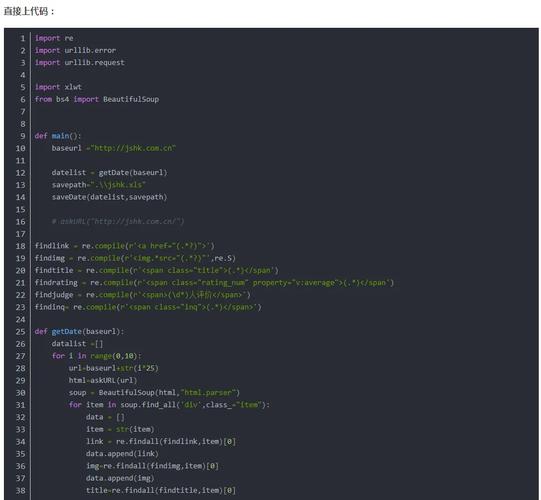
# For Ubuntu/Debian sudo apt-get update sudo apt-get install -y build-essential cmake git pkg-config sudo apt-get install -y libboost-all-dev libprotobuf-dev libhdf5-serial-dev sudo apt-get install -y libatlas-base-dev libleveldb-dev libsnappy-dev libboost-all-dev sudo apt-get install -y libhdf5-dev libgflags-dev libgoogle-glog-dev liblmdb-dev sudo apt-get install -y protobuf-compiler libprotobuf-dev # For Python dependencies (using pip) pip install numpy scipy matplotlib protobuf opencv-python
-
Install CUDA and cuDNN:
- Follow the official NVIDIA instructions to install the correct version of the CUDA Toolkit.
- Download and install cuDNN for your specific CUDA version. You'll need to create a free NVIDIA Developer account. This usually involves copying header files and library files to your CUDA installation directory.
-
Clone and Compile Caffe:
git clone https://github.com/BVLC/caffe.git
cd caffe
# Create a copy of the Makefile config to avoid modifying the original
cp Makefile.config.example Makefile.config
-
Edit
Makefile.config: This is the most critical step. Uncomment and modify the following lines to match your system.# --- For GPU Support --- # Uncomment to use CUDA # This should point to your CUDA installation path CUDA_DIR := /usr/local/cuda # This should point to your cuDNN installation path CUDA_ARCH := -gencode arch=compute_75,code=sm_75 # Example for a modern GPU (RTX 30xx) # cuDNN path INCLUDE_DIRS := $(PYTHON_INCLUDE) /usr/local/include /usr/include/hdf5/serial LIBRARY_DIRS := $(PYTHON_LIB) /usr/local/lib /usr/lib /usr/lib/x86_64-linux-gnu /usr/lib/x86_64-linux-gnu/hdf5/serial # --- For Python Support --- # Uncomment to include Python bindings WITH_PYTHON_LAYER := 1 # This should point to your Python executable ANACONDA_HOME := /home/your_user/anaconda3 # If using Anaconda/Miniconda PYTHON_INCLUDE := $(ANACONDA_HOME)/include/python3.8 \ # Match your Python version $(ANACONDA_HOME)/lib/python3.8/site-packages/numpy/core/include PYTHON_LIB := $(ANACONDA_HOME)/lib # This should point to your numpy installation PYTHON_LIBRARIES := boost_python3 python3.8 -
Compile Caffe:
 (图片来源网络,侵删)
# Clean previous builds (optional) make clean # Build Caffe (this can take a while) make all -j8 # Use -jN where N is the number of CPU cores # Test the Python bindings make pycaffe -j8 make test -j8 make runtest -j8
If all tests pass, your Caffe installation is ready!
Running a Pre-trained Model (The Classic CaffeNet Example)
This is the "Hello, World!" of Caffe. We'll use the famous CaffeNet (similar to AlexNet) to classify an image.
Step 1: Download the Model and Mean Image
Caffe provides pre-trained models and helper scripts. We'll use get_caffe_models.sh.
# Make sure you are in the caffe root directory
cd /path/to/caffe
# Run the script to download models
./scripts/download_model_binary.py models/bvlc_reference_caffenet
# Download the mean image (used for preprocessing)
./data/ilsvrc12/get_ilsvrc_aux.sh
This will create a models/bvlc_reference_caffenet directory with .prototxt and .caffemodel files.
Step 2: Prepare Your Image
Place an image you want to classify in the caffe root directory, for example, my_cat.jpg.
Step 3: Write the Python Script
Create a Python file named classify.py and paste the following code.
import numpy as np
import matplotlib.pyplot as plt
# Set the path to the caffe root directory
import sys
caffe_root = '/path/to/caffe/' # <-- IMPORTANT: Change this to your caffe path
sys.path.insert(0, caffe_root + 'python')
import caffe
# --- 1. Set up the caffe environment ---
# Set the mode to CPU or GPU
caffe.set_mode_gpu() # Or caffe.set_mode_cpu()
# Set the GPU device ID if you have multiple GPUs
caffe.set_device(0)
# --- 2. Load the model and weights ---
# Define the model architecture (prototxt)
model_def = 'models/bvlc_reference_caffenet/deploy.prototxt'
# Define the pre-trained weights (caffemodel)
model_weights = 'models/bvlc_reference_caffenet/bvlc_reference_caffenet.caffemodel'
# Initialize the network
net = caffe.Net(model_def,      # defines the structure of the model
                model_weights,  # contains the trained weights
                caffe.TEST)     # use caffe.TEST (not caffe.TRAIN)
# --- 3. Load the mean image and set up the transformer ---
# The mean image is used to subtract the dataset's mean pixel value
# This helps in normalizing the input data
mu = np.load(caffe_root + 'python/caffe/imagenet/ilsvrc_2012_mean.npy')
mu = mu.mean(1).mean(1) # average over pixels to obtain the mean (BGR) pixel values
print("Mean-subtraction values: ", mu)
# Create a transformer for the input called 'data'
# It will resize the image to 256x256, crop the center 227x227 region,
# and convert the image from BGR to RGB, and subtract the mean.
transformer = caffe.io.Transformer({'data': net.blobs['data'].data.shape})
transformer.set_transpose('data', (2, 0, 1))  # move image channels to outermost dimension
transformer.set_mean('data', mu)            # subtract the dataset mean pixel value
transformer.set_raw_scale('data', 255)       # rescale from [0, 1] to [0, 255]
transformer.set_channel_swap('data', (2, 1, 0))  # swap channels from RGB to BGR
# --- 4. Load and classify the image ---
image_file = 'my_cat.jpg'
image = caffe.io.load_image(image_file)
# Note: the input image should be in (H, W, C) format, BGR
# The transformer handles the rest
# Set the input data
net.blobs['data'].data[...] = transformer.preprocess('data', image)
# Perform classification (forward pass)
output = net.forward()
# --- 5. Process and display the results ---
# Output is a numpy array of shape (1, 1000) for ImageNet
output_prob = output['prob'][0] # probabilities for the first (and only) image
# Load the ImageNet class labels
labels_file = caffe_root + 'data/ilsvrc12/synset_words.txt'
if not os.path.exists(labels_file):
    !../data/ilsvrc12/get_ilsvrc_aux.sh
labels = np.loadtxt(labels_file, str, delimiter='\t')
# Sort top 5 predictions from highest to lowest
top_inds = output_prob.argsort()[::-1][:5]
print("===== Predictions =====")
for i in top_inds:
    print('predicted class: %s, probability: %.3f' % (labels[i], output_prob[i]))
# Display the image
plt.imshow(image)
plt.axis('off')
plt.show()
Step 4: Run the Script
Make sure to change caffe_root in the script to your actual path. Then run it:
python classify.py
You should see the top 5 predictions for your image, and the image itself will be displayed.
Key Concepts in Caffe Python
caffe.Net(): The main object. It loads the model architecture (deploy.prototxt) and the weights (model.caffemodel). Thecaffe.TESTflag sets the network to evaluation mode (e.g., disables dropout).net.blobs: A dictionary-like object that holds the data activations (the output of each layer) for the current input. You can access them by the layer name defined in the.prototxtfile.net.blobs['data'].data: The input data batch.net.blobs['pool5'].data: The output of thepool5layer.
net.params: A dictionary-like object that holds the learnable parameters (weights and biases) for each layer.net.params['conv1'][0].data: The weights of theconv1layer.net.params['conv1'][1].data: The biases of theconv1layer.
net.forward(): Performs a forward pass (inference). You can also callnet.forward(start='layer_x', end='layer_y')to run only a part of the network.net.backward(): Performs a backward pass (used for training).caffe.proto: Python module to create.prototxtfiles programmatically instead of writing them by hand.
Modern Alternatives & When to Use Caffe
| Feature | Caffe (Python) | PyTorch | TensorFlow/Keras |
|---|---|---|---|
| API Style | Declarative (define graph first, then run) | Imperative (define-by-run, Pythonic) | Declarative (define graph first, then run) |
| Debugging | Difficult. Hard to inspect intermediate values. | Excellent. You can use standard Python debuggers. | Good with tf.print and tf.debugging. |
| Flexibility | Good for standard architectures. Hard to create novel, dynamic models. | Excellent. Very easy to define custom layers and complex logic. | Good. tf.keras is high-level, tf.GradientTape offers flexibility. |
| Community | Smaller, more legacy-focused. | Very Large. State-of-the-art research. | Very Large. Industry standard. |
| Deployment | caffe2 (merged into PyTorch), ONNX. |
TorchServe, ONNX, TensorFlow Lite. | TensorFlow Serving, TFLite, TF.js, ONNX. |
When should you still use Caffe?
- Reproducing Research: Many older papers (pre-2025) provide their models exclusively in Caffe format.
- Legacy Projects: You're working on an existing codebase built on Caffe.
- Specific Deployments: If your production environment is already set up for Caffe inference and it works well for you.
- Learning Deep Learning History: Understanding Caffe helps you appreciate the evolution of frameworks.
For any new project, PyTorch or TensorFlow/Keras are almost always the recommended choices due to their ease of use, better debugging, and larger, more active communities.