Of course! Let's break down python list(set()) step-by-step.
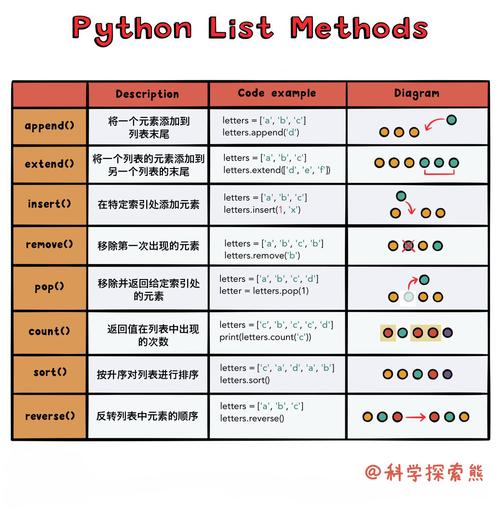
This is a very common and useful Python idiom for getting a unique, ordered list from another list.
The Short Answer
list(set(your_list)) is a one-line way to:
- Remove all duplicate elements from
your_list. - Return a new list containing only the unique elements.
Detailed Breakdown
The expression list(set()) works by chaining two built-in Python functions: set() and list(). Let's look at what each one does.
set(your_list) - Creating a Set
A set is an unordered collection of unique items. When you pass a list to the set() constructor, it automatically discards any duplicate values.
Key characteristics of a set:
- Unordered: The elements are not stored in any specific order (like they are in a list). This is a crucial point to remember.
- Unique: It cannot contain duplicate elements.
- Fast Lookups: Checking if an item is in a set is extremely fast (average O(1) time complexity).
Example:
my_list = [1, 5, 2, 8, 2, 5, 9, 1, 1, 5]
# Convert the list to a set
my_set = set(my_list)
print(f"Original List: {my_list}")
print(f"Resulting Set: {my_set}")
Output:
Original List: [1, 5, 2, 8, 2, 5, 9, 1, 1, 5]
Resulting Set: {1, 2, 5, 8, 9}  # Notice the duplicates are gone and the order is changed
As you can see, the duplicates (1 and 5) are removed, and the order of the elements is different from the original list.

list(my_set) - Converting the Set Back to a List
The list() constructor takes an iterable (like our new my_set) and creates a new list from its elements.
Example (continuing from above):
# Convert the set back to a list
unique_list = list(my_set)
print(f"Original List: {my_list}")
print(f"Resulting Set: {my_set}")
print(f"Final Unique List: {unique_list}")
Output:
Original List: [1, 5, 2, 8, 2, 5, 9, 1, 1, 5]
Resulting Set: {1, 2, 5, 8, 9}
Final Unique List: [1, 2, 5, 8, 9]  # Or another order, depending on Python version
Putting It All Together: list(set(your_list))
You can combine these two steps into a single, elegant line of code. This is the most common use case for this pattern.
# The original list with duplicates
numbers = [10, 20, 30, 20, 10, 50, 60, 40, 80, 50, 40]
# Use the idiom to get a list of unique elements
unique_numbers = list(set(numbers))
print(f"Original List: {numbers}")
print(f"List with Unique Elements: {unique_numbers}")
Output (the order may vary):
Original List: [10, 20, 30, 20, 10, 50, 60, 40, 80, 50, 40]
List with Unique Elements: [80, 40, 10, 50, 20, 60, 30]
⚠️ Important Caveat: Order is Not Guaranteed
This is the most important thing to remember about this idiom.
- In Python 3.6 and earlier: Sets are completely unordered. The order of elements in the final list is arbitrary and should not be relied upon.
- In Python 3.7+: Dictionaries (and by extension, sets) preserve the insertion order of their elements. Since Python 3.7,
list(set(your_list))will usually maintain the order of the first appearance of each element in the original list. However, this is an implementation detail, not a guaranteed language feature.
If you need to preserve the original order of first appearance, you should use a different method.
Alternative for Preserving Order (Python 3.7+)
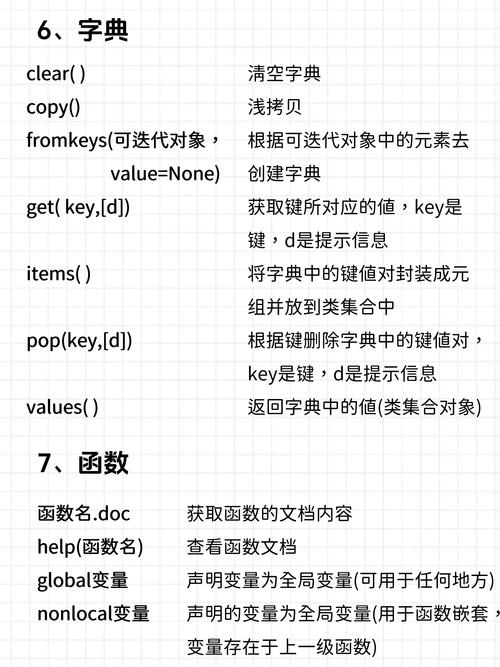
A more modern and explicit way to get unique elements while preserving order is using dict.fromkeys().
numbers = [10, 20, 30, 20, 10, 50, 60, 40, 80, 50, 40]
# dict.fromkeys() creates a dictionary with unique keys from the list.
# Converting the keys back to a list preserves the insertion order.
unique_numbers_ordered = list(dict.fromkeys(numbers))
print(f"Original List: {numbers}")
print(f"Ordered Unique List: {unique_numbers_ordered}")
Output:
Original List: [10, 20, 30, 20, 10, 50, 60, 40, 80, 50, 40]
Ordered Unique List: [10, 20, 30, 50, 60, 40, 80]
This method is more readable and clearly communicates your intent to preserve order.
Summary: When to Use list(set())
| Method | Use Case | Preserves Order? | Performance |
|---|---|---|---|
list(set(your_list)) |
When you only care about uniqueness and the order of the final list doesn't matter. | No (don't rely on it) | Very Fast (O(n)) |
list(dict.fromkeys(your_list)) |
When you need uniqueness AND to preserve the original order of first appearance. | Yes (guaranteed in Python 3.7+) | Very Fast (O(n)) |
| Manual Loop | When you need maximum control or are working with older Python versions. | Yes | Slower (O(n²)) in a naive implementation |
In conclusion: list(set()) is a fantastic, fast, and Pythonic way to get a list of unique items when you don't care about the final order. For ordered uniqueness, list(dict.fromkeys()) is the superior and more modern choice.