使用 substring() 方法(按索引截取)
substring() 是最常用的截取方法,支持两种形式:
(图片来源网络,侵删)
substring(int beginIndex):从指定索引开始截取到字符串末尾。substring(int beginIndex, int endIndex):截取从beginIndex到endIndex-1的子串(左闭右开)。
示例代码
public class StringSubstringExample {
    public static void main(String[] args) {
        String str = "Hello, World!";
        // 从索引 7 开始截取到末尾
        String sub1 = str.substring(7);
        System.out.println(sub1); // 输出: World!
        // 截取索引 7 到 12 的子串(左闭右开)
        String sub2 = str.substring(7, 12);
        System.out.println(sub2); // 输出: World
        // 截取前 5 个字符
        String sub3 = str.substring(0, 5);
        System.out.println(sub3); // 输出: Hello
    }
}
注意事项
- 索引从
0开始。 endIndex不能超过字符串长度,否则会抛出StringIndexOutOfBoundsException。
使用 split() 方法(按分隔符截取)
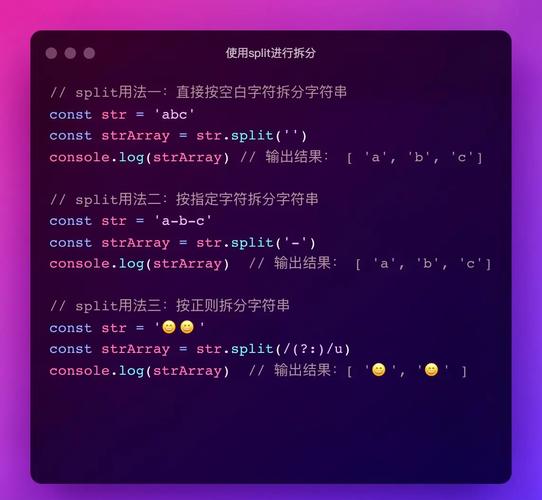
如果需要根据特定字符(如逗号、空格)分割字符串,可以使用 split() 方法,返回一个字符串数组。
示例代码
public class StringSplitExample {
    public static void main(String[] args) {
        String str = "apple,banana,orange";
        // 按逗号分割
        String[] fruits = str.split(",");
        for (String fruit : fruits) {
            System.out.println(fruit);
        }
        // 输出:
        // apple
        // banana
        // orange
        // 按空格分割(多个空格视为一个分隔符)
        String sentence = "Java  is  fun";
        String[] words = sentence.split("\\s+"); // \s+ 表示一个或多个空白字符
        for (String word : words) {
            System.out.println(word);
        }
        // 输出:
        // Java
        // is
        // fun
    }
}
注意事项
split()返回的是数组,需要进一步处理。- 如果分隔符是正则表达式中的特殊字符(如 , , ),需要用
\\转义。
使用正则表达式截取(Pattern 和 Matcher)
如果需要更灵活的截取方式(如匹配特定格式的子串),可以使用正则表达式。
示例代码
import java.util.regex.*;
public class RegexSubstringExample {
    public static void main(String[] args) {
        String str = "订单号: 12345, 金额: $99.99, 时间: 2025-10-01";
        // 提取所有数字
        Pattern pattern = Pattern.compile("\\d+");
        Matcher matcher = pattern.matcher(str);
        while (matcher.find()) {
            System.out.println("找到数字: " + matcher.group());
        }
        // 输出:
        // 找到数字: 12345
        // 找到数字: 99
        // 找到数字: 2025
        // 找到数字: 10
        // 找到数字: 1
        // 提取金额($符号 + 数字)
        Pattern pricePattern = Pattern.compile("\\$\\d+\\.\\d+");
        Matcher priceMatcher = pricePattern.matcher(str);
        if (priceMatcher.find()) {
            System.out.println("金额: " + priceMatcher.group()); // 输出: 金额: $99.99
        }
    }
}
注意事项
- 正则表达式需要转义特殊字符(如 需要写成
\\$)。 Matcher.group()返回匹配到的子串。
使用 StringUtils(Apache Commons Lang)
如果项目中使用了 Apache Commons Lang,可以用 StringUtils 提供的更简洁的方法。
依赖(Maven)
<dependency>
    <groupId>org.apache.commons</groupId>
    <artifactId>commons-lang3</artifactId>
    <version>3.12.0</version>
</dependency>
示例代码
import org.apache.commons.lang3.StringUtils;
public class StringUtilsExample {
    public static void main(String[] args) {
        String str = "Hello, World!";
        // 截取前 5 个字符
        String sub1 = StringUtils.substring(str, 0, 5);
        System.out.println(sub1); // 输出: Hello
        // 截取从第 7 个字符开始到末尾
        String sub2 = StringUtils.substring(str, 7);
        System.out.println(sub2); // 输出: World!
        // 安全截取(避免索引越界)
        String sub3 = StringUtils.substring(str, 0, 100);
        System.out.println(sub3); // 输出: Hello, World!
    }
}
优点
- 自动处理索引越界问题,不会抛出异常。
| 方法 | 适用场景 | 示例 |
|---|---|---|
substring() |
按固定索引截取 | str.substring(0, 5) |
split() |
按分隔符分割字符串 | str.split(",") |
| 正则表达式 | 复杂模式匹配(如提取数字、金额等) | Pattern.compile("\\d+") |
StringUtils |
需要更安全的截取(避免异常) | StringUtils.substring(str, 0, 5) |
根据需求选择合适的方法即可!
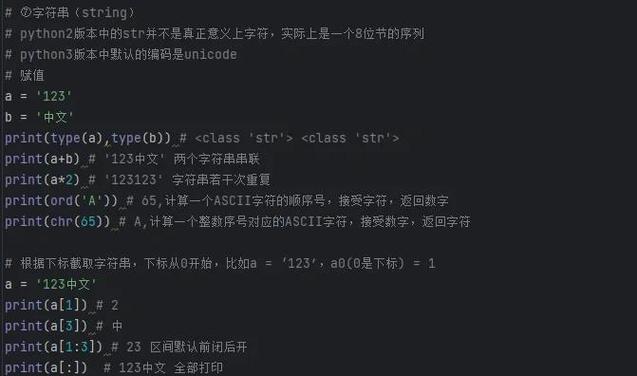
(图片来源网络,侵删)
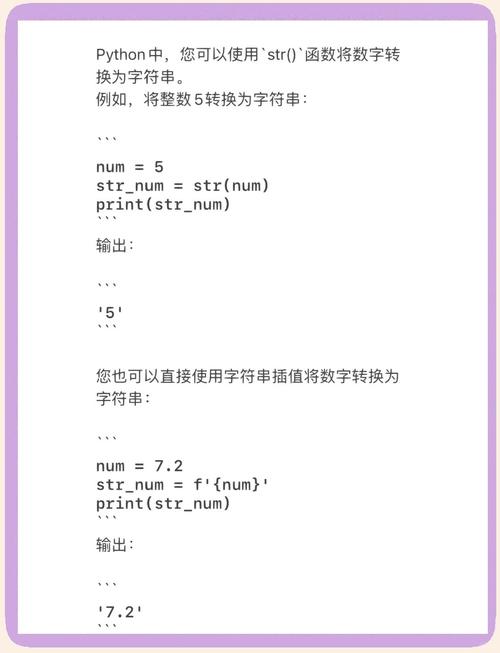
(图片来源网络,侵删)