Java Excel 导入日期处理指南
在Java中处理Excel文件导入日期时,需要注意Excel中日期的特殊存储方式,以下是几种常用的方法和注意事项:
(图片来源网络,侵删)
使用Apache POI处理Excel日期
Apache POI是处理Excel文件最常用的Java库,以下是处理日期的几种方式:
使用DataFormatter(推荐)
import org.apache.poi.ss.usermodel.*;
import org.apache.poi.xssf.usermodel.XSSFWorkbook;
import java.io.FileInputStream;
import java.text.SimpleDateFormat;
import java.util.Date;
public class ExcelDateReader {
    public static void main(String[] args) throws Exception {
        FileInputStream fis = new FileInputStream("example.xlsx");
        Workbook workbook = new XSSFWorkbook(fis);
        Sheet sheet = workbook.getSheetAt(0);
        DataFormatter dataFormatter = new DataFormatter();
        SimpleDateFormat dateFormat = new SimpleDateFormat("yyyy-MM-dd");
        for (Row row : sheet) {
            for (Cell cell : row) {
                String cellValue = dataFormatter.formatCellValue(cell);
                if (cellValue.matches("\\d{4}-\\d{2}-\\d{2}")) {
                    // 尝试解析为日期
                    try {
                        Date date = dateFormat.parse(cellValue);
                        System.out.println("日期: " + date);
                    } catch (Exception e) {
                        System.out.println("非日期格式: " + cellValue);
                    }
                }
            }
        }
        workbook.close();
        fis.close();
    }
}
直接处理日期单元格
for (Row row : sheet) {
    for (Cell cell : row) {
        if (cell.getCellType() == CellType.NUMERIC) {
            if (DateUtil.isCellDateFormatted(cell)) {
                Date date = cell.getDateCellValue();
                System.out.println("日期: " + date);
            } else {
                // 处理数字
                double numericValue = cell.getNumericCellValue();
                System.out.println("数字: " + numericValue);
            }
        } else if (cell.getCellType() == CellType.STRING) {
            String stringValue = cell.getStringCellValue();
            // 尝试解析字符串为日期
            try {
                Date date = parseDate(stringValue);
                System.out.println("日期: " + date);
            } catch (Exception e) {
                System.out.println("字符串: " + stringValue);
            }
        }
    }
}
private static Date parseDate(String dateString) throws Exception {
    // 尝试多种日期格式
    String[] patterns = {
        "yyyy-MM-dd", "MM/dd/yyyy", "dd-MM-yyyy",
        "yyyy年MM月dd日", "yyyyMMdd"
    };
    for (String pattern : patterns) {
        try {
            return new SimpleDateFormat(pattern).parse(dateString);
        } catch (Exception e) {
            // 尝试下一种格式
        }
    }
    throw new Exception("无法识别的日期格式: " + dateString);
}
使用EasyExcel处理日期
阿里巴巴的EasyExcel库提供了更简单的API:
import com.alibaba.excel.EasyExcel;
import com.alibaba.excel.context.AnalysisContext;
import com.alibaba.excel.event.AnalysisEventListener;
import java.util.ArrayList;
import java.util.Date;
import java.util.List;
public class EasyExcelDateReader {
    public static void main(String[] args) {
        String fileName = "example.xlsx";
        EasyExcel.read(fileName, DataModel.class, new AnalysisEventListener<DataModel>() {
            private List<DataModel> dataList = new ArrayList<>();
            @Override
            public void invoke(DataModel data, AnalysisContext context) {
                dataList.add(data);
            }
            @Override
            public void doAfterAllAnalysed(AnalysisContext context) {
                for (DataModel data : dataList) {
                    System.out.println("日期: " + data.getDate());
                }
            }
        }).sheet().doRead();
    }
}
class DataModel {
    @ExcelProperty(index = 0, converter = CustomDateConverter.class)
    private Date date;
    // getters and setters
}
需要自定义日期转换器:
import com.alibaba.excel.converters.Converter;
import com.alibaba.excel.enums.CellDataTypeEnum;
import com.alibaba.excel.metadata.GlobalConfiguration;
import com.alibaba.excel.metadata.data.ReadCellData;
import com.alibaba.excel.metadata.property.ExcelContentProperty;
import java.text.SimpleDateFormat;
import java.util.Date;
public class CustomDateConverter implements Converter<Date> {
    private static final String[] DATE_FORMATS = {
        "yyyy-MM-dd", "MM/dd/yyyy", "dd-MM-yyyy",
        "yyyy年MM月dd日", "yyyyMMdd"
    };
    @Override
    public Class<?> supportJavaTypeKey() {
        return Date.class;
    }
    @Override
    public CellDataTypeEnum supportExcelTypeKey() {
        return CellDataTypeEnum.STRING;
    }
    @Override
    public Date convertToJavaData(ReadCellData<?> cellData, ExcelContentProperty contentProperty,
                                 GlobalConfiguration globalConfiguration) throws Exception {
        String stringValue = cellData.getStringValue();
        for (String pattern : DATE_FORMATS) {
            try {
                return new SimpleDateFormat(pattern).parse(stringValue);
            } catch (Exception e) {
                // 尝试下一种格式
            }
        }
        throw new IllegalArgumentException("无法识别的日期格式: " + stringValue);
    }
}
注意事项
-
Excel日期存储机制:
 (图片来源网络,侵删)
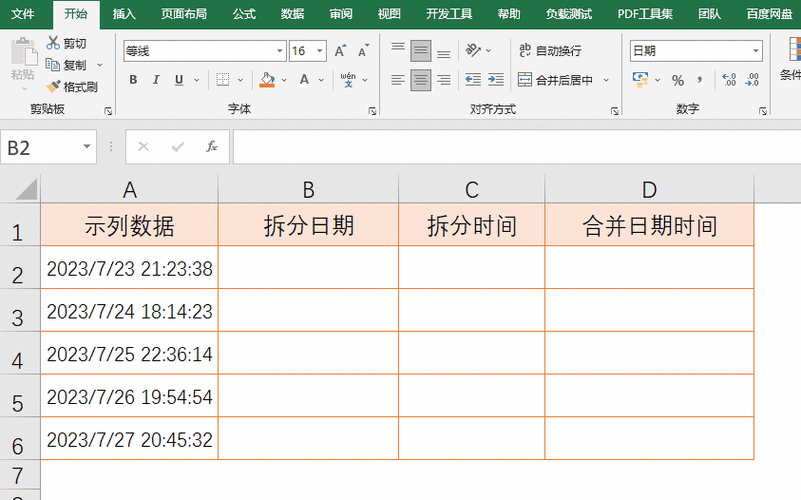
- Excel将日期存储为数字(从1900年1月1日开始的天数)
- 日期格式只是显示方式,实际存储是数字
-
时区问题:
处理日期时要注意时区,特别是从不同时区读取数据时
-
日期格式多样性:
- Excel中日期格式可能多种多样(yyyy-MM-dd、MM/dd/yyyy等)
- 需要处理不同的日期格式
-
1900年闰年问题:
 (图片来源网络,侵删)
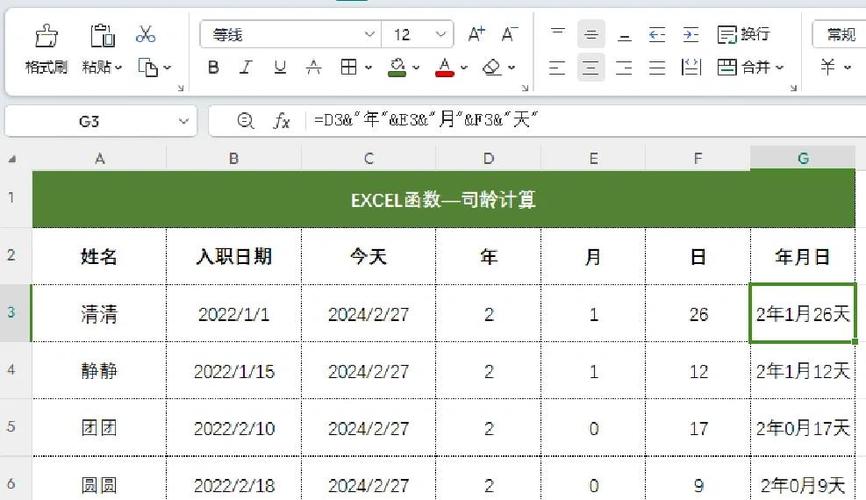
Excel错误地将1900年视为闰年,这会导致1900年2月29日的日期计算错误
-
空值处理:
处理可能为空的日期单元格
完整示例
import org.apache.poi.ss.usermodel.*;
import org.apache.poi.xssf.usermodel.XSSFWorkbook;
import java.io.FileInputStream;
import java.text.SimpleDateFormat;
import java.util.Date;
import java.util.HashMap;
import java.util.Map;
public class CompleteExcelDateProcessor {
    private static final Map<String, SimpleDateFormat> DATE_FORMATS = new HashMap<>();
    static {
        DATE_FORMATS.put("yyyy-MM-dd", new SimpleDateFormat("yyyy-MM-dd"));
        DATE_FORMATS.put("MM/dd/yyyy", new SimpleDateFormat("MM/dd/yyyy"));
        DATE_FORMATS.put("dd-MM-yyyy", new SimpleDateFormat("dd-MM-yyyy"));
        DATE_FORMATS.put("yyyy年MM月dd日", new SimpleDateFormat("yyyy年MM月dd日"));
        DATE_FORMATS.put("yyyyMMdd", new SimpleDateFormat("yyyyMMdd"));
    }
    public static void main(String[] args) throws Exception {
        try (FileInputStream fis = new FileInputStream("dates.xlsx");
             Workbook workbook = new XSSFWorkbook(fis)) {
            Sheet sheet = workbook.getSheetAt(0);
            for (Row row : sheet) {
                for (Cell cell : row) {
                    processCell(cell);
                }
            }
        }
    }
    private static void processCell(Cell cell) {
        switch (cell.getCellType()) {
            case NUMERIC:
                if (DateUtil.isCellDateFormatted(cell)) {
                    Date date = cell.getDateCellValue();
                    System.out.println("日期(格式化): " + date);
                } else {
                    // 检查是否可能是未格式化的日期
                    double numericValue = cell.getNumericCellValue();
                    if (numericValue > 1 && numericValue < 2958466) { // Excel日期范围
                        Date date = DateUtil.getJavaDate(numericValue);
                        System.out.println("日期(未格式化): " + date);
                    } else {
                        System.out.println("数字: " + numericValue);
                    }
                }
                break;
            case STRING:
                String stringValue = cell.getStringCellValue().trim();
                if (!stringValue.isEmpty()) {
                    for (SimpleDateFormat format : DATE_FORMATS.values()) {
                        try {
                            Date date = format.parse(stringValue);
                            System.out.println("日期(字符串): " + date);
                            return;
                        } catch (Exception e) {
                            // 继续尝试下一种格式
                        }
                    }
                    System.out.println("字符串: " + stringValue);
                }
                break;
            case BLANK:
                System.out.println("空单元格");
                break;
            default:
                System.out.println("其他类型: " + cell.getCellType());
        }
    }
}
方法可以根据实际需求进行调整,特别是日期格式部分,需要根据实际Excel文件中的日期格式进行匹配。