Of course! This is a very common and fundamental command in the Java ecosystem. Let's break down java -jar in the context of Maven.
The command java -jar is used to run a compiled Java application from a JAR (Java Archive) file. Maven's role is to help you build that JAR file.
So, the full process is a two-step dance:
- Maven's Job: Compile your source code, package it into a distributable JAR file.
- Java's Job: Execute the code inside that JAR file.
Step 1: Building the JAR with Maven
Before you can run your application with java -jar, you need a JAR file. Maven creates this for you using the package goal.
The Command:
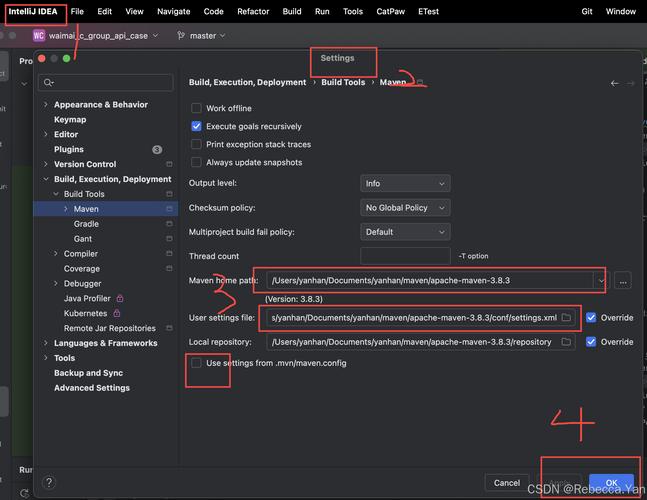
mvn package
What happens when you run this? Maven will execute a series of phases in its Default Lifecycle:
validate: Checks if the project is correct and all necessary information is available.compile: Compiles your source code (insrc/main/java) into bytecode (intarget/classes).test-compile: Compiles your test code (insrc/test/java).test: Runs the compiled tests using a framework like JUnit.package: This is the key step. It takes your compiled code and resources, packages them into a JAR file, and places it in thetarget/directory.
The Output:
After running mvn package, you will find your application's JAR file in the target/ directory. It will typically have a name like my-app-1.0-SNAPSHOT.jar.
Step 2: Running the JAR with java -jar
Now that you have the JAR, you can run your application.
The Command:
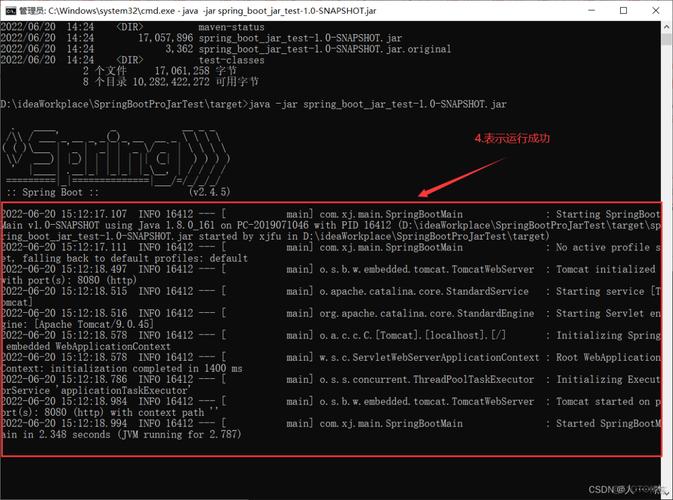
java -jar target/my-app-1.0-SNAPSHOT.jar
What does each part mean?
java: The command to invoke the Java Virtual Machine (JVM).-jar: A flag that tells the JVM to run a program from a JAR file.target/my-app-1.0-SNAPSHOT.jar: The path to your application's JAR file.
A Complete, Practical Example
Let's create a simple "Hello World" project to see the whole process.
Project Structure
First, create a standard Maven project structure:
my-app/
├── pom.xml
└── src/
    └── main/
        ├── java/
        │   └── com/
        │       └── example/
        │           └── App.java
        └── resources/
pom.xml
Create a pom.xml file in the root directory. This is Maven's configuration file.
<project xmlns="http://maven.apache.org/POM/4.0.0"
         xmlns:xsi="http://www.w3.org/2001/XMLSchema-instance"
         xsi:schemaLocation="http://maven.apache.org/POM/4.0.0 http://maven.apache.org/xsd/maven-4.0.0.xsd">
    <modelVersion>4.0.0</modelVersion>
    <groupId>com.example</groupId>
    <artifactId>my-app</artifactId>
    <version>1.0-SNAPSHOT</version>
    <properties>
        <maven.compiler.source>11</maven.compiler.source>
        <maven.compiler.target>11</maven.compiler.target>
    </properties>
</project>
The Java Application (src/main/java/com/example/App.java)
Create a simple class with a main method.
package com.example;
public class App {
    public static void main(String[] args) {
        System.out.println("Hello, World! Maven built and ran me!");
    }
}
Build and Run
Step A: Build the JAR
Open your terminal in the my-app/ directory and run:
mvn clean package
clean: Deletes thetarget/directory from previous builds, ensuring a fresh start.package: Builds the new JAR.
You'll see Maven's output, and at the end, you'll find my-app-1.0-SNAPSHOT.jar inside the target/ directory.
Step B: Run the JAR Now, execute the JAR file:
java -jar target/my-app-1.0-SNAPSHOT.jar
Expected Output:
Hello, World! Maven built and ran me!Important Considerations: The "Fat" JAR (Uber JAR)
What if your application depends on other libraries (e.g., Jackson, Log4j)? By default, the java -jar command will fail because it can't find those dependencies.
You need to tell Maven to package all your dependencies inside the final JAR. This is called a "Fat JAR" or "Uber JAR".
The most popular plugin for this is the Maven Shade Plugin.
How to use it:
- Add the plugin to your
pom.xmlinside the<build>section.
<project ...>
    ...
    <build>
        <plugins>
            <plugin>
                <groupId>org.apache.maven.plugins</groupId>
                <artifactId>maven-shade-plugin</artifactId>
                <version>3.4.1</version>
                <executions>
                    <execution>
                        <phase>package</phase>
                        <goals>
                            <goal>shade</goal>
                        </goals>
                        <configuration>
                            <transformers>
                                <transformer implementation="org.apache.maven.plugins.shade.resource.ManifestResourceTransformer">
                                    <mainClass>com.example.App</mainClass> <!-- Specify your main class here -->
                                </transformer>
                            </transformers>
                        </configuration>
                    </execution>
                </executions>
            </plugin>
        </plugins>
    </build>
</project>
-
Re-run the build:
mvn clean package
-
Run the new Fat JAR: The plugin will create a new, larger JAR (e.g.,
my-app-1.0-SNAPSHOT-shaded.jar) that contains everything. You can now run it just like before.java -jar target/my-app-1.0-SNAPSHOT-shaded.jar
This time, the application will run successfully because all its dependencies are included within the JAR file itself.