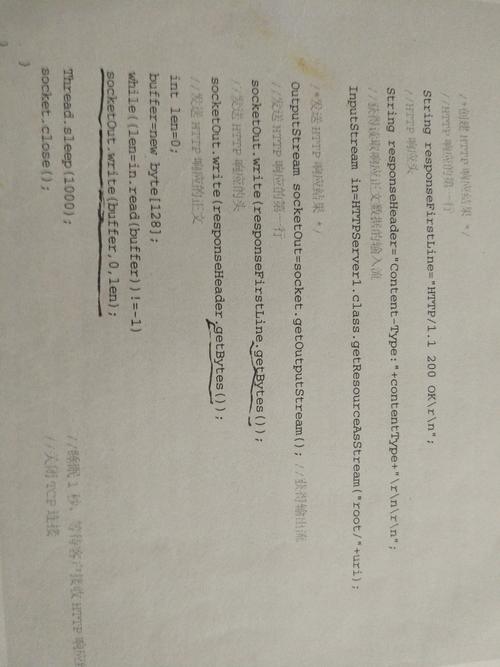
在 Java 中,将字节数组(byte[])转换为字符串(String)时,需要特别注意字符编码问题,如果不指定编码,可能会因为不同平台或环境的默认编码不同而导致乱码。
(图片来源网络,侵删)
以下是几种常见的方法和注意事项:
使用 String 构造方法(推荐)
byte[] bytes = {(byte) 0xE4, (byte) 0xBD, (byte) 0xA0, (byte) 0xE5, (byte) 0xA5, (byte) 0xBD}; // "你好" 的 UTF-8 编码
String str = new String(bytes, "UTF-8"); // 指定编码
System.out.println(str); // 输出: 你好
关键点:
- 必须指定编码(如
"UTF-8"、"GBK"、"ISO-8859-1"),否则会使用 JVM 默认编码(可能乱码)。 - 如果字节数组不是目标编码的数据,会抛出
UnsupportedEncodingException(但 Java 8+ 中,UTF-8、"GBK"等标准编码不会抛出此异常)。
使用 StandardCharsets(Java 7+,更安全)
import java.nio.charset.StandardCharsets;
byte[] bytes = {(byte) 0xE4, (byte) 0xBD, (A0), (byte) 0xE5, (byte) 0xA5, (byte) 0xBD};
String str = new String(bytes, StandardCharsets.UTF_8);
System.out.println(str); // 输出: 你好
优点:
- 避免硬编码字符串(如
"UTF-8"),减少拼写错误。 - 不会抛出
UnsupportedEncodingException。
从字节数组直接构造(不推荐,可能乱码)
byte[] bytes = {(byte) 0xE4, (byte) 0xBD, (A0), (byte) 0xE5, (byte) 0xA5, (byte) 0xBD};
String str = new String(bytes); // 使用 JVM 默认编码(可能乱码)
风险:
- JVM 默认编码不是 UTF-8(如 Windows 默认可能是
GBK),会导致乱码。
处理乱码问题
如果字节数组编码和解析编码不一致,会出现乱码。
// 假设字节数组是 GBK 编码,但用 UTF-8 解析
byte[] gbkBytes = {(byte) 0xC4, (byte) 0xE3, (byte) 0xBA, (byte) 0xC3}; // "你好" 的 GBK 编码
String wrongStr = new String(gbkBytes, "UTF-8"); // 错误编码
System.out.println(wrongStr); // 输出乱码,如 ä½ å¥½
// 正确解析
String correctStr = new String(gbkBytes, "GBK");
System.out.println(correctStr); // 输出: 你好
其他常见编码示例
// UTF-16 编码(通常带 BOM 头)
byte[] utf16Bytes = {(byte) 0xFE, (byte) 0xFF, 0x60, 0x4F, 0x59, 0x7D}; // "你好" 的 UTF-16BE
String utf16Str = new String(utf16Bytes, "UTF-16");
// ISO-8859-1 编码(单字节,不会乱码,但无法表示非 ASCII 字符)
byte[] isoBytes = {(byte) 0xE4, (byte) 0xBD, (A0)};
String isoStr = new String(isoBytes, "ISO-8859-1"); // 输出乱码字符
完整示例代码
import java.nio.charset.StandardCharsets;
public class ByteArrayToString {
    public static void main(String[] args) {
        byte[] utf8Bytes = {(byte) 0xE4, (byte) 0xBD, (A0), (byte) 0xE5, (byte) 0xA5, (byte) 0xBD}; // "你好" UTF-8
        byte[] gbkBytes = {(byte) 0xC4, (byte) 0xE3, (byte) 0xBA, (byte) 0xC3}; // "你好" GBK
        // 正确解析 UTF-8
        String str1 = new String(utf8Bytes, StandardCharsets.UTF_8);
        System.out.println("UTF-8 解析: " + str1); // 输出: 你好
        // 正确解析 GBK
        String str2 = new String(gbkBytes, "GBK");
        System.out.println("GBK 解析: " + str2); // 输出: 你好
        // 错误示例(用 UTF-8 解析 GBK 字节数组)
        String wrongStr = new String(gbkBytes, StandardCharsets.UTF_8);
        System.out.println("错误解析: " + wrongStr); // 输出乱码
    }
}
| 方法 | 示例 | 适用场景 | 注意事项 |
|---|---|---|---|
new String(bytes, "编码") |
new String(bytes, "UTF-8") |
需要指定编码 | 可能抛出 UnsupportedEncodingException |
new String(bytes, StandardCharsets.UTF_8) |
new String(bytes, StandardCharsets.UTF_8) |
Java 7+ 推荐 | 更安全,无异常风险 |
new String(bytes) |
new String(bytes) |
不推荐 | 依赖 JVM 默认编码,可能乱码 |
最佳实践:
始终显式指定编码(如 StandardCharsets.UTF_8),避免依赖默认编码。
(图片来源网络,侵删)