Of course! Let's break down the if-else if statement in Java. It's a fundamental control flow structure used for decision-making.

What is if-else if?
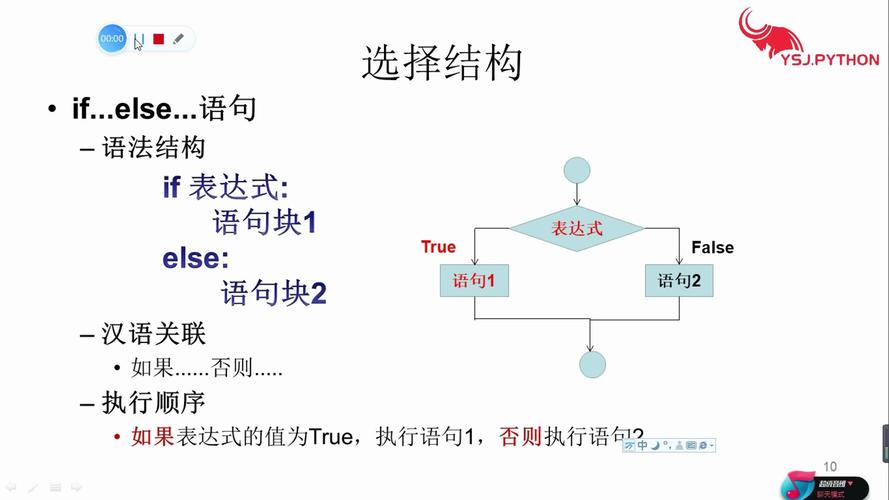
It's an extension of the basic if-else statement that allows you to check a series of conditions. The program will execute the block of code for the first condition that evaluates to true and then skip all the other else if and else blocks. This is often called a "conditional ladder" or "multi-way branch."
The Syntax
The structure looks like this:
if (condition1) {
    // Code to execute if condition1 is true
} else if (condition2) {
    // Code to execute if condition1 is false AND condition2 is true
} else if (condition3) {
    // Code to execute if condition1 and condition2 are false AND condition3 is true
} else {
    // Code to execute if ALL of the above conditions (condition1, condition2, condition3...) are false
}
Key Points:
- You can have as many
else ifblocks as you need. - The
elseblock at the end is optional. If it's omitted and none of the conditions are true, nothing happens. - Only one block of code will ever be executed. Once a condition is met, the rest of the ladder is ignored.
How it Works: A Step-by-Step Example
Let's imagine a program that assigns a letter grade based on a numerical score.
int score = 85;
if (score >= 90) {
    System.out.println("Grade: A");
} else if (score >= 80) { // This is checked only if the first condition (score >= 90) was false
    System.out.println("Grade: B");
} else if (score >= 70) { // This is checked only if the first two conditions were false
    System.out.println("Grade: C");
} else if (score >= 60) { // This is checked only if the first three conditions were false
    System.out.println("Grade: D");
} else { // This is executed if ALL of the above conditions were false
    System.out.println("Grade: F");
}
Execution Flow for score = 85:
- Is
score >= 90?85 >= 90is false. The code inside this block is skipped. - Is
score >= 80?85 >= 80is true. - The code inside this
else ifblock is executed:System.out.println("Grade: B");is printed. - The rest of the ladder is skipped. The program does not check
score >= 70,score >= 60, or theelseblock. The program continues after the entireif-else ifstatement.
Complete Runnable Example
Here is a full Java program you can run to see it in action.
public class IfElseIfExample {
    public static void main(String[] args) {
        // --- Example 1: A score that falls into the 'B' category ---
        checkGrade(85);
        System.out.println("--------------------");
        // --- Example 2: A score that falls into the 'A' category ---
        checkGrade(95);
        System.out.println("--------------------");
        // --- Example 3: A score that falls into the 'F' category ---
        checkGrade(55);
    }
    public static void checkGrade(int score) {
        System.out.println("Checking score for: " + score);
        if (score >= 90) {
            System.out.println("Result: Grade A - Excellent!");
        } else if (score >= 80) {
            System.out.println("Result: Grade B - Good job!");
        } else if (score >= 70) {
            System.out.println("Result: Grade C - Average.");
        } else if (score >= 60) {
            System.out.println("Result: Grade D - Needs improvement.");
        } else {
            System.out.println("Result: Grade F - Failed.");
        }
    }
}
Output of the program:
Checking score for: 85
Result: Grade B - Good job!
--------------------
Checking score for: 95
Result: Grade A - Excellent!
--------------------
Checking score for: 55
Result: Grade F - Failed.
Common Pitfall: Order Matters!
The order of your else if conditions is critical. Let's swap the conditions in our grade example to see what happens.
// DANGEROUS - INCORRECT ORDER!
int score = 85;
if (score >= 60) { // This condition is true for almost any passing score!
    System.out.println("Grade: D or higher"); // This will be printed!
} else if (score >= 80) {
    System.out.println("Grade: B"); // This code is NEVER reached.
} else if (score >= 90) {
    System.out.println("Grade: A"); // This code is also NEVER reached.
}
Why is this wrong?
Because 85 >= 60 is true, the program executes that first block and then exits the entire if-else if structure. It never gets a chance to check if the score was also an A or a B.
Rule: Always order your conditions from most specific to least specific (or from highest value to lowest in the case of ranges). Check for >= 90 before >= 80, and so on.
When to Use if-else if vs. switch
if-else if is very powerful, but for certain cases, a switch statement can be cleaner and more readable.
Use if-else if when:
- You are checking a range of values (e.g.,
score >= 90,score >= 80). - You are checking conditions involving logical operators (
&&, , ). - You are checking against different data types (like
double,boolean, or object references).
Use switch when:
- You are checking a single variable against a set of discrete, constant values.
- The code can be more concise and easier to read.
switch Example for Comparison
// Using switch for discrete values
char grade = 'B';
switch (grade) {
    case 'A':
        System.out.println("Excellent!");
        break; // The 'break' is crucial to prevent "fall-through"
    case 'B':
        System.out.println("Good job!");
        break;
    case 'C':
        System.out.println("Average.");
        break;
    default: // Equivalent to the final 'else'
        System.out.println("Needs improvement.");
        break;
}
Summary
| Feature | if-else if |
|---|---|
| Purpose | To execute one block of code from many possible options based on a series of conditions. |
| Execution | Checks conditions in order. Executes the block for the first true condition and then stops. |
| Order | Crucial. Conditions must be ordered from most specific to least specific. |
| Flexibility | High. Can handle ranges, complex logical expressions, and different data types. |
| Alternative | A switch statement can be a cleaner alternative for checking a single variable against discrete values. |