Of course! In Java, the return keyword is a fundamental part of writing methods. It serves two primary purposes:
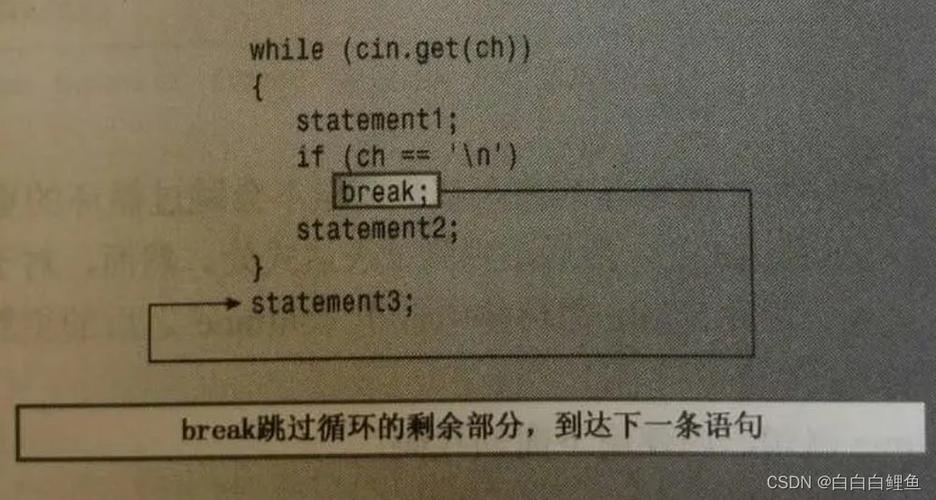
- To exit a method immediately.
- To send a value back to the code that called the method.
Let's break down these two uses with clear examples.
The return Keyword in a Method with a Return Type
When a method is declared with a return type (like int, String, double, etc.), it must use return to send a value of that type back to the caller.
Key Concepts:
- Method Signature: The return type is specified before the method name (e.g.,
public int). returnValue: Thereturnstatement must be followed by a value that matches the method's declared return type.- Termination: The
returnstatement immediately stops the execution of the method.
Example: A Method that Adds Two Numbers
Let's create a method called add that takes two integers and returns their sum.
public class Calculator {
    /**
     * This method adds two integers and returns the result.
     * @param a The first integer.
     * @param b The second integer.
     * @return The sum of a and b.
     */
    public int add(int a, int b) {
        // Calculate the sum
        int sum = a + b;
        // Use 'return' to send the value back and exit the method.
        return sum;
    }
    public static void main(String[] args) {
        Calculator myCalculator = new Calculator();
        // Call the 'add' method. The value it returns (15) is stored in 'result'.
        int result = myCalculator.add(10, 5);
        // Print the result
        System.out.println("The sum is: " + result); // Output: The sum is: 15
    }
}
In this example:
- The method signature is
public int add(...). Theintmeans this method must return an integer. - Inside the method,
return sum;does two things:- It provides the integer value of
sumto themainmethod. - It stops any further code in the
addmethod from running.
- It provides the integer value of
The return Keyword in a void Method
If a method is declared with the void return type, it means it does not return any value. You can still use the return keyword, but only for its first purpose: to exit the method early.
Key Concepts:
voidReturn Type: The method is designed to perform an action, not to compute and return a value.- Early Exit:
returncan be used to stop the method before it reaches its end, often for error checking or to avoid unnecessary code.
Example: A Method that Checks for a Valid Name
Let's create a method that prints a greeting, but only if the provided name is not null or empty.
public class Greeter {
    /**
     * Prints a greeting to the console if the name is valid.
     * If the name is null or empty, the method does nothing.
     * @param name The name to greet.
     */
    public void greet(String name) {
        // Use 'return' to exit the method early if the name is invalid.
        // This prevents the rest of the code from running.
        if (name == null || name.trim().isEmpty()) {
            System.out.println("Cannot greet with an empty name.");
            return; // Exit the method here.
        }
        // This code will only run if the 'if' condition above is false.
        System.out.println("Hello, " + name + "!");
    }
    public static void main(String[] args) {
        Greeter myGreeter = new Greeter();
        myGreeter.greet("Alice"); // Valid name
        myGreeter.greet("");      // Invalid name (empty)
        myGreeter.greet(null);    // Invalid name (null)
    }
}
Output:
Hello, Alice!
Cannot greet with an empty name.
Cannot greet with an empty name.
In this example:
- The method signature is
public void greet(...). Thevoidkeyword means it doesn't return any value. return;is used to immediately exit thegreetmethod when the name is invalid. It's a clean way to handle a "do nothing" scenario.
Returning Objects
You can also return objects from a method. The return statement will provide a reference to the object.
Example: A Method that Creates and Returns a Person Object
public class Person {
    private String name;
    private int age;
    public Person(String name, int age) {
        this.name = name;
        this.age = age;
    }
    public String getName() {
        return this.name;
    }
    // This method creates a new Person object and returns it.
    public Person createAdult(String name) {
        // Create a new Person instance
        Person adult = new Person(name, 18);
        // Return the reference to the new object
        return adult;
    }
}
public class Main {
    public static void main(String[] args) {
        PersonFactory factory = new PersonFactory(); // Assuming this class exists
        // Call the method and get the returned Person object
        Person newPerson = factory.createAdult("Bob");
        System.out.println("Created person's name is: " + newPerson.getName()); // Output: Created person's name is: Bob
    }
}
Important Rules and Best Practices
-
Must Return a Value: In a non-
voidmethod, every possible execution path must lead to areturnstatement. The compiler will give you an error if it thinks a method can finish without returning a value.// COMPILE ERROR! What if 'x' is not greater than 10? public int getValue(int x) { if (x > 10) { return 100; } // No return statement here for the 'else' case. }Corrected:
public int getValue(int x) { if (x > 10) { return 100; } return 0; // Handle the other case. } -
returnvs.System.exit():return: Exits only the current method. Execution continues in the method that called it.System.exit(0): Terminates the entire Java program immediately. Use this only when the program cannot or should not continue (e.g., a critical system failure).
-
Clarity: Use
returnfor early exits invoidmethods to make your code cleaner and easier to read. It avoids deep nesting ofif-elsestatements.
Summary Table
| Method Type | Purpose of return |
Example |
|---|---|---|
With Return Type (e.g., int, String) |
Send a value back to the caller. Exit the method. |
public int getSum() { return 10; } |
void Method |
Exit the method early (for error checking, etc.). It does not return a value. |
public void check() { if (error) return; } |