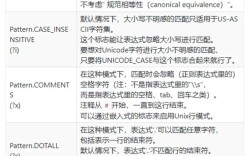
匹配单个空格
最简单的情况是匹配一个标准的空格字符(),在正则表达式中,空格字符本身就可以直接使用。

(图片来源网络,侵删)
示例:检查一个字符串是否由单个空格组成
import java.util.regex.Pattern;
import java.util.regex.Matcher;
public class SpaceRegexExample {
    public static void main(String[] args) {
        String regex = " "; // 直接匹配一个空格
        String input1 = " ";
        String input2 = "a";
        String input3 = "  "; // 两个空格
        Pattern pattern = Pattern.compile(regex);
        // 测试 input1
        Matcher matcher1 = pattern.matcher(input1);
        System.out.println("字符串 '" + input1 + "' 是否匹配? " + matcher1.matches()); // true
        // 测试 input2
        Matcher matcher2 = pattern.matcher(input2);
        System.out.println("字符串 '" + input2 + "' 是否匹配? " + matcher2.matches()); // false
        // 测试 input3
        Matcher matcher3 = pattern.matcher(input3);
        System.out.println("字符串 '" + input3 + "' 是否匹配? " + matcher3.matches()); // false
    }
}
输出:
字符串 ' ' 是否匹配? true
字符串 'a' 是否匹配? false
字符串 '  ' 是否匹配? false
进阶:匹配任意数量的空格
在实际应用中,我们通常需要匹配零个或多个、一个或多个空格。
a) 匹配零个或多个空格 ( 星号)
表示它前面的元素可以出现 0 次或多次。
(图片来源网络,侵删)
*正则表达式:` ** (注意*` 前面有一个空格)
示例:检查字符串是否以任意数量的空格开头
String regex = " *"; // 匹配0个或多个空格
String input1 = "hello";
String input2 = " hello";
String input3 = "   hello";
Pattern pattern = Pattern.compile(regex);
// .matches() 要求整个字符串都匹配,所以这里不适用
// 我们需要使用 .find() 或看字符串开头是否匹配
System.out.println("输入 '" + input1 + "' 开头有空格? " + input1.matches(regex + ".*")); // true
System.out.println("输入 '" + input2 + "' 开头有空格? " + input2.matches(regex + ".*")); // true
System.out.println("输入 '" + input3 + "' 开头有空格? " + input3.matches(regex + ".*")); // true
更简洁的方法是使用 Matcher.find():
String text = "   hello world";
Matcher matcher = pattern.matcher(text);
if (matcher.find()) {
    System.out.println("找到了空格,起始位置: " + matcher.start());
}
// 输出: 找到了空格,起始位置: 0
b) 匹配一个或多个空格 ( 加号)
表示它前面的元素必须出现 1 次或多次。
(图片来源网络,侵删)
正则表达式: (注意 前面有一个空格)
示例:查找字符串中所有连续的空格块
import java.util.regex.*;
public class OneOrMoreSpaces {
    public static void main(String[] args) {
        String text = "This  is a  test string with   multiple   spaces.";
        // 正则表达式:匹配一个或多个连续的空格
        String regex = " +";
        Pattern pattern = Pattern.compile(regex);
        Matcher matcher = pattern.matcher(text);
        System.out.println("原始字符串: \"" + text + "\"");
        System.out.println("找到的连续空格块:");
        while (matcher.find()) {
            // group() 返回匹配到的子串
            // start() 返回匹配的起始索引
            // end() 返回匹配的结束索引
            System.out.println("  - 位置 [" + matcher.start() + "-" + matcher.end() + "]: '" + matcher.group() + "'");
        }
    }
}
输出:
原始字符串: "This  is a  test string with   multiple   spaces."
找到的连续空格块:
  - 位置 [4-6]: '  '
  - 位置 [7-8]: ' '
  - 位置 [9-11]: '  '
  - 位置 [21-24]: '   '
  - 位置 [30-32]: '   '
高级:匹配所有类型的空白字符
"空格"在日常语言中通常指空格,但在编程和正则表达式中,"空白字符"(Whitespace)是一个更广的概念,包括:
\s(小写 s): 匹配任何空白字符,包括:[ \t\n\x0B\f\r](空格, 制表符, 换行符, 垂直制表符, 换页符, 回车符)
a) 匹配单个空白字符 (\s)
String regex = "\\s"; // 在 Java 字符串中,反斜杠需要转义,所以是 "\\s"
String input1 = " "; // 空格
String input2 = "\t"; // 制表符
String input3 = "\n"; // 换行符
String input4 = "a";  // 非空白
System.out.println("输入 '" + input1 + "' 是否匹配? " + input1.matches(regex)); // true
System.out.println("输入 '" + input2 + "' 是否匹配? " + input2.matches(regex)); // true
System.out.println("输入 '" + input3 + "' 是否匹配? " + input3.matches(regex)); // true
System.out.println("输入 '" + input4 + "' 是否匹配? " + input4.matches(regex)); // false
b) 匹配任意数量的空白字符 (\s* 或 \s+)
\s*: 匹配零个或多个空白字符。\s+: 匹配一个或多个空白字符。
示例:去除字符串两端的空白字符
这是一个非常常见的操作,可以使用 String.trim(),但用正则表达式可以实现同样的效果,并且更灵活。
public class TrimWithRegex {
    public static void main(String[] args) {
        String text = "  \t hello world \n ";
        // 正则表达式 ^\s+ 匹配字符串开头的1个或多个空白
        // $ 匹配字符串结尾
        // \s+ 匹配结尾的1个或多个空白
        String regex = "^\\s+|\\s+$";
        // 使用 Matcher.replaceAll() 将匹配到的内容替换为空字符串 ""
        String trimmedText = text.replaceAll(regex, "");
        System.out.println("原始字符串: '" + text + "'");
        System.out.println("修剪后字符串: '" + trimmedText + "'");
    }
}
输出:
原始字符串: '     hello world
 '
修剪后字符串: 'hello world'^: 匹配字符串的开始位置。- 匹配字符串的结束位置。
- "或"操作符。
实用技巧与常见场景
场景1:分割字符串(Split)
当你想根据空格(或空白字符)分割一个字符串时,split() 方法非常方便。
String sentence = "This is a  sentence with tabs\tand newlines\n.";
// 使用正则表达式 \s+ 来分割一个或多个空白字符
String[] words = sentence.split("\\s+");
System.out.println("分割后的单词数组:");
for (String word : words) {
    System.out.println(" - " + word);
}
输出:
分割后的单词数组:
 - This
 - is
 - a
 - sentence
 - with
 - tabs
 - and
 - newlines
 - .
场景2:替换空白字符
你可以将所有类型的空白字符替换成统一的字符,比如单个空格。
String messyText = "Some\ttext\nwith\r  whitespaces.";
// 将所有一个或多个空白字符替换成一个空格
String cleanText = messyText.replaceAll("\\s+", " ");
System.out.println("替换前: '" + messyText + "'");
System.out.println("替换后: '" + cleanText + "'");
输出:
替换前: 'Some  text
with     whitespaces.'
替换后: 'Some text with whitespaces.'| 目标 | 正则表达式 | 说明 | Java 字符串写法 |
|---|---|---|---|
| 匹配单个空格 | ` ` | 最基础的匹配 | |
| 匹配零个或多个空格 | 表示 0 次或多次 | ||
| 匹配一个或多个空格 | 表示 1 次或多次 | ||
| 匹配任意单个空白字符 | \s |
包括空格, 制表符, 换行等 | "\\s" |
| 匹配任意数量的空白字符 | \s* 或 \s+ |
同上,但范围更广 | "\\s*" 或 "\\s+" |
| 去除两端空白 | ^\s+|\s+$ |
^开头,或 |
"^\\s+|\\s+$" |
| 按空白分割 | \s+ |
split() 方法常用 |
".split("\\s+")" |
关键点:
- 转义:在 Java 的
String中,反斜杠\是一个转义字符,所以要在字符串中表示\s,你必须写成"\\s"。 - 空白 vs 空格:根据你的需求选择
` (空格) 还是\s(所有空白)。\s` 更常用,因为它能处理各种看不见的空白符。 - 量词选择: (零个或多个) 和 (一个或多个) 是最常用的量词。 (零个或一个) 也有其用途, 表示一个可选的空格。