Of course! Converting a List to an array in Java is a common task. There are two primary ways to do this, each with its own use case.
- Using
List.toArray(T[] array)(Recommended for typed arrays) - Using
List.toArray()(ForObject[]arrays)
Let's break down each method with clear examples.
Method 1: toArray(T[] array) - The Recommended Way
This is the most flexible and type-safe method. You provide an array as an argument, and the method fills it with the list's elements. If the provided array is large enough, it's used. If not, a new array of the same type is created and returned.
Syntax
// T is the type of elements in the list (e.g., String, Integer)
list.toArray(T[] array);
Key Scenarios
Scenario A: The provided array is larger than the list.
The list's elements are copied into the beginning of the array. The remaining positions are filled with null.
import java.util.Arrays;
import java.util.List;
public class ListToArrayExample {
    public static void main(String[] args) {
        List<String> names = Arrays.asList("Alice", "Bob", "Charlie");
        // Create a destination array that is LARGER than the list
        String[] nameArray = new String[5]; // Size 5, list has 3 elements
        // Convert the list to the array
        String[] resultArray = names.toArray(nameArray);
        // The original array is filled, and returned
        System.out.println("Original array: " + Arrays.toString(nameArray));
        // Output: Original array: [Alice, Bob, Charlie, null, null]
        System.out.println("Returned array: " + Arrays.toString(resultArray));
        // Output: Returned array: [Alice, Bob, Charlie, null, null]
        // Important: The returned array is the SAME object as the original array
        System.out.println("Are they the same object? " + (nameArray == resultArray));
        // Output: Are they the same object? true
    }
}
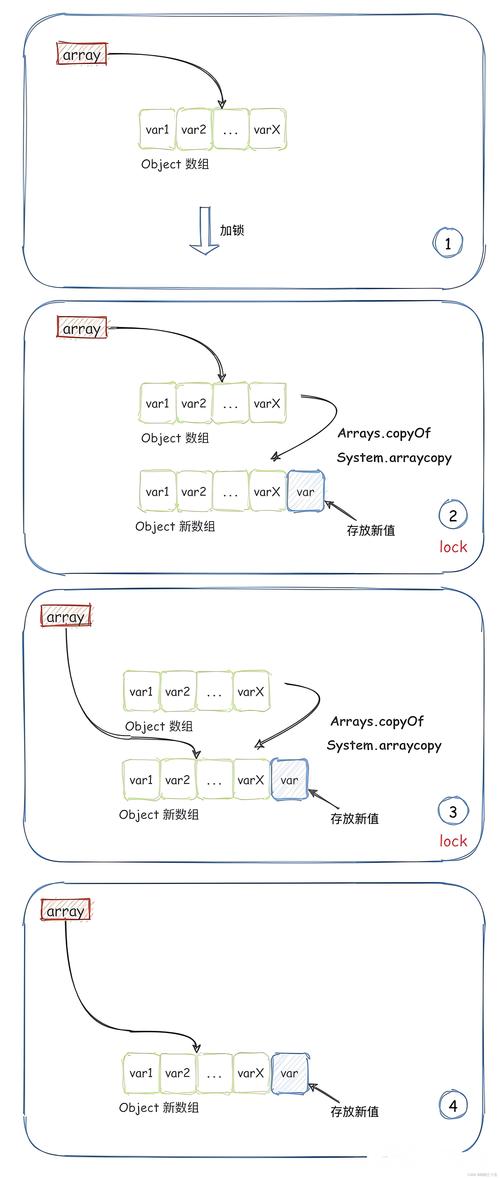
Scenario B: The provided array is the same size or smaller than the list. A new array is created, filled with the list's elements, and returned. The original array you passed in is unmodified and ignored.
import java.util.Arrays;
import java.util.List;
public class ListToArrayExample2 {
    public static void main(String[] args) {
        List<String> names = Arrays.asList("Alice", "Bob", "Charlie");
        // Create a destination array that is SMALLER than the list
        String[] nameArray = new String[2]; // Size 2, list has 3 elements
        // Convert the list to the array
        String[] resultArray = names.toArray(nameArray);
        // The original array is UNMODIFIED
        System.out.println("Original array: " + Arrays.toString(nameArray));
        // Output: Original array: [null, null] (or whatever it was before)
        // A NEW array is created and returned
        System.out.println("Returned array: " + Arrays.toString(resultArray));
        // Output: Returned array: [Alice, Bob, Charlie]
        // Important: The returned array is a NEW object
        System.out.println("Are they the same object? " + (nameArray == resultArray));
        // Output: Are they the same object? false
    }
}
The Most Common and Idiomatic Usage
The most common way to use this method is to pass an empty array of the correct type. This tells the method: "Create a new array for me with the perfect size." This is clean, concise, and type-safe.
import java.util.Arrays;
import java.util.List;
public class ListToArrayBestPractice {
    public static void main(String[] args) {
        List<String> names = Arrays.asList("Alice", "Bob", "Charlie");
        // The idiomatic way: pass an empty array of the correct type
        String[] nameArray = names.toArray(new String[0]);
        System.out.println("Converted array: " + Arrays.toString(nameArray));
        // Output: Converted array: [Alice, Bob, Charlie]
    }
}
new String[0]creates an empty array. Its size is irrelevant; thetoArraymethod only uses it to determine the type of the new array it should create.- This is the preferred method in modern Java for its clarity and conciseness.
Method 2: toArray() - For Object[] Arrays
This method is simpler but less flexible. It doesn't take any arguments and always returns an array of type Object[]. This means the elements in the array are not of the specific type you might expect (e.g., String), but are Objects.
This is useful when you don't care about the specific type of the array or when you are working with a list that can hold mixed types.
Syntax
list.toArray();
Example
import java.util.Arrays;
import java.util.List;
public class ListToObjectArrayExample {
    public static void main(String[] args) {
        List<String> names = Arrays.asList("Alice", "Bob", "Charlie");
        // Convert to an Object array
        Object[] objectArray = names.toArray();
        System.out.println("Object array: " + Arrays.toString(objectArray));
        // Output: Object array: [Alice, Bob, Charlie]
        // You cannot cast the whole array to String[] directly
        // String[] stringArray = (String[]) objectArray; // This works, but is generally unsafe!
        // However, you cannot assign it to a pre-declared String[] variable
        // String[] myStrings = objectArray; // COMPILE ERROR: Incompatible types.
        // You must cast element by element to use them as Strings
        for (Object obj : objectArray) {
            String name = (String) obj;
            System.out.println("Name: " + name);
        }
    }
}
Summary: Which One Should You Use?
| Feature | list.toArray(T[] array) (Recommended) |
list.toArray() |
|---|---|---|
| Return Type | An array of the type you specify (String[], Integer[], etc.). |
An Object[]. |
| Type Safety | High. The compiler ensures type safety. | Low. Returns Object[], requiring manual casting. |
| Flexibility | High. You can control the size and type of the resulting array. | Low. Only returns Object[]. |
| Common Use Case | When you need a strongly-typed array for a specific purpose. | When you need a generic array or are working with a heterogeneous list. |
| Best Practice | Use list.toArray(new String[0]) for a clean, type-safe conversion. |
Use when you explicitly need an Object[]. |
Final Recommendation: Always prefer list.toArray(new T[0]). It's the most robust, type-safe, and idiomatic way to convert a List to an array in Java.