Of course! Let's dive deep into how to use numpy.append(). This is a very common function for beginners, but it's crucial to understand how it works under the hood to avoid common pitfalls.
The Core Concept: What np.append() Does
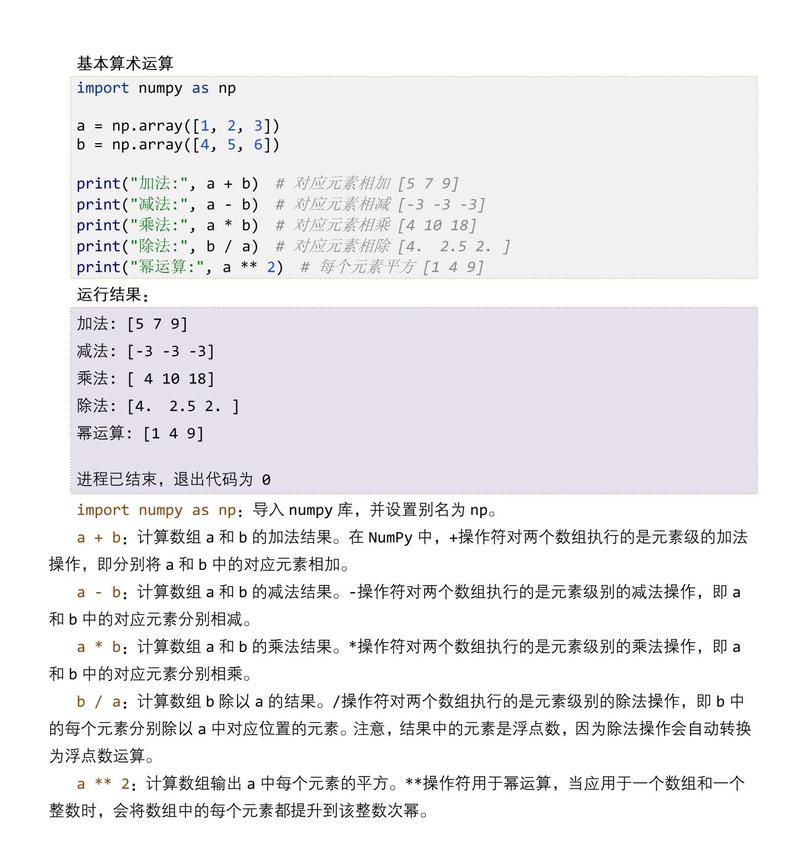
numpy.append() adds values to the end of an array. It returns a new array containing the original elements followed by the new elements.
The most important thing to remember is: np.append() does not modify the array in-place. It always returns a new array.
Basic Syntax
import numpy as np
numpy.append(arr, values, axis=None)
Parameters:
arr: The input array. This is the array you want to append to.values: The values or array you want to append. The shape of these values must be compatible with the original array.axis(optional): The axis along whichvaluesare appended. This is the most critical parameter.- If
axisis not given (or isNone),arrandvaluesare flattened (treated as 1D arrays) before appending. - If
axisis specified,arrandvaluesmust have the same number of dimensions and compatible shapes along other axes.
- If
Return Value:
- A new array with the appended values. The original array
arrremains unchanged.
Key Scenarios and Examples
Let's look at the two main use cases: when axis is provided and when it is not.
Scenario 1: No axis is Specified (Default Behavior)
When you don't provide an axis, NumPy flattens both the input array arr and the values array into 1D sequences and then concatenates them.
Example: Appending to a 1D Array
import numpy as np
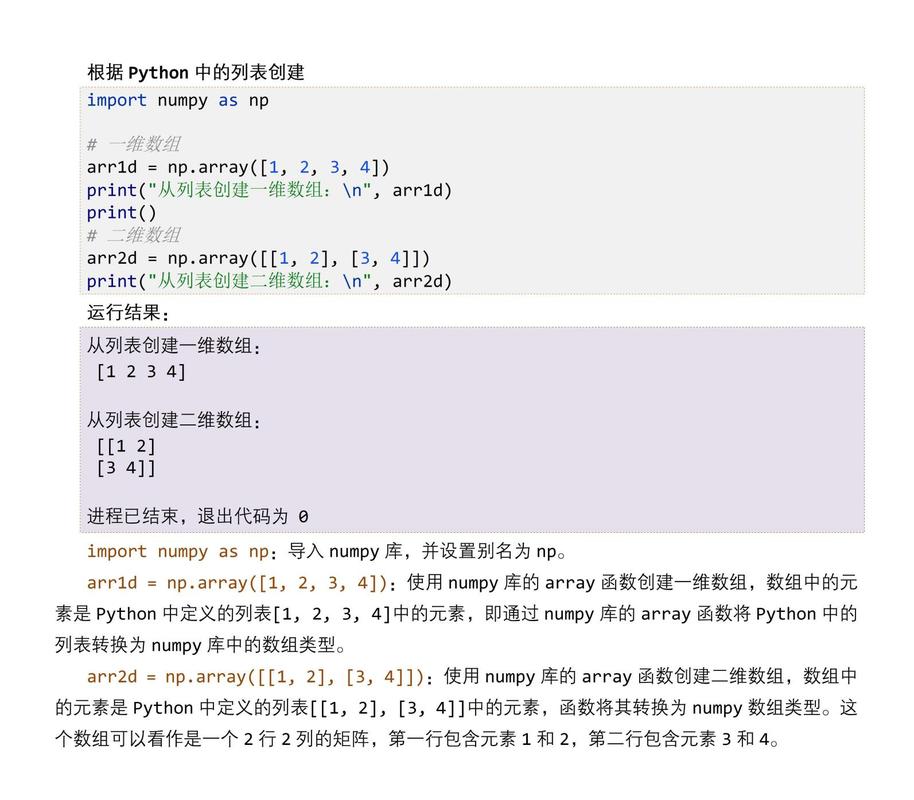
a = np.array([1, 2, 3])
values_to_add = np.array([4, 5, 6])
# Append values to array 'a'
new_array = np.append(a, values_to_add)
print(f"Original array 'a': {a}")
print(f"Values to add: {values_to_add}")
print(f"New array returned by np.append(): {new_array}")
Output:

Original array 'a': [1 2 3]
Values to add: [4 5 6]
New array returned by np.append(): [1 2 3 4 5 6]
Example: Appending to a 2D Array
This is where it's easy to get confused. Notice how the 2D structure is lost.
import numpy as np
a = np.array([[1, 2, 3], [4, 5, 6]])
values_to_add = np.array([[7, 8, 9]])
# np.append flattens 'a' and 'values_to_add' before appending
new_array = np.append(a, values_to_add)
print(f"Original array 'a':\n{a}\n")
print(f"Values to add:\n{values_to_add}\n")
print(f"New array returned by np.append():\n{new_array}\n")
Output:
Original array 'a':
[[1 2 3]
 [4 5 6]]
Values to add:
[[7 8 9]]
New array returned by np.append():
[1 2 3 4 5 6 7 8 9]
As you can see, the result is a simple 1D array.
Scenario 2: axis is Specified
When you provide an axis, you are telling NumPy to append the values along that specific dimension. This is generally more useful and intuitive.
Crucial Rule: The shapes of arr and values must be compatible. If you are appending along axis=0, they must have the same number of columns. If you are appending along axis=1, they must have the same number of rows.
Example: Appending along axis=0 (Adding Rows)
This is the most common use case. We add a new row to an existing 2D array.
import numpy as np
a = np.array([[1, 2, 3], [4, 5, 6]])
new_row = np.array([7, 8, 9])
# Append the new_row to the end of 'a' along axis 0
# Both 'a' and 'new_row' must have the same number of columns (3)
new_array = np.append(a, [new_row], axis=0) # Note: [new_row] is a 2D array
print(f"Original array 'a':\n{a}\n")
print(f"New row to add (as a 2D array):\n{[new_row]}\n") # We pass it as a 2D list/array
print(f"New array after appending along axis=0:\n{new_array}\n")
Output:
Original array 'a':
[[1 2 3]
 [4 5 6]]
New row to add (as a 2D array):
[[7 8 9]]
New array after appending along axis=0:
[[1 2 3]
 [4 5 6]
 [7 8 9]]
Why [new_row]? np.append expects the values to have the same number of dimensions as arr. Since a is 2D, we need to pass new_row as a 2D array. Wrapping it in [] achieves this: [new_row] has shape (1, 3).
Example: Appending along axis=1 (Adding Columns)
Here, we add a new column to our 2D array.
import numpy as np
a = np.array([[1, 2, 3], [4, 5, 6]])
new_column = np.array([[10], [20]]) # Must be a 2D array with shape (2, 1)
# Append the new_column to 'a' along axis 1
# Both 'a' and 'new_column' must have the same number of rows (2)
new_array = np.append(a, new_column, axis=1)
print(f"Original array 'a':\n{a}\n")
print(f"New column to add:\n{new_column}\n")
print(f"New array after appending along axis=1:\n{new_array}\n")
Output:
Original array 'a':
[[1 2 3]
 [4 5 6]]
New column to add:
[[10]
 [20]]
New array after appending along axis=1:
[[ 1  2  3 10]
 [ 4  5  6 20]]
Common Pitfalls and Important Considerations
Pitfall 1: np.append is Not In-Place
A very common mistake for beginners is to think np.append modifies the original array.
import numpy as np
a = np.array([1, 2, 3])
np.append(a, 4) # This line does nothing to 'a'
print(a) # The original array is unchanged
Output:
[1 2 3]The Correct Way: You must assign the result to a new variable (or back to the old one if you want to re-use the name).
a = np.array([1, 2, 3])
a = np.append(a, 4) # Now 'a' refers to the new array
print(a)
Output:
[1 2 3 4]Pitfall 2: Performance and Inefficiency
np.append is a convenient function, but it can be very slow in loops. This is because it creates a new array and copies all the data from the original array and the new values into it every time it's called.
Bad Practice (Slow):
import numpy as np
import time
# Create an empty array to start
arr = np.array([])
# Loop to append numbers 0 to 9999
for i in range(10000):
    arr = np.append(arr, i)
print(f"Final array has {len(arr)} elements.")
This will be noticeably slow.
Good Practice (Fast): Use Pre-allocation or np.concatenate
For performance, it's almost always better to pre-allocate an array of the final size and fill it, or collect your data in a Python list and convert it to a NumPy array once at the end.
# Good Practice 1: Pre-allocate
final_size = 10000
arr_fast = np.zeros(final_size)
for i in range(final_size):
    arr_fast[i] = i
# Good Practice 2: Use a list and convert at the end
data_list = []
for i in range(10000):
    data_list.append(i)
arr_fast_2 = np.array(data_list)
Pitfall 3: Shape Mismatch
If you specify an axis, you must ensure the shapes are compatible. If they aren't, you'll get a ValueError.
import numpy as np
a = np.array([[1, 2, 3], [4, 5, 6]])
# This row has 4 elements, but 'a' has 3 columns
bad_row = np.array([7, 8, 9, 10])
try:
    np.append(a, [bad_row], axis=0)
except ValueError as e:
    print(f"Error: {e}")
Output:
Error: all the input arrays must have same number of dimensions, but the array at index 0 has 2 dimension(s) and the array at index 1 has 1 dimension(s)Correction: The error message can be a bit misleading. The real issue is that the shapes (2, 3) and (4,) are incompatible for concatenation along axis=0. You need the number of columns to match.
Summary: When to Use np.append
When to Use np.append (np.append(arr, values, axis=...) |
When to Use Alternatives (np.concatenate, np.vstack, etc.) |
|---|---|
| Quick, one-off additions to an array. | Inside loops or performance-critical code. |
| Interactive sessions (e.g., in a Jupyter notebook) for quick checks. | When building an array iteratively. |
| When the simplicity of the function outweighs the minor performance cost. | When you need to join multiple arrays at once (np.concatenate is more direct). |
When you specifically want to stack arrays vertically (np.vstack) or horizontally (np.hstack). |
Alternatives to know:
np.concatenate((a, b), axis=0): A more general and often more efficient way to join arrays. It requires the inputs to be a tuple of arrays.np.vstack((a, b)): Vertical stacking. An easy way to stack arrays on top of each other (likenp.appendwithaxis=0).np.hstack((a, b)): Horizontal stacking. An easy way to stack arrays side-by-side (likenp.appendwithaxis=1).