Of course! This is an excellent question. "Python in practice" is all about moving from writing small, isolated scripts to building robust, maintainable, and scalable applications.
Here’s a comprehensive guide on what it means to use Python in practice, broken down into key areas.
The Core Mindset: It's Not Just About the Language
When you start using Python professionally or for serious projects, your focus shifts from just "getting it to work" to a few critical principles:
- Readability is King: Your code will be read by others (and your future self) far more often than it's written. Clear, consistent, and readable code is paramount.
- Don't Repeat Yourself (DRY): If you find yourself copying and pasting code, stop. Abstract it into a function or a class.
- Simplicity over Cleverness: The simplest solution that works is almost always the best. Avoid overly complex "Pythonic" one-liners if they sacrifice clarity.
- Testing is Non-Negotiable: Your code will change. A good test suite ensures that your changes don't break existing functionality. It's your safety net.
- Version Control is Your Lifeline: Git is not optional. It's how you track changes, collaborate, and recover from mistakes.
The Essential Tools of the Trade (The "Pythonic" Toolkit)
A professional Python developer doesn't just use python script.py. They use a suite of tools to manage their environment, dependencies, and code quality.
a. Virtual Environments
Problem: You're working on Project A, which needs requests==2.25.1. Project B needs requests==2.28.0. How do you manage this without conflicts?
Solution: Virtual Environments. They create isolated spaces for each project, complete with its own Python interpreter and installed packages.
How to use it:
# Create a virtual environment (named 'venv' or '.venv')
python -m venv .venv
# Activate it
# On macOS/Linux:
source .venv/bin/activate
# On Windows:
.venv\Scripts\activate
# Now you're in the environment. Your prompt will change.
# Install packages for THIS project only
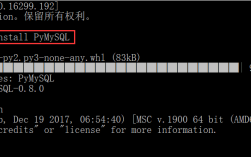
pip install requests pandas
# Deactivate when you're done
deactivate
b. Dependency Management (pip and requirements.txt)
Once your environment is active, you install packages with pip. To ensure others can replicate your environment, you save the list of dependencies.
# Install a package
pip install numpy
# Save the exact versions of all installed packages to a file
pip freeze > requirements.txt
A requirements.txt file looks like this:
numpy==1.26.4
pandas==2.1.4
requests==2.31.0
Anyone else can now create the same environment by running:
pip install -r requirements.txt
c. Package Management (pip and pyproject.toml)
For modern projects, the standard is pyproject.toml. It's a more powerful configuration file that replaces setup.py, requirements.txt, and setup.cfg.
You manage it using build tools like Poetry or Hatch. They handle dependencies, virtual environments, and building your project into a distributable package all in one.
d. Code Quality and Linting
- Black: The uncompromising code formatter. It enforces a single, consistent style, so you never have to argue about tabs vs. spaces or line length. You run it, and it formats your code for you.
- Flake8: A linter that checks your code for style errors (like PEP 8 violations) and logical bugs. It catches things you might miss.
- MyPy: A static type checker. Python is dynamically typed, but you can add "type hints" to your code. MyPy then checks these types at static analysis time, catching many bugs before you even run the code.
A typical workflow involves running these tools automatically to ensure your code is always clean and correct.
Structuring Your Projects
A simple script is fine, but a real application needs structure. Here’s a common and effective pattern for a medium-sized project.
my_project/
├── .venv/                 # Your virtual environment (should be in .gitignore)
├── .gitignore             # Files to ignore for Git
├── pyproject.toml         # Project dependencies and metadata
├── src/                   # Your source code
│   └── my_package/
│       ├── __init__.py    # Makes this directory a Python package
│       ├── main.py        # The main entry point of your application
│       ├── models.py      # Data models (e.g., classes for User, Product)
│       └── utils.py       # Utility functions (e.g., for formatting data)
├── tests/                 # Your test files
│   ├── __init__.py
│   └── test_models.py
└── README.md              # A description of your project
Key Areas of Practical Application
Python's power comes from its rich ecosystem of libraries for specific domains.
a. Data Science & Machine Learning
This is Python's most famous domain. The workflow is a series of transformations.
Core Libraries:
- Pandas: For data manipulation and analysis. Think of it as a super-powered spreadsheet or SQL in Python. It's built around the DataFrame, a 2D table-like data structure.
- NumPy: The fundamental package for numerical computation. It provides powerful N-dimensional array objects.
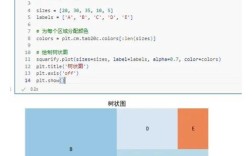
- Matplotlib & Seaborn: For data visualization. You can create line charts, bar plots, heatmaps, and more to understand your data.
- Scikit-learn: The go-to library for classical machine learning. It provides simple and efficient tools for data mining and data analysis.
- Jupyter Notebooks / VS Code: Interactive environments where you can write code, see its output (plots, data tables), and add text explanations all in one document. Perfect for exploration and analysis.
Practical Example (Pandas):
import pandas as pd
# Load data from a CSV file
df = pd.read_csv('sales_data.csv')
# Get a quick overview of the data
print(df.info())
print(df.describe())
# Filter data: find all sales in the 'Electronics' category
electronics_sales = df[df['category'] == 'Electronics']
# Group data and calculate the total sales per product
total_sales_per_product = electronics_sales.groupby('product_name')['sales_amount'].sum()
# Sort to find the top-selling product
top_selling = total_sales_per_product.sort_values(ascending=False)
print(f"Top selling product: {top_selling.index[0]}")
b. Web Development
You can build anything from simple APIs to complex web applications.
Core Libraries:
- Django: A high-level, "batteries-included" framework. It gives you a project structure with an admin panel, ORM (Object-Relational Mapper for databases), and security features out of the box. Great for building content-heavy sites quickly.
- Flask: A micro-framework. It's lightweight and gives you the essentials. You add the components you need (like a database or user authentication) yourself. Great for APIs and smaller applications.
- FastAPI: A modern, high-performance framework for building APIs. It's incredibly fast, easy to use, and has automatic interactive documentation.
Practical Example (Flask):
# app.py
from flask import Flask, jsonify
app = Flask(__name__)
@app.route('/api/users', methods=['GET'])
def get_users():
    # In a real app, you'd fetch this from a database
    users = [
        {'id': 1, 'name': 'Alice'},
        {'id': 2, 'name': 'Bob'}
    ]
    return jsonify(users)
if __name__ == '__main__':
    app.run(debug=True)
c. Automation & Scripting
This is Python's killer app for productivity. It's used to automate repetitive tasks.
Use Cases:
- File System Operations: Renaming thousands of images, moving files based on their type, cleaning up temporary files.
- Web Scraping: Extracting data from websites (use libraries like
RequestsandBeautiful Soup). - System Administration: Automating server deployments, checking logs, managing user accounts.
- Interacting with APIs: Pulling data from a Slack, GitHub, or weather API and processing it.
Practical Example (File Renamer):
import os
import shutil
# Rename all .JPG files in a directory to .jpg
folder_path = '/path/to/your/images'
for filename in os.listdir(folder_path):
    if filename.endswith('.JPG'):
        old_path = os.path.join(folder_path, filename)
        new_path = os.path.join(folder_path, filename.lower())
        os.rename(old_path, new_path)
        print(f"Renamed {filename} to {filename.lower()}")
d. DevOps & Cloud
Python is a glue language in the cloud.
Core Libraries:
- Boto3: The official AWS SDK for Python. You can write scripts to create EC2 instances, manage S3 buckets, and deploy Lambda functions.
- Ansible: An automation tool for configuring and managing servers. It uses YAML for its playbooks, but its engine is Python.
- Terraform: While its language is HCL, Python scripts are often used to generate Terraform configurations dynamically.
Putting It All Together: A Practical Workflow
- Idea: "I need to analyze the sentiment of customer reviews for my product."
- Setup:
- Create a project folder:
review-sentiment-analyzer. - Initialize a Git repository:
git init. - Create a virtual environment:
python -m venv .venv. - Activate it.
- Create a project folder:
- Dependencies:
- Install libraries:
pip install pandas numpy scikit-learn nltk. - Create a
requirements.txt:pip freeze > requirements.txt.
- Install libraries:
- Code Structure:
- Create a
src/directory with your main script, e.g.,src/sentiment_analyzer.py. - Write your code using Pandas to load reviews, Scikit-learn to train a model, and NLTK for text processing.
- Create a
- Testing:
- Create a
tests/directory. - Write a test to ensure your data loading function returns a DataFrame.
- Create a
- Code Quality:
- Install
blackandflake8. - Run
black .to format your code. - Run
flake8 .to check for style issues.
- Install
- Execution:
- Run your script from the terminal:
python src/sentiment_analyzer.py.
- Run your script from the terminal:
- Deployment (Optional):
Package your script into a command-line tool or a simple web API using Flask so others can use it.
This structured approach is what separates a hobbyist script from a professional, maintainable Python application.