Of course! In Java, there are several ways to join strings or string collections. The best method depends on your specific needs (e.g., Java version, performance, readability).
Here are the most common and effective ways to join strings in Java, from the modern, recommended approach to the classic, fundamental ones.
The Modern Way: String.join() (Java 8+)
This is the most straightforward and readable method for joining a collection of strings with a delimiter. It's part of the standard Java String class.
A. Joining a Collection (List, Set, etc.)
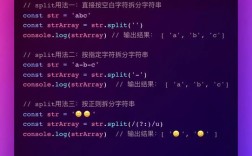
This is the most common use case. You provide a delimiter and an Iterable (like a List or Set).
Syntax:
String.join(CharSequence delimiter, Iterable<? extends CharSequence> elements)
Example:
import java.util.Arrays;
import java.util.List;
public class StringJoinExample {
    public static void main(String[] args) {
        List<String> names = Arrays.asList("Alice", "Bob", "Charlie");
        // Join with a comma and a space
        String commaSeparated = String.join(", ", names);
        System.out.println(commaSeparated); // Output: Alice, Bob, Charlie
        // Join with a different delimiter
        String pipeSeparated = String.join(" | ", names);
        System.out.println(pipeSeparated); // Output: Alice | Bob | Charlie
    }
}
B. Joining an Array of Strings
You can also use a static join method that takes an array.
Syntax:
static String join(CharSequence delimiter, CharSequence... elements)
Example:

import java.util.Arrays;
public class StringJoinArrayExample {
    public static void main(String[] args) {
        String[] ids = {"101", "205", "310"};
        String idList = String.join("-", ids);
        System.out.println(idList); // Output: 101-205-310
    }
}
The Flexible Way: StringJoiner (Java 8+)
StringJoiner is a utility class that gives you more control over the joining process. It's especially useful if you need to add prefixes and suffixes.
Syntax:
StringJoiner(CharSequence delimiter)
Example:
import java.util.StringJoiner;
public class StringJoinerExample {
    public static void main(String[] args) {
        // Create a StringJoiner with a delimiter
        StringJoiner joiner = new StringJoiner(", ");
        // Add elements one by one
        joiner.add("Red");
        joiner.add("Green");
        joiner.add("Blue");
        String result = joiner.toString();
        System.out.println(result); // Output: Red, Green, Blue
        // Example with prefix and suffix
        StringJoiner advancedJoiner = new StringJoiner(";", "[", "]");
        advancedJoiner.add("apple");
        advancedJoiner.add("banana");
        advancedJoiner.add("cherry");
        String advancedResult = advancedJoiner.toString();
        System.out.println(advancedResult); // Output: [apple;banana;cherry]
    }
}
The Classic Way: StringBuilder or StringBuffer
This is the fundamental approach, available in all versions of Java. It's the most performant for loops and dynamic string building, but requires more manual code.
StringBuilder is generally preferred as it's not thread-safe (which makes it faster for most single-threaded operations). StringBuffer is its thread-safe counterpart.
How it works:
- Create a
StringBuilder. - Loop through your elements.
- Append each element and the delimiter.
- Important: To avoid a trailing delimiter, you need to handle the first element differently or remove the last delimiter.
- Convert the
StringBuilderto aStringusing.toString().
Example (with a loop to avoid a trailing comma):
import java.util.Arrays;
import java.util.List;
public class StringBuilderExample {
    public static void main(String[] args) {
        List<String> words = Arrays.asList("Hello", "world", "from", "Java");
        StringBuilder sb = new StringBuilder();
        String delimiter = " ";
        for (int i = 0; i < words.size(); i++) {
            if (i > 0) {
                sb.append(delimiter); // Add delimiter before the next word
            }
            sb.append(words.get(i));
        }
        String result = sb.toString();
        System.out.println(result); // Output: Hello world from Java
    }
}
Using External Libraries (Apache Commons Lang)
If you're already using the Apache Commons Lang library in your project, its StringUtils class provides a powerful join method. It's very flexible and handles null values gracefully.
First, add the dependency to your project (e.g., for Maven):
<dependency>
    <groupId>org.apache.commons</groupId>
    <artifactId>commons-lang3</artifactId>
    <version>3.14.0</version> <!-- Use the latest version -->
</dependency>
Example:
import org.apache.commons.lang3.StringUtils;
import java.util.Arrays;
import java.util.List;
public class ApacheStringUtilsExample {
    public static void main(String[] args) {
        List<String> items = Arrays.asList("foo", "bar", null, "baz");
        // Joins elements, skipping nulls by default
        String result1 = StringUtils.join(items, ",");
        System.out.println(result1); // Output: foo,bar,baz
        // Can also join arrays
        String[] array = {"a", "b", "c"};
        String result2 = StringUtils.join(array, "-");
        System.out.println(result2); // Output: a-b-c
    }
}
Summary: Which One Should I Use?
| Method | Best For | Pros | Cons |
|---|---|---|---|
String.join() |
Most cases. Joining collections or arrays with a simple delimiter. | - Very readable and concise. - Built into Java (no imports needed). - Handles null elements by printing "null". |
- Less flexible than StringJoiner (no prefix/suffix). |
StringJoiner |
When you need prefixes and suffixes or are building a string dynamically. | - Very readable and explicit. - Great for complex formatting. - Can specify empty value. |
- Slightly more verbose than String.join() for simple cases. |
StringBuilder |
Performance-critical loops or building strings in a non-linear way. | - Highest performance (no intermediate string objects are created). - Most flexible and powerful. |
- Verbose and error-prone (easy to get trailing delimiters). |
| Apache Commons | Projects already using the library, or when you need robust null handling. |
- Very flexible and powerful. - Excellent null handling options.- Familiar to many developers. |
- Adds an external dependency to your project. |
Recommendation:
- For modern Java (8+), use
String.join()for simple cases. It's the cleanest and most idiomatic way. - Use
StringJoinerif you need prefixes, suffixes, or are building a string step-by-step. - Use
StringBuilderfor maximum performance in tight loops. - Consider Apache Commons if you need its specific features (like
nullhandling) and don't mind the dependency.