Of course! This is a very common point of confusion for people new to the Java ecosystem. Let's break down these three terms and clarify how they relate to each other.
The Short Answer (TL;DR)
- Java (The Brand): The overall name for the technology, the language, and the platform created by Oracle.
- JDK (The Toolkit): The Java Development Kit. This is what you, as a developer, download and install to write, compile, and run Java code. It contains everything you need.
- Java SE (The Foundation): Java Standard Edition. This is the core platform and the official standard for Java. It defines the fundamental APIs (like
java.lang,java.util,java.io) that all other Java editions are built upon.
Analogy: Think of building a car.
- Java is the entire "Automobile" brand.
- Java SE is the standard "Chassis and Engine" that all cars are built on.
- JDK is the "Mechanic's Toolkit" you use to build and maintain the car.
Detailed Breakdown
Let's dive deeper into each term.
Java JDK (Java Development Kit)
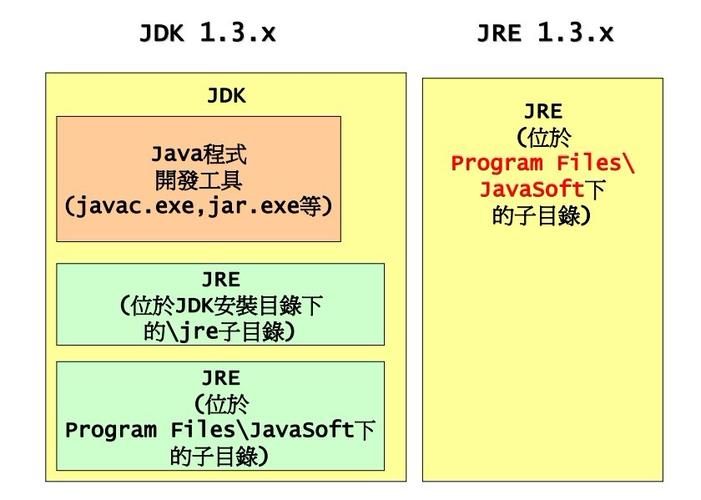
The JDK is the complete software package required to develop Java applications. It's not just one thing; it's a collection of essential tools and libraries.
What's inside the JDK?
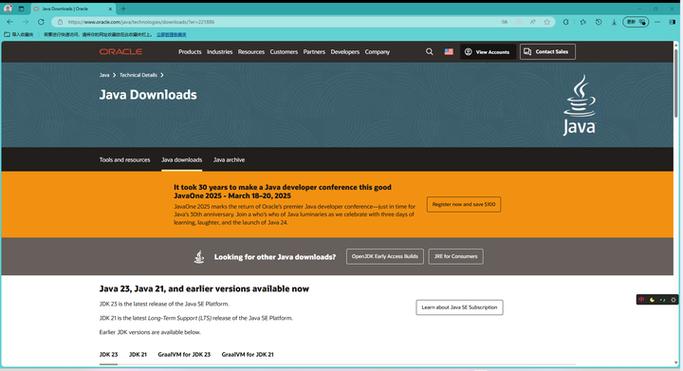
- The Java Compiler (
javac): This tool takes your human-readable Java source code (.javafiles) and compiles it into Java bytecode (.classfiles). Bytecode is a low-level, platform-independent set of instructions. - The Java Runtime Environment (JRE): This is a critical component inside the JDK. The JRE is what you need to run a compiled Java application. It contains:
- The Java Virtual Machine (JVM): The "magic" of Java. The JVM is an abstract machine that executes the bytecode. It acts as an intermediary, translating the bytecode into native instructions for the specific operating system (Windows, macOS, Linux, etc.). This is what makes Java "write once, run anywhere."
- Core Java Class Libraries: The pre-built code for common tasks, like data structures (
ArrayList,HashMap), networking, file I/O, etc. These are the classes youimportin your code.
- Debuggers and Profilers: Tools like
jdbfor debugging your code and analyzing performance. - Documentation: The API documentation (often accessed via
javadoc), which is an essential reference for every Java class and method. - Other Tools: Utilities for packaging applications into JAR files, managing security, etc.
Key takeaway: You need the JDK to be a Java developer. If you only have the JRE, you can run Java programs but you cannot write or compile them.
Java SE (Java Standard Edition)
Java SE is the foundation of the Java platform. It's the "standard" or "base" edition that provides the core functionality.
What does Java SE define?
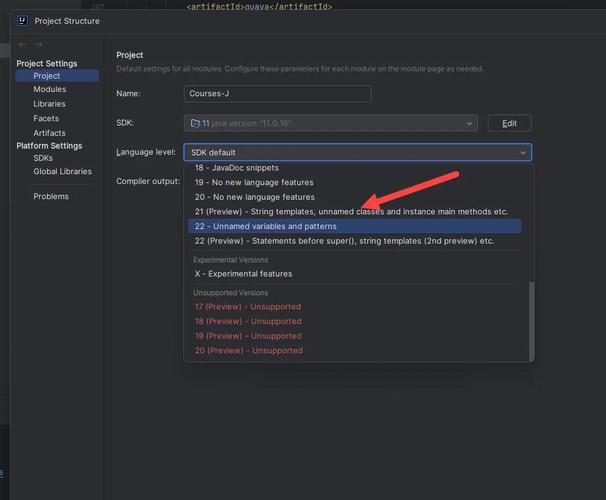
- The Language Specification: It defines the syntax and features of the Java programming language itself (e.g., versions like Java 8, Java 11, Java 17).
- The Core APIs: It includes the essential libraries for building general-purpose, desktop, server, and web applications. This is where you'll find packages like:
java.lang(fundamental classes likeString,Object)java.util(collections likeList,Set,Map)java.io(input and output)java.net(networking)java.time(date and time API)
- The JVM Specification: It defines how the Java Virtual Machine should behave, ensuring consistency across different implementations.
Key takeaway: Java SE is the platform. When you download a modern JDK (like JDK 17 or JDK 21), you are getting a reference implementation of the latest Java SE standard.
Java (The Overall Concept)
"Java" is the umbrella term for the entire technology family. It refers to:
- The Java programming language.
- The Java platform (which is primarily defined by Java SE, but also includes other editions).
- The ecosystem of tools, frameworks (like Spring, Hibernate), and communities built around the technology.
To be more precise, Java is often used interchangeably with Java SE in casual conversation, but technically, Java is the broader brand.
How They All Fit Together: The Relationship
Here is a simple hierarchy to visualize the relationship:
+-------------------------------------------------+
|                 JAVA (The Brand)                |
+-------------------------------------------------+
|                                                 |
|  +---------------------+   +-----------------+  |
|  |   Java SE           |   |  Java EE        |  |
|  |   (Standard Edition) |   |  Enterprise     |  |
|  |   - Core Language   |   |  Edition        |  |
|  |   - Core APIs       |   |   (for Web &   |  |
|  |   - JVM Spec        |   |    Servers)     |  |
|  +---------------------+   +-----------------+  |
|          ^                           ^         |
|          | (is built upon)           | (is built upon) |
|          |                           |         |
|  +---------------------+   +-----------------+  |
|  |      JDK            |   |      JDK        |  |
|  | (Development Kit)   |   | (Development Kit)|  |
|  | - Contains JRE      |   | - Contains JRE  |  |
|  | - Compiler (javac)  |   | - Compiler (javac)|
|  | - Debugger, etc.    |   | - Debugger, etc.|
|  +---------------------+   +-----------------+  |
|          ^                           ^         |
|          | (contains)                | (contains) |
|  +---------------------+   +-----------------+  |
|  |      JRE            |   |      JRE        |  |
|  | (Runtime Env.)      |   | (Runtime Env.)  |  |
|  | - JVM               |   | - JVM           |  |
|  | - Class Libraries   |   | - Class Libraries|
|  +---------------------+   +-----------------+  |
|          ^                           ^         |
|          | (runs)                     | (runs)   |
|  +---------------------+   +-----------------+  |
|  |  Your .class File   |   |  Your .class File|
|  |  (Compiled Code)    |   |  (Compiled Code)|
|  +---------------------+   +-----------------+  |
|                                                 |
+-------------------------------------------------+
Simplified Summary:
- You want to write a Java program. You go to the official website and download the JDK.
- The JDK you download is for a specific version of Java SE (e.g., "OpenJDK 17").
- Inside the JDK, you have the
javaccompiler to turn your code into bytecode, and the JRE (which includes the JVM) to run that bytecode. - The APIs you use in your code (like
ArrayList) are part of the Java SE platform specification.
So, when someone says "I'm using Java 17," they mean they are using the JDK for the Java SE 17 platform.