Of course! This is a very common and powerful combination in web development. Let's break down how Java, jQuery, and AJAX work together, from the core concepts to a complete, practical example.
The Big Picture: What is the Goal?
The goal is to create a dynamic and responsive web application.
- Traditional Web Page: You click a link or submit a form, the entire page reloads, and the server sends back a completely new HTML page.
- AJAX Web Page: You click a button, and in the background, JavaScript (via jQuery) sends a small request to the server. The server (running Java) processes this request and sends back only a small piece of data (like JSON or XML). The JavaScript then updates a specific part of the current page without a full reload.
Analogy: Think of a traditional website as a book. To get new information, you have to get a whole new book. An AJAX website is like a TV remote. You press a button (click an event), and a specific part of the show (the web page) changes instantly without you having to change the channel (reload the page).
The Roles of Each Technology
-
Java (The Backend / Server-Side):
- Role: The "brain" and "muscle." It runs on the server.
- Responsibilities:
- Listens for incoming web requests (AJAX requests).
- Handles business logic (e.g., query a database, perform calculations, validate data).
- Processes the request and sends back a response, typically in a format like JSON or XML.
-
jQuery (The Helper / Client-Side Library):
 (图片来源网络,侵删)
- Role: A simplified, powerful wrapper around raw JavaScript.
- Responsibilities:
- Makes it incredibly easy to write JavaScript code that works across different browsers.
- Provides a simple function,
$.ajax(), to handle all the complexities of making HTTP requests. - Helps you easily find and update HTML elements on the page (DOM manipulation).
-
AJAX (The Technique / Communication Method):
- Role: Asynchronous JavaScript and XML. It's not a language or a library, but a technique for making web pages more dynamic.
- How it Works:
- Asynchronous: The browser can send a request and continue to let the user interact with the page. It doesn't have to wait for the server's response.
- JavaScript: The language that powers the request.
- And XML: XML was the original data format, but today JSON is far more common due to its simplicity and direct mapping to JavaScript objects.
The Workflow (Step-by-Step)
Here is the typical flow of data in a Java + jQuery AJAX application:
- User Action: A user clicks a button or types in a text field on a web page.
- jQuery Event Handler: A jQuery
clickorkeyupevent listener is triggered. - AJAX Request: Inside the event handler, jQuery's
$.ajax()function is called. It sends an HTTP request (e.g., a GET or POST request) to a specific URL on your Java server. - Java Servlet/Controller: Your Java backend (e.g., a Spring
@RestControlleror a legacy Servlet) receives the request at the specified URL. - Java Processing: The Java code performs its task (e.g., queries a database for a list of products).
- Java Response: The Java code formats the data (e.g., a list of products) into a JSON string and sends it back as the HTTP response.
- jQuery Success Callback: The browser receives the JSON response. jQuery automatically parses it and executes the "success" function you defined.
- DOM Update: Inside the success function, jQuery code selects an HTML element (like a
<div>or<table>) and updates its content with the new data from the JSON response.
Practical Example: A Live Search Feature
Let's build a simple "live search" box. As you type in a name, it will search a server-side list and show the results below the box without reloading the page.
Step 1: The Java Backend (Spring Boot Example)
This is the modern, standard way to create a Java web service. We'll use Spring Boot's @RestController.
Add Dependency (pom.xml):
Make sure you have spring-boot-starter-web in your pom.xml.
Create the Controller:
// src/main/java/com/example/demo/PersonController.java
package com.example.demo;
import org.springframework.web.bind.annotation.GetMapping;
import org.springframework.web.bind.annotation.RequestParam;
import org.springframework.web.bind.annotation.RestController;
import java.util.Arrays;
import java.util.List;
import java.util.stream.Collectors;
@RestController // This annotation makes this class a web controller
public class PersonController {
    // A mock database of names
    private List<String> names = Arrays.asList(
            "Alice", "Bob", "Charlie", "David", "Eve", "Frank", "Grace", "Heidi"
    );
    // This method will handle GET requests to /api/search
    @GetMapping("/api/search")
    public List<String> searchNames(@RequestParam String query) {
        System.out.println("Received query: " + query);
        // Filter the names based on the query (case-insensitive)
        return names.stream()
                    .filter(name -> name.toLowerCase().contains(query.toLowerCase()))
                    .collect(Collectors.toList());
    }
}
Explanation:
@RestController: Tells Spring this class contains web endpoints.@GetMapping("/api/search"): Maps HTTP GET requests for the URL/api/searchto this method.@RequestParam String query: Binds thequeryparameter from the URL (e.g.,/api/search?query=ali) to thequerymethod parameter.- The method returns a
List<String>. Spring automatically converts this list into a JSON array like["Alice"].
Step 2: The Frontend (HTML + jQuery)
Create the HTML file (index.html):
<!-- src/main/resources/static/index.html -->
<!DOCTYPE html>
<html lang="en">
<head>
    <meta charset="UTF-8">jQuery AJAX with Java</title>
    <!-- Include jQuery from a CDN -->
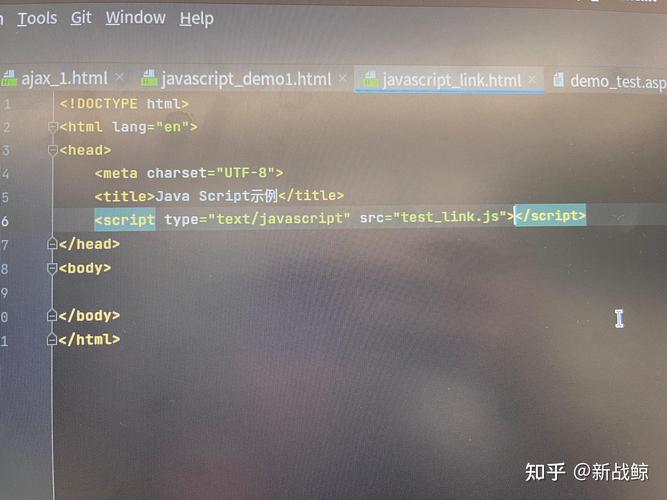
    <script src="https://ajax.googleapis.com/ajax/libs/jquery/3.7.1/jquery.min.js"></script>
    <style>
        body { font-family: sans-serif; }
        #search-box { width: 300px; padding: 8px; }
        #results { margin-top: 10px; border: 1px solid #ccc; padding: 10px; min-height: 50px; }
        .result-item { padding: 5px; border-bottom: 1px solid #eee; }
    </style>
</head>
<body>
    <h1>Live Search</h1>
    <p>Type a name to see results appear here:</p>
    <input type="text" id="search-box" placeholder="e.g., Alice">
    <div id="results">
        <!-- Search results will be displayed here -->
    </div>
    <!-- Our custom JavaScript -->
    <script src="app.js"></script>
</body>
</html>
Create the JavaScript file (app.js):
// src/main/resources/static/app.js
$(document).ready(function() { // Wait for the HTML document to be fully loaded
    let searchTimeout;
    // Listen for the 'keyup' event on the search box
    $('#search-box').on('keyup', function() {
        // Clear the previous timeout to prevent sending too many requests
        clearTimeout(searchTimeout);
        const query = $(this).val();
        // If the query is empty, clear the results and do nothing
        if (query.length < 2) {
            $('#results').html('');
            return;
        }
        // Set a new timeout. This waits for the user to stop typing for 500ms
        // before sending the request. This is called "debouncing".
        searchTimeout = setTimeout(function() {
            // Use jQuery's AJAX function
            $.ajax({
                url: '/api/search', // The URL of our Java endpoint
                type: 'GET',        // The HTTP method
                data: { query: query }, // The data to send as URL parameters
                dataType: 'json',   // The type of data we expect back from the server
                // This function is called if the request is successful
                success: function(response) {
                    console.log("Received data:", response);
                    let html = '';
                    if (response.length > 0) {
                        response.forEach(function(name) {
                            html += '<div class="result-item">' + name + '</div>';
                        });
                    } else {
                        html = '<div>No results found.</div>';
                    }
                    $('#results').html(html); // Update the results div
                },
                // This function is called if the request fails
                error: function(xhr, status, error) {
                    console.error("AJAX Error:", status, error);
                    $('#results').html('<div style="color: red;">An error occurred.</div>');
                }
            });
        }, 500); // Wait for 500ms
    });
});
Explanation of the jQuery AJAX call:
url: The path to our Java controller.type:'GET'because we are fetching data.data: An object containing the parameters to send. jQuery will convert this to?query=...and append it to the URL.dataType:'json'. This tells jQuery to automatically parse the server's response text into a JavaScript array. You don't have to doJSON.parse()manually.success: A callback function that runs when the server responds with a success code (like 200 OK). Theresponseparameter contains the parsed JSON data.error: A callback function that runs if the request fails (e.g., server error, network issue).
How to Run This Example
- Set up a Spring Boot project (using Spring Initializr is easiest).
- Add the
spring-boot-starter-webdependency. - Create the
PersonController.javafile. - Create the
staticdirectory insidesrc/main/resourcesand placeindex.htmlandapp.jsinside it. - Run the
SpringBootApplicationmain class. - Open your browser and go to
http://localhost:8080. You will see the search page. Try typing "ali" or "c" into the box.
Alternative: The $.get and $.post Shorthand Methods
For simple GET and POST requests, jQuery provides shorthand methods that are easier to read.
Using $.get (for our example):
$.get('/api/search', { query: query }, function(response) {
    // This is the success callback
    let html = '';
    // ... (same logic as before to build the HTML)
    $('#results').html(html);
}).fail(function() {
    // This is the error callback
    $('#results').html('<div style="color: red;">An error occurred.</div>');
});
This is functionally identical to the $.ajax call but is more concise for simple cases.