Of course! This is a very common point of confusion for developers new to the Java ecosystem. Let's break down what JDK, Java EE, and SDK are, and how they relate to each other.
The Short Answer (TL;DR)
- JDK (Java Development Kit): This is the complete toolkit you need to write, compile, and run Java code. It includes the JRE, the compiler (
javac), debuggers, and other development tools. You need the JDK to be a Java developer. - Java EE (Enterprise Edition): This is a set of specifications and APIs for building large-scale, multi-tier, and robust applications (like web sites, banking systems, e-commerce platforms). It's built on top of Java SE.
- SDK (Software Development Kit): This is a general term. A JDK is an example of an SDK. So is the Android SDK or the AWS SDK. It's a kit that provides the tools to build software for a specific platform.
Detailed Breakdown
Let's look at each component in more detail.
JDK (Java Development Kit)
Think of the JDK as the "workshop" for a Java developer.
- Purpose: To develop Java applications.
- What's Inside?
- Java Compiler (
javac): Translates your human-readable Java source code (.javafiles) into Java bytecode (.classfiles). - Java Virtual Machine (JVM): The runtime engine that executes your compiled bytecode. The JVM is the heart of Java's "write once, run anywhere" capability.
- Java Runtime Environment (JRE): The JVM plus the core class libraries (
java.lang,java.util, etc.) needed to run a Java application. The JDK contains the JRE. - Debuggers (e.g.,
jdb): Tools to help you find and fix bugs in your code. - Documentation Generators (e.g.,
javadoc): Creates HTML documentation from your code comments. - Archiver (e.g.,
jar): Packages your compiled code and resources into a single archive file (a.jarfile).
- Java Compiler (
In short: If you are writing Java code, you need to install a JDK. Popular vendors for the JDK include Oracle, Amazon Corretto, Eclipse Temurin (formerly AdoptOpenJDK), and Microsoft.
Java EE (Enterprise Edition)
Think of Java EE as a "blueprint and a toolbox" for building complex, server-side applications.
- Purpose: To develop scalable, secure, and transactional enterprise applications.
- What's Inside? It's not a single piece of software but a collection of well-defined APIs and specifications. These APIs provide solutions for common enterprise problems, such as:
- Web Services:
JAX-WS,JAX-RS(for building RESTful APIs) - Persistence:
JPA(Java Persistence API) for interacting with databases - Messaging:
JMS(Java Message Service) for asynchronous communication - Security:
JAAS(Java Authentication and Authorization Service) - Transaction Management:
JTA(Java Transaction API) - Servlets & JSP: The foundational technologies for dynamic web content.
- Web Services:
The Relationship with Java SE: Java EE is built on top of Java SE (Standard Edition). This means any Java EE application is, by definition, also a Java SE application. It uses all the basic Java features (like strings, collections, threads) and adds the enterprise-specific features on top.
Important Modern Update: The "New" Java EE is Jakarta EE
In 2025, Oracle handed the control of Java EE to the Eclipse Foundation, which renamed it to Jakarta EE. The specifications were also renamed (e.g., javax.servlet became jakarta.servlet). Today, when you talk about "modern Java EE," you are almost certainly talking about Jakarta EE.
SDK (Software Development Kit)
This is the umbrella term.
- Purpose: To provide a comprehensive set of tools for building software for a specific platform, technology, or device.
- What's Inside? An SDK can contain compilers, debuggers, documentation, APIs, libraries, and even emulators or simulators.
Examples of SDKs:
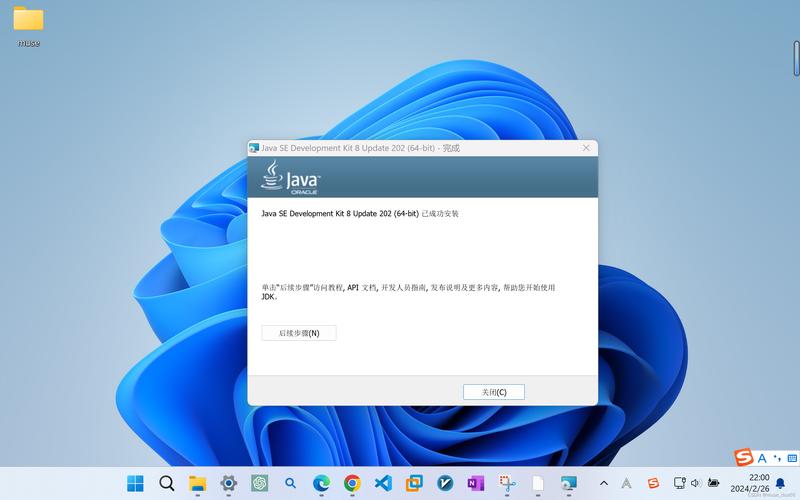
- Java Development Kit (JDK): An SDK for developing Java applications.
- Android SDK: An SDK for developing Android mobile apps. It includes the Android API, an emulator, and tools like
adb. - AWS SDK for Java: An SDK that makes it easier for your Java application to interact with Amazon Web Services (like S3, DynamoDB).
- Stripe SDK: An SDK that simplifies integrating Stripe's payment system into your application.
So, when someone says "JDK," they are referring to a specific type of SDK.
How They All Fit Together: A Visual Analogy
Imagine you want to build a car.
| Concept | Analogy | Java World Equivalent |
|---|---|---|
| SDK | The Complete Car Factory Workshop. It has everything you need to build a car. | JDK (The workshop for building Java apps) |
| JDK | The Core Workshop. It has the basic tools: an engine lathe, a welding machine, a chassis builder. | Java SE (Standard Edition). The foundation for all Java development. |
| Java EE / Jakarta EE | The "Luxury Sedan" Add-On Kit. This kit provides pre-built, high-quality components for a specific type of car: power steering, anti-lock brakes, a sophisticated infotainment system. You use these on top of your core workshop. | Jakarta EE APIs. You use these Java EE/Jakarta EE libraries on top of Java SE to build enterprise applications. |
| JRE | The "Ready-to-Drive" Car. It has the engine, wheels, and chassis to run the car, but you can't use it to build a new one. | Java Runtime Environment. What you need to run a Java application, but not to build it. |
Practical Scenarios
-
I'm a beginner learning Java. I want to run "Hello World".
- You need to install a JDK. This will give you the
javaccompiler and thejavaruntime.
- You need to install a JDK. This will give you the
-
I'm building a simple command-line desktop application.
- You need a JDK. You'll primarily use the APIs from Java SE.
-
I'm building a web application with a REST API, database connectivity, and user authentication.
- You still need a JDK as your foundation.
- You will then add Jakarta EE libraries (or a framework that implements them, like Spring or Jakarta EE) to your project to handle the web, database, and security parts.
Summary Table
| Term | Full Name | Purpose | Contains |
|---|---|---|---|
| JDK | Java Development Kit | To develop Java applications | JRE, Compiler, Debugger, etc. |
| Java SE | Java Platform, Standard Edition | The core foundation of Java | Basic language features, APIs (java.lang, java.io, etc.) |
| Java EE | Java Platform, Enterprise Edition | To build large-scale, server-side applications | APIs built on top of Java SE (Servlets, JPA, etc.) |
| Jakarta EE | The modern, community-driven successor to Java EE | Same as Java EE | Same as Java EE, but under the jakarta.* package namespace |
| SDK | Software Development Kit | A general term for a developer toolkit | Varies (e.g., JDK, Android SDK) |