Of course! Let's dive deep into Math.round() in Java. It's a fundamental method for rounding numbers, but it has some important details you need to know.
The Short Answer
Math.round() is a static method in Java's Math class that rounds a floating-point number (float or double) to the nearest long (if you pass a double) or int (if you pass a float).
The key rule is: It rounds to the nearest integer, and if the number is exactly halfway between two integers (e.g., 1.5), it rounds up.
Method Signatures
Math.round() has two overloaded versions:
-
For
doublevalues: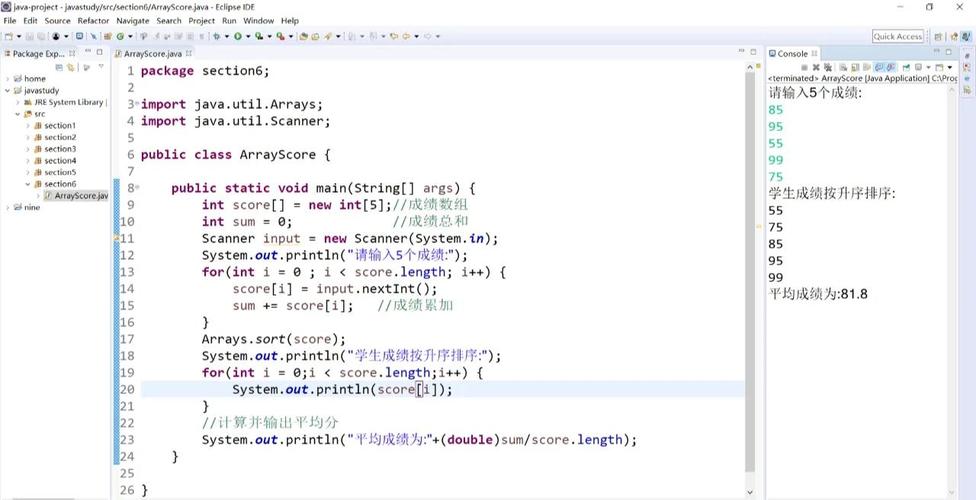 (图片来源网络,侵删)
public static long round(double d)
- Takes a
doubleas input. - Returns a
long.
- Takes a
-
For
floatvalues:public static int round(float f)
- Takes a
floatas input. - Returns an
int.
- Takes a
How It Works: The Rounding Rule
The official rule for rounding is "round half-up".
- If the decimal part is less than 0.5, the number is rounded down (towards zero).
- If the decimal part is greater than 0.5, the number is rounded up (away from zero).
- If the decimal part is exactly 0.5, the number is always rounded up.
This behavior is consistent with how most people are taught to round in school.
Code Examples
Let's see it in action with various inputs.

Example 1: Rounding double to long
public class MathRoundExample {
    public static void main(String[] args) {
        // --- Numbers with decimal part < 0.5 (rounds down) ---
        double d1 = 10.2;
        long result1 = Math.round(d1);
        System.out.println("Math.round(" + d1 + ") = " + result1); // Output: 10
        double d2 = 10.49;
        long result2 = Math.round(d2);
        System.out.println("Math.round(" + d2 + ") = " + result2); // Output: 10
        // --- Numbers with decimal part > 0.5 (rounds up) ---
        double d3 = 10.51;
        long result3 = Math.round(d3);
        System.out.println("Math.round(" + d3 + ") = " + result3); // Output: 11
        double d4 = 10.99;
        long result4 = Math.round(d4);
        System.out.println("Math.round(" + d4 + ") = " + result4); // Output: 11
        // --- Numbers with decimal part exactly 0.5 (rounds up) ---
        double d5 = 10.5;
        long result5 = Math.round(d5);
        System.out.println("Math.round(" + d5 + ") = " + result5); // Output: 11
        double d6 = -10.5; // Rounding half-up for negatives means away from zero
        long result6 = Math.round(d6);
        System.out.println("Math.round(" + d6 + ") = " + result6); // Output: -10
    }
}
Example 2: Rounding float to int
The logic is identical, just with different data types.
public class MathRoundFloatExample {
    public static void main(String[] args) {
        float f1 = 5.2f;
        int r1 = Math.round(f1);
        System.out.println("Math.round(" + f1 + ") = " + r1); // Output: 5
        float f2 = 5.6f;
        int r2 = Math.round(f2);
        System.out.println("Math.round(" + f2 + ") = " + r2); // Output: 6
        float f3 = 5.5f;
        int r3 = Math.round(f3);
        System.out.println("Math.round(" + f3 + ") = " + r3); // Output: 6
    }
}
Important Considerations
Return Type: long and int
This is a very common point of confusion. You cannot assign the result of Math.round() directly to an int if you pass a double.
Incorrect Code (Compilation Error):
double myDouble = 99.7;
int myInt = Math.round(myDouble); // COMPILE ERROR! Incompatible types.
Why? Because Math.round(99.7) returns a long (100L). You cannot store a long in an int variable without an explicit cast, as a long can hold a larger value than an int.
Correct Code:
double myDouble = 99.7;
long myLong = Math.round(myDouble); // Correct: long to long
System.out.println(myLong); // Output: 100
// If you need an int, you must cast the long
int myInt = (int) Math.round(myDouble); // Correct: long to int (with cast)
System.out.println(myInt); // Output: 100
Handling Special Cases
Math.round() handles special floating-point values (Double.NaN, Double.POSITIVE_INFINITY, Double.NEGATIVE_INFINITY) gracefully.
NaN(Not a Number): Returns0L.+Infinity: ReturnsLong.MAX_VALUE.-Infinity: ReturnsLong.MIN_VALUE.
double nan = Double.NaN;
System.out.println(Math.round(nan)); // Output: 0
double posInf = Double.POSITIVE_INFINITY;
System.out.println(Math.round(posInf)); // Output: 9223372036854775807 (Long.MAX_VALUE)
double negInf = Double.NEGATIVE_INFINITY;
System.out.println(Math.round(negInf)); // Output: -9223372036854775808 (Long.MIN_VALUE)
Alternatives: Other Rounding Methods
Sometimes you need different rounding behavior. Here are other common approaches.
| Method | Behavior | Return Type | Example |
|---|---|---|---|
Math.round() |
Round half-up (to nearest long/int) |
long / int |
Math.round(1.4) -> 1 |
Casting (int) / (long) |
Truncates (discards decimal part) | int / long |
(int) 1.9 -> 1 |
Math.floor() |
Rounds down to the nearest integer | double |
Math.floor(1.9) -> 0 |
Math.ceil() |
Rounds up to the nearest integer | double |
Math.ceil(1.1) -> 0 |
When to use which?
- Use
Math.round()when you want the standard "round to the nearest whole number" and need an integer type (intorlong). - Use casting
(int)when you simply want to chop off the decimal part (e.g., for array indexing). - Use
Math.floor()when you always need to round down (e.g., calculating how many full items fit in a container). - Use
Math.ceil()when you always need to round up (e.g., calculating how many boxes you need if you can't have a partial box).
Summary
| Feature | Description |
|---|---|
| What it is | A static method to round numbers to the nearest integer. |
| Rule | Round half-up. |
| Signatures | Math.round(double d) -> longMath.round(float f) -> int |
| Return Type Trap | Be careful: Math.round(double) returns a long, not an int. |
| Special Cases | Handles NaN, +Infinity, and -Infinity predictably. |
| Alternatives | Use Math.floor(), Math.ceil(), or simple casting for different rounding needs. |