Of course! Here is a comprehensive guide on how to create a simple PDF file transfer system using Java Sockets, complete with explanations, code examples, and potential improvements.

Overview
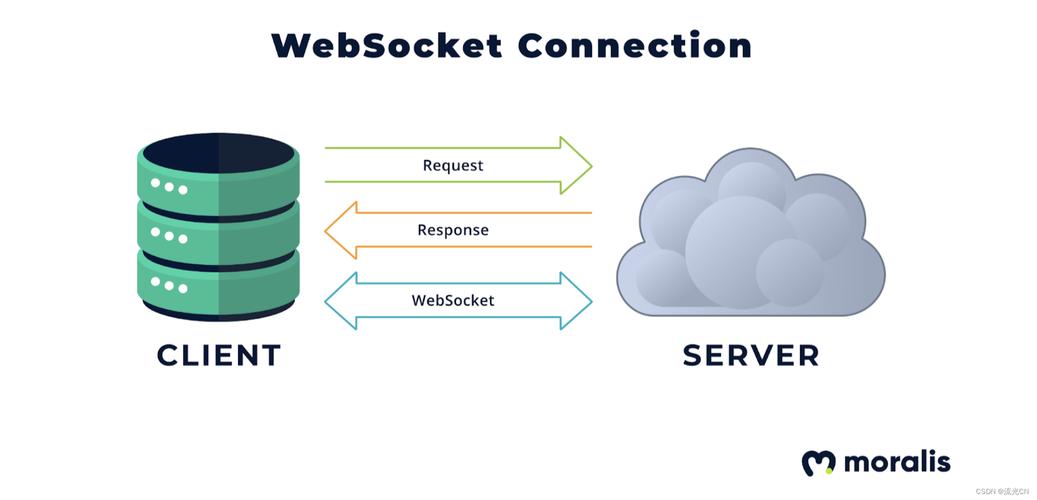
The goal is to create a client-server application where the server can send a PDF file to the client over the network using Java Sockets. The process involves two main components:
-
Server Listens and Sends:
- Opens a
ServerSocketon a specific port. - Waits for a client to connect (
accept()). - Once connected, it opens the PDF file as a
FileInputStream. - Reads the file's bytes and sends them over the socket's
OutputStream. - It also needs to send the file's name and size before the file content so the client knows what to expect.
- Opens a
-
Client Connects and Receives:
- Connects to the server's IP address and port using a
Socket. - Reads the file name and size from the
InputStream. - Reads the file's bytes from the
InputStreamand writes them to a newFileOutputStream. - Closes all resources.
- Connects to the server's IP address and port using a
Key Java Classes and Concepts
java.net.ServerSocket: Listens for incoming client requests.java.net.Socket: Represents a client or server endpoint for communication.java.io.FileInputStream: Reads bytes from a local file (the PDF on the server).java.io.FileOutputStream: Writes bytes to a local file (the PDF on the client).java.io.InputStream: The base class for reading bytes from a socket.java.io.OutputStream: The base class for writing bytes to a socket.- Streams are Binary: Sockets transfer raw bytes. We must handle the file data as a byte array.
Step 1: Project Setup
- Create a new Java project in your IDE (e.g., IntelliJ, Eclipse).
- Create a folder named
pdfsin your project's root directory. - Place a PDF file inside the
pdfsfolder. For this example, let's name itsample.pdf.
Your project structure should look like this:
my-socket-pdf-project/
├── src/
│   ├── Server.java
│   └── Client.java
└── pdfs/
    └── sample.pdf
Step 2: The Server Code (Server.java)
The server will wait for a connection, send the sample.pdf file, and then close.
// Server.java
import java.io.*;
import java.net.ServerSocket;
import java.net.Socket;
public class Server {
    public static void main(String[] args) {
        int port = 12345; // Port number to listen on
        // Create a sample.pdf if it doesn't exist for demonstration
        createSamplePdf();
        try (ServerSocket serverSocket = new ServerSocket(port)) {
            System.out.println("Server is listening on port " + port);
            // Wait for a client to connect
            Socket socket = serverSocket.accept();
            System.out.println("Client connected: " + socket.getInetAddress().getHostAddress());
            // Path to the PDF file
            File fileToSend = new File("pdfs/sample.pdf");
            if (!fileToSend.exists()) {
                System.err.println("Error: File not found at " + fileToSend.getAbsolutePath());
                return;
            }
            // 1. Send file name and size first
            DataOutputStream dataOutputStream = new DataOutputStream(socket.getOutputStream());
            dataOutputStream.writeUTF(fileToSend.getName()); // Send file name
            dataOutputStream.writeLong(fileToSend.length()); // Send file size
            // 2. Send the file content
            FileInputStream fileInputStream = new FileInputStream(fileToSend);
            BufferedInputStream bufferedInputStream = new BufferedInputStream(fileInputStream);
            OutputStream outputStream = socket.getOutputStream();
            byte[] buffer = new byte[4096]; // Buffer for reading file
            int bytesRead;
            System.out.println("Sending file: " + fileToSend.getName());
            while ((bytesRead = bufferedInputStream.read(buffer)) != -1) {
                outputStream.write(buffer, 0, bytesRead);
            }
            System.out.println("File sent successfully.");
            // Close resources
            bufferedInputStream.close();
            dataOutputStream.close();
            socket.close();
        } catch (IOException ex) {
            System.err.println("Server exception: " + ex.getMessage());
            ex.printStackTrace();
        }
    }
    // Helper method to create a dummy PDF file
    private static void createSamplePdf() {
        // In a real scenario, you would have a real PDF here.
        // This is just for a self-contained example.
        // You can comment this out and provide your own PDF.
        File pdfDir = new File("pdfs");
        if (!pdfDir.exists()) {
            pdfDir.mkdirs();
        }
        File file = new File(pdfDir, "sample.pdf");
        if (!file.exists()) {
            try (OutputStream os = new FileOutputStream(file)) {
                os.write("%PDF-1.4\n".getBytes()); // PDF Header
                os.write("1 0 obj\n".getBytes());
                os.write("<</Type/Catalog/Pages 2 0 R>>\n".getBytes());
                os.write("endobj\n".getBytes());
                os.write("2 0 obj\n".getBytes());
                os.write("<</Type/Pages/Kids[3 0 R]/Count 1>>\n".getBytes());
                os.write("endobj\n".getBytes());
                os.write("3 0 obj\n".getBytes());
                os.write("<</Type/Page/MediaBox[0 0 612 792]/Parent 2 0 R>>\n".getBytes());
                os.write("endobj\n".getBytes());
                os.write("xref\n".getBytes());
                os.write("0 4\n".getBytes());
                os.write("0000000000 65535 f \n".getBytes());
                os.write("0000000009 00000 n \n".getBytes());
                os.write("0000000058 00000 n \n".getBytes());
                os.write("0000000115 00000 n \n".getBytes());
                os.write("trailer\n".getBytes());
                os.write("<</Size 4/Root 1 0 R>>\n".getBytes());
                os.write("startxref\n".getBytes());
                os.write("184\n".getBytes());
                os.write("%%EOF\n".getBytes());
                System.out.println("Created a dummy 'pdfs/sample.pdf' for demonstration.");
            } catch (IOException e) {
                e.printStackTrace();
            }
        }
    }
}
Step 3: The Client Code (Client.java)
The client connects to the server, receives the file metadata (name, size), and then writes the incoming bytes to a new file.
// Client.java
import java.io.*;
import java.net.Socket;
public class Client {
    public static void main(String[] args) {
        String serverAddress = "127.0.0.1"; // localhost
        int port = 12345;
        try (Socket socket = new Socket(serverAddress, port)) {
            System.out.println("Connected to server.");
            // 1. Read file name and size first
            DataInputStream dataInputStream = new DataInputStream(socket.getInputStream());
            String fileName = dataInputStream.readUTF();
            long fileSize = dataInputStream.readLong();
            System.out.println("Receiving file: " + fileName);
            System.out.println("File size: " + fileSize + " bytes");
            // Create the output file in a 'received' directory
            File receivedDir = new File("received");
            if (!receivedDir.exists()) {
                receivedDir.mkdirs();
            }
            File outputFile = new File(receivedDir, fileName);
            // 2. Read the file content
            InputStream inputStream = socket.getInputStream();
            FileOutputStream fileOutputStream = new FileOutputStream(outputFile);
            BufferedOutputStream bufferedOutputStream = new BufferedOutputStream(fileOutputStream);
            byte[] buffer = new byte[4096]; // Buffer for writing file
            long bytesRemaining = fileSize;
            int bytesRead;
            while (bytesRemaining > 0 && (bytesRead = inputStream.read(buffer, 0, (int) Math.min(buffer.length, bytesRemaining))) != -1) {
                bufferedOutputStream.write(buffer, 0, bytesRead);
                bytesRemaining -= bytesRead;
            }
            System.out.println("File received successfully.");
            // Close resources
            bufferedOutputStream.close();
            dataInputStream.close();
        } catch (IOException ex) {
            System.err.println("Client exception: " + ex.getMessage());
            ex.printStackTrace();
        }
    }
}
Step 4: How to Run the Application
-
Compile the code:
javac src/Server.java src/Client.java
-
Run the Server: Open a terminal or command prompt, navigate to your project's root directory, and run the server. It will wait for a connection.
 (图片来源网络,侵删)
java -cp src Server
You should see the output:
Server is listening on port 12345 Created a dummy 'pdfs/sample.pdf' for demonstration. -
Run the Client: Open a second terminal or command prompt, navigate to your project's root directory, and run the client.
java -cp src Client
You should see the output in the client's terminal:
Connected to server.
Receiving file: sample.pdf
File size: 184 bytes
File received successfully.
And in the server's terminal:
Client connected: 127.0.0.1 Sending file: sample.pdf File sent successfully. -
Check the Result: A new folder named
receivedwill be created in your project root, containing thesample.pdffile.
Improvements and Best Practices
The basic example works, but for a production-level application, consider these improvements:
Use Try-with-Resources for Everything
The current code uses try-with-resources for the main ServerSocket and Socket, but not for all inner streams. Always use it to ensure resources are closed automatically, even if an exception occurs.
Handle Large Files Efficiently
The current method reads the entire file into memory implicitly through the buffer. For very large files (hundreds of MBs or GBs), this is not a problem as long as the buffer size is reasonable (like 4096 bytes). The current implementation is already efficient for large files because it streams the data in chunks.
Error Handling and Progress Feedback
- Checksum Verification: After receiving the file, the client could calculate a checksum (e.g., MD5, SHA-256) of the received file and compare it with a checksum sent by the server. This ensures the file wasn't corrupted during transfer.
- Progress Bar: For large files, it's user-friendly to show a progress bar. The client can calculate the percentage of bytes received (
(totalBytesReceived / fileSize) * 100).
Protocol for Multiple Files
The current protocol only sends one file. To handle multiple files, you could:
- Send a "file count" first.
- For each file, send its name, size, and content, just like in the example.
Using NIO (New I/O) for Better Scalability
The classic java.io and java.net sockets are blocking I/O. If you need to handle thousands of concurrent clients, this approach will not scale well. For high-performance applications, you should use Java NIO (java.nio) with Selectors and Channels, which allows for non-blocking, multiplexed I/O.
Security
- Authentication: The current server accepts any connection. In a real application, you would need to authenticate the client (e.g., with a username/password or token).
- Encryption: Sending files over an unencrypted network is a security risk. For sensitive data, you should use SSL/TLS to create a secure socket (
SSLSocketandSSLServerSocket). This encrypts all data in transit.