Of course. This is a very common requirement, especially when dealing with password hashing or data integrity checks between a JavaScript frontend and a Java backend.
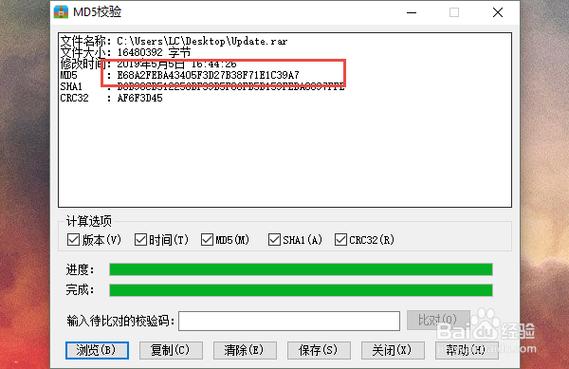
The core principle is simple: As long as you hash the exact same string of text using the same MD5 algorithm in both languages, you will get the exact same hexadecimal hash digest.
Let's break down how to do this in both languages and then show a practical example of them working together.
JavaScript MD5
There is no native md5() function in standard JavaScript. You need to use a library. The most popular and straightforward one is blueimp-md5.
Step 1: Install the Library
If you're using a modern JavaScript project with a package manager like npm or yarn:
# Using npm
npm install blueimp-md5
# Using yarn
yarn add blueimp-md5
If you're working in a browser environment, you can include it via a CDN script tag in your HTML:
<script src="https://cdnjs.cloudflare.com/ajax/libs/blueimp-md5/2.19.0/js/md5.min.js"></script>
Step 2: Use the MD5 Function
The library exposes a global md5() function.
// Method 1: Using ES6 import (for Node.js or modern bundlers)
import md5 from 'blueimp-md5';
const myString = 'hello world';
const hash = md5(myString);
console.log(hash);
// Output: 5eb63bbbe01eeed093cb22bb8f5acdc3
// You can also hash a string directly
console.log(md5('test'));
// Output: 098f6bcd4621d373cade4e832627b4f6
Java MD5
Java has built-in support for MD5 through its java.security.MessageDigest class. No external libraries are needed.
Step 1: Write the MD5 Utility Method
It's best practice to create a reusable utility class for this.
import java.nio.charset.StandardCharsets;
import java.security.MessageDigest;
import java.security.NoSuchAlgorithmException;
public class Md5Utils {
    public static String getMd5(String input) {
        try {
            // Create a MessageDigest instance for MD5
            MessageDigest md = MessageDigest.getInstance("MD5");
            // Add the input string bytes to the digest
            md.update(input.getBytes(StandardCharsets.UTF_8));
            // Calculate the digest (hash) and return it as a hexadecimal string
            byte[] digest = md.digest();
            // Convert the byte array to a hexadecimal string
            StringBuilder hexString = new StringBuilder();
            for (byte b : digest) {
                String hex = Integer.toHexString(0xff & b);
                if (hex.length() == 1) {
                    hexString.append('0');
                }
                hexString.append(hex);
            }
            return hexString.toString();
        } catch (NoSuchAlgorithmException e) {
            // This should never happen for MD5, as it's a standard algorithm
            throw new RuntimeException("MD5 algorithm not found", e);
        }
    }
    public static void main(String[] args) {
        String myString = "hello world";
        String hash = getMd5(myString);
        System.out.println(hash);
        // Output: 5eb63bbbe01eeed093cb22bb8f5acdc3
        System.out.println(getMd5("test"));
        // Output: 098f6bcd4621d373cade4e832627b4f6
    }
}
Note on Character Encoding: The line input.getBytes(StandardCharsets.UTF_8) is crucial. You must use the same character encoding in both JavaScript and Java. UTF-8 is the most common and recommended standard. If you use different encodings (e.g., JavaScript uses UTF-8 but Java uses the platform default encoding), the resulting hash will be different.
Practical Example: Frontend and Backend Matching
This is the most common scenario. A user enters a password on a webpage, it's hashed in JavaScript, and sent to a Java backend for verification.
Scenario:
- User sets their password:
"mySecretPassword123" - Frontend (JS) hashes this password and sends the hash to the backend.
- Backend (Java) retrieves the stored hash for that user from the database.
- Backend (Java) hashes the password received from the frontend.
- Backend compares the newly generated hash with the stored hash.
JavaScript (Frontend) Code
// Assume this is in your login form handler
const userPassword = "mySecretPassword123"; // From an input field
// Hash the password before sending it to the server
const hashedPassword = md5(userPassword);
console.log("Password to send to server:", hashedPassword);
// Output: 8cb1b8c4b8014ba3a6d6886a0b1b1f5a
// Now, you would send 'hashedPassword' to your Java backend via an API call
// e.g., fetch('/api/login', { method: 'POST', body: JSON.stringify({ password: hashedPassword }) });
Java (Backend) Code
When the Java backend receives the password, it doesn't need to hash the received hash again. It should retrieve the stored hash for that user and compare it. But for demonstration, let's show hashing the same original string.
// This would be part of your authentication service
public class AuthService {
    // In a real app, you would fetch this from a database
    private String storedHashForUser = "8cb1b8c4b8014ba3a6d6886a0b1b1f5a";
    public boolean authenticate(String receivedPasswordHash) {
        // In a real login, you would hash the *original* plain text password from the DB
        // and compare it to the received hash.
        // String originalPasswordFromDb = "mySecretPassword123";
        // String newlyComputedHash = Md5Utils.getMd5(originalPasswordFromDb);
        // return newlyComputedHash.equals(receivedPasswordHash);
        // For this example, let's just confirm the hash is what we expect.
        System.out.println("Received hash from frontend: " + receivedPasswordHash);
        System.out.println("Stored hash in database:    " + storedHashForUser);
        boolean isValid = storedHashForUser.equals(receivedPasswordHash);
        if (isValid) {
            System.out.println("Hashes match! Authentication successful.");
        } else {
            System.out.println("Hashes do not match! Authentication failed.");
        }
        return isValid;
    }
    public static void main(String[] args) {
        AuthService authService = new AuthService();
        // This simulates the hash coming from the JavaScript frontend
        authService.authenticate("8cb1b8c4b8014ba3a6d6886a0b1b1f5a");
    }
}
Running the Example:
- The JS code hashes
"mySecretPassword123"and gets"8cb1b8c4b8014ba3a6d6886a0b1b1f5a". - This hash is sent to the Java backend.
- The Java
authenticatemethod receives this hash and compares it to the one it has stored. They match, so authentication succeeds.
Important Security Warning: MD5 is Not for Passwords!
While this technique works perfectly for data integrity checks (like verifying a file wasn't corrupted), you should NOT use MD5 for password hashing in new applications.
MD5 is a fast hashing algorithm, which is bad for passwords. Fast means that if an attacker steals your password database, they can use "brute-force" or "rainbow table" attacks to guess the original passwords very quickly.
The solution is to use a slow, salted hashing algorithm like:
- Argon2 (winner of the Password Hashing Competition)
- bcrypt
- scrypt
- PBKDF2
These algorithms are designed to be slow and incorporate a unique "salt" for each password to make pre-computed attacks (rainbow tables) ineffective. Both Java and JavaScript have excellent libraries for these algorithms (e.g., BCryptPasswordEncoder in Java Spring Security, and bcrypt or argon2 npm packages in JavaScript).