
Of course. This is a fantastic and very common question in the data world. The choice between Tableau and Python is not about which is "better," but rather which is the right tool for the specific job.
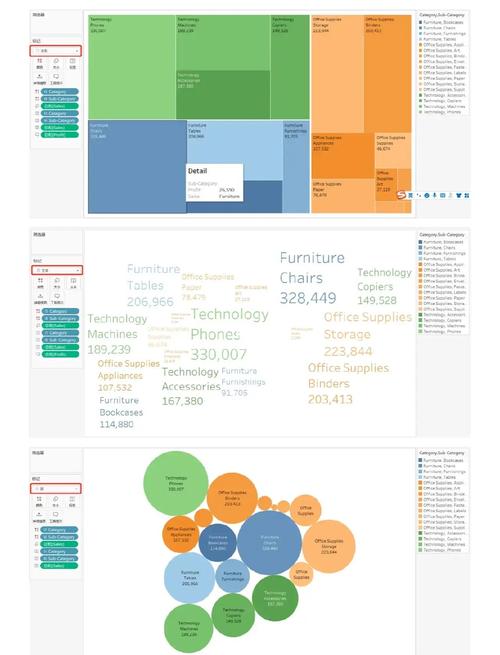
Here’s a comprehensive breakdown comparing Tableau and Python across key dimensions.
The Quick Answer: An Analogy
Think of it like building a car:
- Tableau is like a high-performance, ready-to-drive sports car. It's incredibly fast, intuitive, and purpose-built for one main task: visualizing and exploring data. You can get from point A to point B (insight to dashboard) very quickly without needing to know how an engine works.
- Python is like a fully-equipped mechanic's garage. It's a versatile workshop with every tool imaginable. You can build an engine from scratch, design the chassis, program the infotainment system, and even simulate a crash test. It takes more skill and time, but you can build or fix anything related to data.
Detailed Comparison Table
| Feature / Aspect | Tableau | Python |
|---|---|---|
| Primary Purpose | Visual Analytics & BI. Exploring data, creating interactive dashboards, and telling stories with data. | General-Purpose Programming. Data manipulation, statistical analysis, machine learning, automation, and web development. |
| Learning Curve | Low to Moderate. The drag-and-drop interface is intuitive for non-technical users. Becoming an expert takes time. | Steep. Requires understanding programming concepts, syntax, and data structures. Steeper initial investment. |
| Speed of Insight | Very Fast. Connect to data, drag fields, and create a chart in seconds. Ideal for rapid exploration. | Slower for Visualization. Requires writing code to import, clean, and then plot data. More setup for simple charts. |
| Visualization Capabilities | Best-in-Class. Purpose-built for creating beautiful, interactive, and pixel-perfect dashboards. Excellent for storytelling. | Good, but more work. Libraries like Matplotlib, Seaborn, and Plotly are powerful but require coding to create and customize visuals. |
| Data Manipulation | Good for BI tasks. Can join, blend, filter, and aggregate data easily using its interface. Limited to standard operations. | Extremely Powerful. The Pandas library is the industry standard for cleaning, transforming, reshaping, and analyzing complex data. Unmatched flexibility. |
| Statistical Analysis & ML | Basic. Has built-in statistical tests and forecasting, but not for complex modeling. | State-of-the-Art. The SciPy, Statsmodels, and Scikit-learn libraries provide access to a vast array of statistical tests and machine learning algorithms. |
| Automation & Integration | Limited. Can be automated via Tableau's API, but it's not its core strength. | Excellent. Python is the king of automation. Can be scheduled to run scripts (ETL, reporting, model training) and integrated into web apps, APIs, and other systems. |
| Deployment & Sharing | Excellent. Dashboards are easily shared via Tableau Server/Online, which provides security, user management, and performance monitoring. | Requires more work. Visualizations can be saved as images or interactive HTML files. Web apps can be built with Flask/Django, but require server management. |
| Cost | Commercial. Can be very expensive, especially for enterprise deployments. | Free & Open Source. The language and core libraries are free. Costs arise from cloud infrastructure (e.g., AWS, GCP) to run your code. |
When to Choose Tableau
Choose Tableau when your primary goal is visual exploration and communication.
- Business Intelligence (BI) & Reporting: You need to create standard, repeatable reports and dashboards for the business (e.g., sales performance, marketing campaign results).
- Interactive Data Exploration: You want to let users "drill down" into the data, apply filters, and discover insights on their own without writing code.
- Storytelling with Data: You need to create a compelling, narrative-driven presentation to convince stakeholders of a finding.
- Speed and Accessibility: Your audience includes non-technical users (executives, marketing teams) who need to understand the data quickly without learning to code.
- Pixel-Perfect Dashboards: You need to create highly polished, branded dashboards for a specific purpose.
Example Use Case: A retail company wants to create a central dashboard where store managers can see sales, inventory levels, and customer foot traffic for their specific region, and filter by day or product category.
When to Choose Python
Choose Python when your primary goal is deep analysis, complex processing, or automation.
- Data Preprocessing & Cleaning: You have messy, unstructured data (e.g., from web scraping, logs, or CSVs with inconsistent formats) that requires extensive cleaning and transformation before analysis.
- Statistical Modeling & Machine Learning: You need to build and train predictive models (e.g., customer churn prediction, sales forecasting, image classification).
- Complex Calculations & Custom Algorithms: You need to perform calculations that are not available in standard BI tools (e.g., financial modeling, scientific simulations).
- Automation & ETL: You need to build a pipeline that automatically extracts data from multiple sources, transforms it, and loads it into a database or data warehouse on a schedule.
- Integration into Applications: You need to embed data analysis or a machine learning model into a larger software application or a web service.
Example Use Case: A financial firm wants to build an algorithmic trading bot that scrapes news articles, analyzes sentiment using NLP, and then uses that sentiment data as an input feature in a predictive model to decide whether to buy or sell a stock.
The Best of Both Worlds: Using Them Together
In most modern data-driven organizations, Tableau and Python are not competitors; they are complementary partners. This is the most common and powerful approach.
A Typical Workflow:
- Data Ingestion & Preparation (Python): A Python script connects to various databases (SQL, NoSQL), APIs, and flat files. It uses Pandas to clean the data, handle missing values, create new features, and aggregate it into a clean, analysis-ready format.
- Automation (Python): This script is scheduled to run daily or hourly using a tool like Apache Airflow or a simple cron job. The output is a clean, processed table (e.g., in a SQL database or a Parquet file).
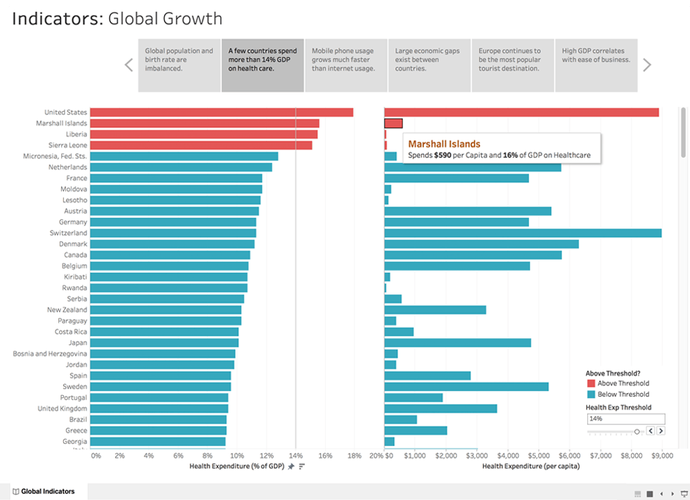
- Visualization & Exploration (Tableau): A Tableau user connects to this clean, processed data source. They can now focus on what they do best: creating beautiful, interactive dashboards for business users to explore the data and find insights without ever touching the messy underlying data or writing code.
Summary
| Tableau | Python | |
|---|---|---|
| Strength | Visualization & Exploration | Analysis & Automation |
| Motto | "See and understand your data." | "Analyze, model, and automate anything." |
| User | Business Analyst, Data Analyst, Executive | Data Scientist, Data Engineer, Machine Learning Engineer |
| Core Output | Interactive Dashboards | Models, Scripts, Reports, Web Apps |
Final Verdict: Don't ask "Tableau vs. Python?" Ask "What is my specific problem?"
- If the problem is "How do I visually explore and communicate this data?" -> Use Tableau.
- If the problem is "How do I process, analyze, or automate this data?" -> Use Python.
- For a complete data workflow, you will likely use both.


