Of course! The relationship between Python and C structs is a fundamental concept in Python, especially for performance optimization and systems programming. Python provides a built-in struct module that acts as a packer and unpacker, translating between Python values and C-style data structures represented as bytes objects.
Let's break it down.
The Core Idea: Why Do We Need This?
Imagine you have a C program that writes data to a file or sends it over a network. It might write an integer, then a character, then a floating-point number, all packed together without any separators.
C Code Example:
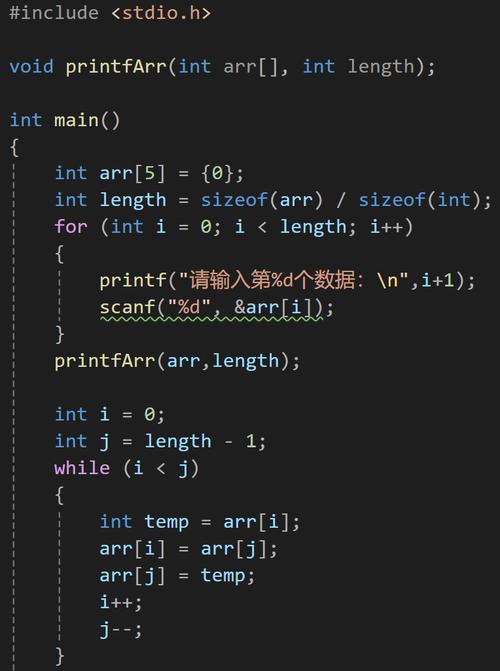
#include <stdio.h>
int main() {
    int id = 123;
    char flag = 'A';
    float value = 12.34f;
    // Write this raw binary data to a file
    FILE *fp = fopen("data.bin", "wb");
    fwrite(&id, sizeof(int), 1, fp);
    fwrite(&flag, sizeof(char), 1, fp);
    fwrite(&value, sizeof(float), 1, fp);
    fclose(fp);
    return 0;
}
The file data.bin now contains just a sequence of bytes: 4 bytes for 123 + 1 byte for 'A' + 4 bytes for 12.34.
If you try to read this file with normal Python text functions, you'll get gibberish. You need a way to tell Python: "Read the next 4 bytes and interpret them as an integer, then read the next 1 byte as a character, then read the next 4 bytes as a float."
This is exactly what the struct module does.
The struct Module: Format Strings
The magic of the struct module happens through format strings. These strings define the C data types you want to pack or unpack.
Here are the most common format characters:
| Character | C Type | Python Type | Size (bytes) |
|---|---|---|---|
x |
pad byte | No value | 1 |
c |
char |
bytes (len 1) |
1 |
b |
signed char |
int |
1 |
B |
unsigned char |
int |
1 |
h |
short |
int |
2 |
H |
unsigned short |
int |
2 |
i |
int |
int |
4 |
I |
unsigned int |
int |
4 |
l |
long |
int |
4 or 8 |
L |
unsigned long |
int |
4 or 8 |
q |
long long |
int |
8 |
Q |
unsigned long long |
int |
8 |
f |
float |
float |
4 |
d |
double |
float |
8 |
s |
char[] |
bytes |
varies |
p |
char[] |
bytes |
varies |
P |
void * |
int |
varies |
Prefixes for the Format String:
<: Little-endian (standard for x86/x64 CPUs like Intel and AMD)>: Big-endian (standard for network protocols and some older CPUs)- : Network byte order (same as
>) - : Native byte order, native size (depends on the machine)
- : Native byte order, standard sizes (e.g.,
longis always 4 bytes)
If no prefix is given, Python uses the native format of the machine. For cross-platform compatibility, it's best practice to always use a prefix like < or >.
Key Functions: pack() and unpack()
struct.pack(format_string, v1, v2, ...)
This function takes a format string and one or more Python values and returns a single bytes object containing the packed data.
Example:
Let's pack an integer (123), a character ('A'), and a float (34) into a bytes object.
import struct
# Format string: < (little-endian), i (int), c (char), f (float)
format_string = '<icf'
# Data to pack
id_val = 123
flag_val = 'A'
value_val = 12.34
# Pack the data
packed_data = struct.pack(format_string, id_val, flag_val, value_val)
print(f"Format String: {format_string}")
print(f"Packed Data: {packed_data}")
print(f"Packed Data (hex): {packed_data.hex()}")
# Let's inspect the bytes
# b'{\x00\x00\x00A'  <- 123 is '{' in ASCII, followed by 3 null bytes (little-endian int)
# b'A'               <- The character 'A'
# b'\xcd\xcc\x8c?'
# The total size should be 4 + 1 + 4 = 9 bytes
print(f"Length of packed data: {len(packed_data)} bytes") # Output: 9
struct.unpack(format_string, bytes_object)
This function does the reverse. It takes a format string and a bytes object and returns a tuple of the unpacked Python values.
Example:
Let's unpack the packed_data we just created.
import struct
packed_data = b'{\x00\x00\x00A\xcd\xcc\x8c?' # This is the data from the previous example
# Use the SAME format string for unpacking
format_string = '<icf'
# Unpack the data
unpacked_tuple = struct.unpack(format_string, packed_data)
print(f"Unpacked Tuple: {unpacked_tuple}")
# You can access the values by index
id_val, flag_val, value_val = unpacked_tuple
print(f"ID: {id_val}")
print(f"Flag: {flag_val}")
print(f"Value: {value_val}")
A Complete Practical Example: File I/O
This is the most common use case. Let's create a file in Python and then read it back, ensuring the data is correctly packed and unpacked.
import struct
# --- 1. Write data to a binary file ---
# Data to be written
record_id = 42
status = 'O'  # for 'Open'
price = 99.95
timestamp = 1678886400 # Unix timestamp
# Define the format for one record
# We'll use a fixed-length string for the status to make it easier to read back
record_format = '<i10sfI' # int, char[10], float, int
# Let's pad the status to 10 bytes
status_padded = status.ljust(10, '\x00').encode('ascii')
# Pack the data into a bytes object
record_data = struct.pack(record_format, record_id, status_padded, price, timestamp)
# Write to a file
with open('records.bin', 'wb') as f:
    f.write(record_data)
print("Wrote one record to records.bin")
# --- 2. Read the data back from the file ---
# We need to know the exact size of the packed data to read the correct amount
# len(record_data) would work, but it's better to calculate it for robustness
record_size = struct.calcsize(record_format)
# Read the exact number of bytes from the file
with open('records.bin', 'rb') as f:
    read_data = f.read(record_size)
# Unpack the data
unpacked_record = struct.unpack(record_format, read_data)
print("\nRead data back from file:")
print(f"Unpacked Tuple: {unpacked_record}")
# Process the unpacked data
# The status is bytes, so we need to decode it and strip null padding
read_id, read_status_bytes, read_price, read_timestamp = unpacked_record
read_status = read_status_bytes.decode('ascii').strip('\x00')
print(f"\nProcessed Data:")
print(f"  ID: {read_id}")
print(f"  Status: {read_status}")
print(f"  Price: {read_price}")
print(f"  Timestamp: {read_timestamp}")
Performance Considerations
- Why use
struct? It is extremely fast. If you need to serialize millions of small data points (e.g., for scientific computing, game development, or network protocols),structis orders of magnitude faster than converting everything to a string (like JSON or CSV). - When to avoid
struct?- Human Readability: The output binary file is not human-readable. Use JSON or CSV for configuration files or data meant for users.
- Schema Evolution: If you need to add a new field to your data structure, all existing binary files become incompatible. Formats like Protocol Buffers or MessagePack are better for this.
- Complexity: For simple, one-off scripts,
json.dump()andjson.load()are much easier to write and read.
Summary
| Feature | Description |
|---|---|
| Purpose | To convert between Python data types and C-style binary data (bytes). |
struct.pack() |
Converts Python values into a bytes object. |
struct.unpack() |
Converts a bytes object back into a tuple of Python values. |
| Format String | The key to the operation. It specifies the C data types, byte order, and sizes. (e.g., '<icf'). |
| Use Cases | Reading/writing binary files, network protocols (sockets), performance-critical data serialization. |
| Alternatives | json, pickle, csv (for readability and flexibility), msgpack, protobuf (for advanced needs). |