Of course! The while loop and the next() function are two fundamental concepts in Python, and they work together beautifully, especially when dealing with iterators.
Let's break them down first, and then see how they combine.
The while Loop (A Quick Refresher)
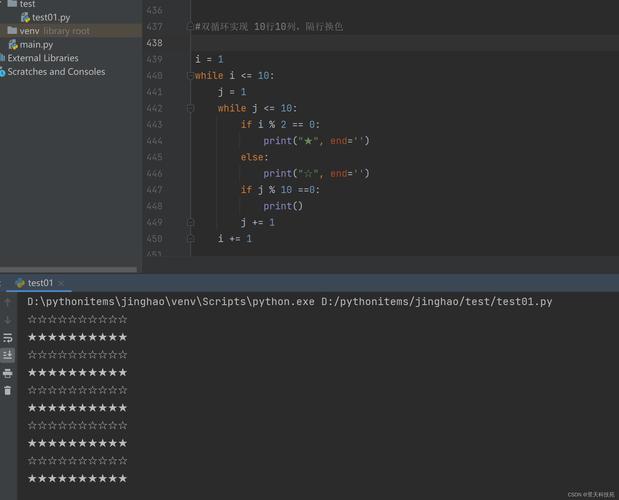
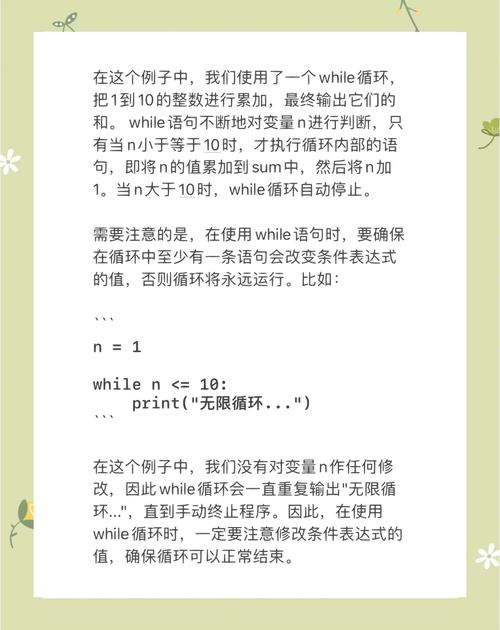
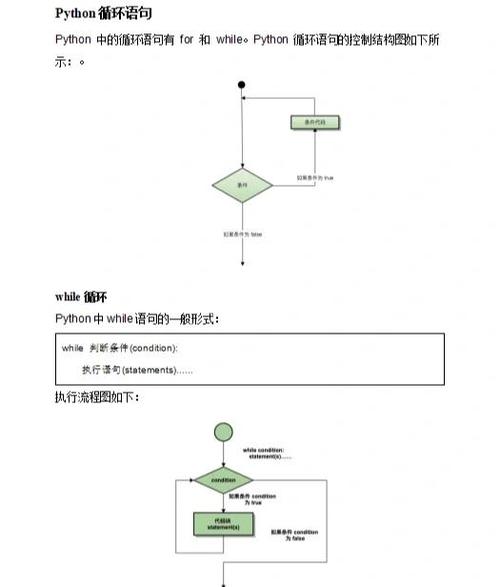
A while loop executes a block of code repeatedly as long as a certain condition is true. It's like a repeating if statement.
Basic Syntax:
while condition:
    # Code to execute while the condition is True
    # This code must eventually change the condition to False,
    # or you'll have an infinite loop!
Simple Example:
count = 0
while count < 5:
    print(f"Count is {count}")
    count += 1  # This is crucial! It changes the condition.
print("Loop finished.")
Output:
Count is 0
Count is 1
Count is 2
Count is 3
Count is 4
Loop finished.
The next() Function
The next() function is used to get the next item from an iterator.
An iterator is an object that represents a stream of data (like a list, a tuple, or the result of a generator). You can think of it as a pointer that moves from one item to the next.
Syntax:
next(iterator, default_value)
iterator: The iterator object you want to pull items from.default_value(optional): If provided, this value is returned when the iterator is exhausted (i.e., there are no more items). If you don't provide a default,next()will raise aStopIterationerror.
Simple Example with a List:
# A list is an iterable, which can be turned into an iterator
my_list = ['apple', 'banana', 'cherry']
# Create an iterator object from the list
my_iterator = iter(my_list)
# Use next() to get items one by one
print(next(my_iterator))  # Output: apple
print(next(my_iterator))  # Output: banana
print(next(my_iterator))  # Output: cherry
# The iterator is now exhausted. The next call would raise StopIteration.
# print(next(my_iterator)) # This would cause an error
# Using the default value to avoid the error
print(next(my_iterator, "No more items!")) # Output: No more items!
Combining while and next(): The Classic Iterator Pattern
This is where they shine together. You can use a while loop to manually iterate over an object using next(). This pattern is extremely useful when you don't know how many items are in an iterator or when you want to process items one by one until a certain condition is met (e.g., you find what you're looking for).
The general pattern looks like this:
my_iterator = iter(some_iterable)
while True:
    try:
        item = next(my_iterator)
        # Do something with the item
        print(f"Processing item: {item}")
    except StopIteration:
        # This block runs when next() has no more items
        print("Iterator is exhausted. Breaking the loop.")
        break  # Exit the while loop
Concrete Example: Processing a Large File Line by Line
Imagine you have a huge log file. You don't want to read it all into memory at once. An iterator is perfect for this. open() in Python returns a file object that is an iterator.
Let's create a dummy file first:
# Create a dummy file for the example
with open("my_log.txt", "w") as f:
    f.write("INFO: System started\n")
    f.write("ERROR: Disk full\n")
    f.write("INFO: User logged in\n")
    f.write("WARNING: Low memory\n")
Now, let's use while and next() to process it:
# The file object itself is an iterator
file_iterator = open("my_log.txt", "r")
print("--- Processing log file manually ---")
while True:
    try:
        line = next(file_iterator)
        # Let's only process ERROR lines
        if "ERROR" in line:
            print(f"Found an error: {line.strip()}")
    except StopIteration:
        print("\nReached the end of the file.")
        break # Exit the loop
    finally:
        # It's good practice to ensure the file is closed
        # In a real app, you'd use a 'with' statement for this.
        pass
file_iterator.close() # Don't forget to close the file!
Output:
--- Processing log file manually ---
Found an error: ERROR: Disk full
Reached the end of the file.
The Modern Pythonic Way: for Loops
While the while/next() pattern is powerful and fundamental, it's important to know that in modern Python, you would almost always use a for loop for this task. The for loop does all the "boilerplate" work for you—it automatically calls iter() and next() and handles the StopIteration exception behind the scenes.
Let's rewrite the file processing example using a for loop:
print("\n--- Processing log file with a 'for' loop (Pythonic way) ---")
with open("my_log.txt", "r") as f:
    for line in f:  # Much cleaner!
        if "ERROR" in line:
            print(f"Found an error: {line.strip()}")
Output:
--- Processing log file with a 'for' loop (Pythonic way) ---
Found an error: ERROR: Disk full
As you can see, the for loop is more concise, readable, and less error-prone.
When to Use while with next() vs. a for Loop
| Use Case | Recommended Tool | Why? |
|---|---|---|
| Iterating over a sequence with a known length (list, tuple, string). | for loop |
It's the simplest, most readable, and most Pythonic way. |
| Iterating over any iterable (files, generators, database cursors). | for loop |
It handles the iterator protocol automatically and is very clean. |
| You need to manually control the iteration, e.g., skipping items, looking for a specific item and then stopping early. | while with next() |
Gives you fine-grained control over when to call next(). |
You need to handle the StopIteration exception in a specific way. |
while with next() |
You can place custom logic inside the except block. |
| You are building your own custom iterator class. | while with next() |
Understanding this pattern is essential for implementing the __next__ method in your own classes. |
Summary
whileloop: Repeats code as long as a condition is true.next()function: Retrieves the next item from an iterator.- Combining them: You can use a
while Trueloop with atry...except StopIterationblock to manually iterate over any object. This is a powerful, low-level pattern. - Pythonic alternative: For 99% of cases, a
forloop is the better, more readable, and safer choice because it abstracts away the manual iterator management.