Of course! This is a fundamental concept in Java and understanding it is crucial for writing robust applications. Let's break down the Java Heap and Stack in a clear, structured way.
The Big Picture: Memory Management in Java
When you run a Java program, the Java Virtual Machine (JVM) manages the memory it needs to operate. This memory is divided into several areas, but the two most important for developers to understand are the Heap and the Stack.
Think of it like a workbench:
- The Stack is your immediate workspace. It's small, fast, and holds the tools and materials you are actively using for the current task. When you finish a task, you clean up that workspace immediately.
- The Heap is a large storage area in the back. It's where you keep all your raw materials and finished products (your objects). It's bigger, but it takes longer to find things. You need to clean it up periodically, but you don't have to do it yourself.
The Java Stack (or Call Stack)
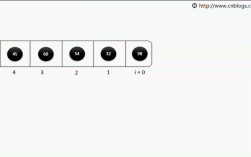
The stack is a region of memory that is used for thread execution. It's a Last-In, First-Out (LIFO) data structure, like a stack of plates. Each thread in your Java program gets its own private Java stack.
What's stored on the Stack?
- Method Frames (or Stack Frames): Every time a method is called, a new "frame" is pushed onto the top of the thread's stack. When the method finishes, its frame is popped off.
- Local Variables: The variables that are declared inside a method. These include primitive types (
int,char,boolean, etc.) and references to objects. - Method Parameters: The arguments passed to the method.
- Return Values: The value a method returns to its caller.
Key Characteristics of the Stack
- Thread-Specific: Each thread has its own stack. They do not interfere with each other.
- Fast Access: Memory access on the stack is extremely fast because it's a simple LIFO structure.
- Automatic Management: Memory allocation and deallocation (pushing and popping frames) are handled automatically and very efficiently by the JVM. You don't have to worry about it.
- Fixed Size: The size of the stack can be set with the
-XssJVM option. If a thread's stack grows beyond this limit (e.g., due to extremely deep recursion), you get aStackOverflowError.
Example: Stack in Action
public class StackExample {
    public static void main(String[] args) { // 1. main() method is called
        int number = 10; // 'number' is a primitive on the main stack frame
        String text = "Hello"; // 'text' is a reference on the main stack frame
                               // The "Hello" string object is on the Heap
        printMessage(text); // 2. printMessage() is called
    } // 5. main() method finishes, its frame is popped off the stack
    public static void printMessage(String messageRef) { // 3. A new frame is created for printMessage
        char c = 'A'; // 'c' is a primitive on the printMessage stack frame
        System.out.println(messageRef); // 'messageRef' is a reference on this frame
    } // 4. printMessage() finishes, its frame is popped off the stack
}
Visualizing the Stack:
      (Top of Stack)
+-----------------------------+
|   printMessage() Frame      |  <-- Popped off when method returns
| - messageRef (reference)    |
| - c (primitive 'A')         |
+-----------------------------+
|      main() Frame           |  <-- Popped off when main() returns
| - args (String[])           |
| - text (reference)          |
| - number (primitive 10)     |
+-----------------------------+
      (Bottom of Stack)
Notice that the String object "Hello" itself is not on the stack. Only the reference variable text that points to it is.
The Java Heap
The heap is a region of memory that is used for object storage and instance-level data. It's a shared memory space that is accessible by all threads.
What's stored on the Heap?
- All Objects: Every time you use the
newkeyword, an object is created on the heap. - Object Instance Variables (Fields): The non-static fields of a class.
- Arrays: Arrays are also objects, so they are created on the heap.
- Static Variables (Class Variables): Variables declared with the
statickeyword belong to the class itself, not any instance, and are also stored on the heap.
Key Characteristics of the Heap
- Shared: All threads in an application share the same heap.
- Slower Access: Accessing heap memory is slower than stack memory because it involves more complex memory management.
- Dynamic Size: The heap can grow and shrink in size during the program's execution (within OS limits). Its size is set with
-Xms(initial) and-Xmx(maximum) JVM options. - Garbage Collected: The heap is managed by the Garbage Collector (GC). The GC automatically finds and reclaims memory from objects that are no longer being used (i.e., they have no live references pointing to them). This is a huge advantage over languages like C++ where you must manually manage memory.
Example: Heap in Action
public class Car {
    private String model; // Instance variable -> stored on the heap
    private int year;     // Instance variable -> stored on the heap
    public Car(String model, int year) {
        this.model = model;
        this.year = year;
    }
}
public class HeapExample {
    public static void main(String[] args) {
        // 1. A new Car object is created on the heap.
        //    A reference variable 'myCar' is created on the main() stack frame.
        //    'myCar' holds the memory address of the Car object on the heap.
        Car myCar = new Car("Tesla", 2025);
        // 2. Another new Car object is created on the heap.
        //    A reference variable 'herCar' is created on the main() stack frame.
        Car herCar = new Car("Ford", 2025);
        // 3. 'herCar' stops pointing to the "Ford" object.
        //    The "Ford" object is now "unreachable" by the program.
        //    It becomes eligible for Garbage Collection.
        herCar = null;
        // The "Tesla" object is still reachable via 'myCar', so it is safe.
    }
}
Visualizing the Heap and Stack together:
      (Java Stack - for main thread)
+-----------------------------+
|      main() Frame           |
| - myCar (reference) ---------> [ Car Object on Heap ]  (model="Tesla", year=2025)
| - herCar (reference) -------> [ Car Object on Heap ]  (model="Ford", year=2025)
+-----------------------------+
      (After herCar = null)
+-----------------------------+
|      main() Frame           |
| - myCar (reference) ---------> [ Car Object on Heap ]  (model="Tesla", year=2025)
| - herCar (reference) -------> null
+-----------------------------+
      (Java Heap)
+----------------------------------+
| [ Car Object: model="Tesla", ...] |
| [ Car Object: model="Ford", ...]  |  <-- This object is now GC eligible
+----------------------------------+
Summary Table: Heap vs. Stack
| Feature | Java Stack | Java Heap |
|---|---|---|
| Purpose | Method execution, local variables, references. | Storing objects and instance data. |
| Memory Allocation | Automatic (LIFO), when a method is called. | Manual (via new keyword), or via class loading. |
| Memory Deallocation | Automatic (when method returns). | Automatic (by the Garbage Collector). |
| Access Speed | Very Fast. | Slower than the stack. |
| Lifetime | Exists as long as the method is on the call stack. | Exists as long as there is at least one reference to it. |
| Thread Sharing | Each thread has its own private stack. | Shared among all threads. |
| Size | Relatively small, fixed per thread (-Xss). |
Large, can grow (-Xms, -Xmx). |
| Error Conditions | StackOverflowError (stack is full). |
OutOfMemoryError (heap is full). |
| Content | Primitives, object references. | Objects, arrays, instance variables, static variables. |
Why Does This Matter?
Understanding the difference is critical for writing efficient and bug-free Java code:
-
Concurrency: Because the heap is shared, multiple threads can access the same object. This can lead to thread-safety issues if not properly managed (e.g., using
synchronizedblocks orjava.util.concurrentutilities). The stack is thread-safe by design. -
Performance: Creating and destroying objects on the heap is more expensive than using primitives on the stack. This is why object pooling and reusing objects can be a performance optimization.
-
Memory Leaks: A memory leak occurs when objects on the heap are no longer needed but are still being referenced, preventing the Garbage Collector from reclaiming their memory. This can lead to an
OutOfMemoryError. -
NullPointerException: This is the most common exception in Java. It happens when you try to use a reference variable that isnull(i.e., it doesn't point to any object on the heap) as if it were pointing to a valid object. For example:String text = null; System.out.println(text.length());will throw aNullPointerException.