当你使用 requests.get(), requests.post() 等方法发送一个 HTTP 请求后,服务器会返回一个响应,这个响应在 requests 库中就被封装成了一个 Response 对象,这个对象包含了服务器返回的所有信息。
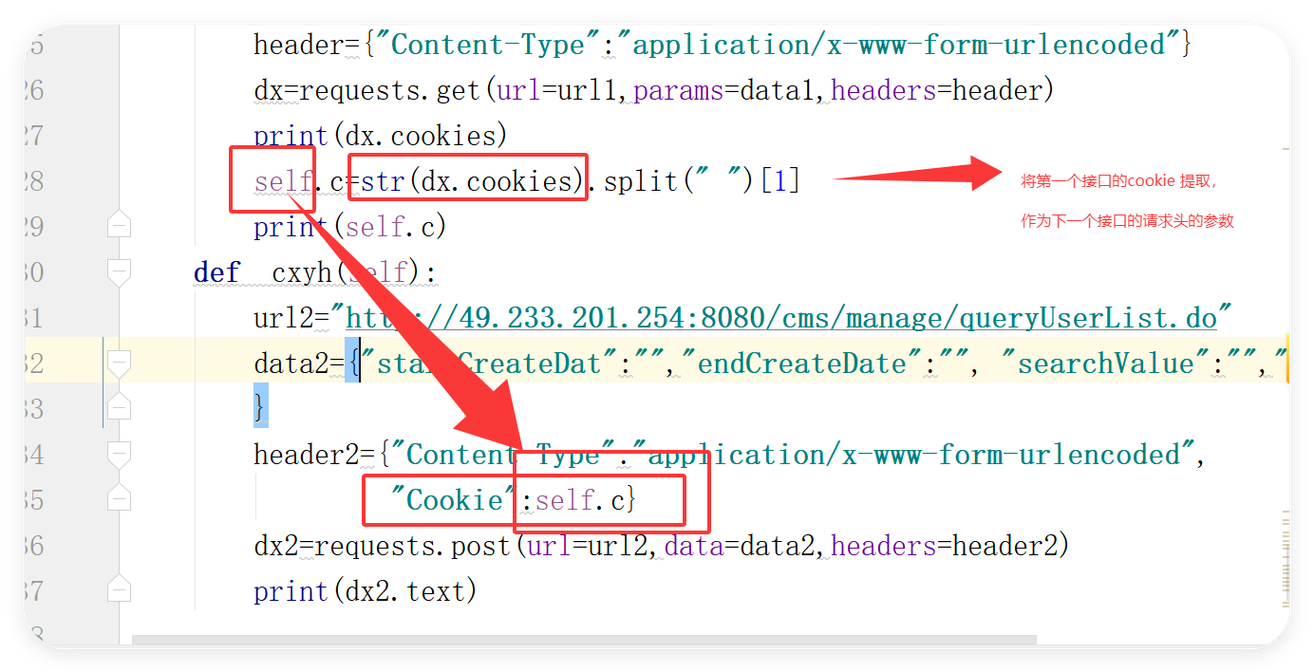
(图片来源网络,侵删)
Response 对象是 requests 库的核心,理解它的属性和方法是使用 requests 的关键。
如何获取 Response 对象
你需要安装 requests 库(如果尚未安装):
pip install requests
发送一个请求并接收返回的 Response 对象:
import requests
# 发送一个 GET 请求到 GitHub 的公共 API
response = requests.get('https://api.github.com')
# 检查请求是否成功 (状态码为 200)
response.raise_for_status() # 如果请求失败 (状态码不是 2xx), 这会抛出异常
# 'response' 就是一个 Response 对象
print(f"请求的 URL: {response.url}")
print(f"状态码: {response.status_code}")
Response 对象的核心属性
下面是 Response 对象最常用的一些属性,它们让你能够访问响应的各个部分。
(图片来源网络,侵删)
response.status_code
- 类型:
int - 描述: HTTP 状态码,它表示请求的结果是否成功。
200: 成功404: 未找到资源403: 禁止访问500: 服务器内部错误
- 示例:
print(response.status_code) # 输出: 200
response.headers
-
类型:
requests.structures.CaseInsensitiveDict -
描述: 一个类字典对象,包含了服务器响应的 HTTP 头部信息,它的特点是键不区分大小写。
-
示例:
print(response.headers)
# 输出类似:
# {'Server': 'GitHub.com', 'Date': 'Wed, 20 Oct 2025 10:30:00 GMT', 'Content-Type': 'application/json; charset=utf-8', ...}
# 访问特定的头部
print(response.headers['Content-Type']) # 推荐
print(response.headers['content-type']) # 同样可以,因为不区分大小写
response.text
- 类型:
str - 描述: 响应体的内容,以字符串形式返回。
requests会根据response.encoding来解码响应。 - 示例:
# 对于上面的 GitHub API 请求,text 会是一个 JSON 格式的字符串
print(response.text[:100]) # 打印前100个字符
response.content
- 类型:
bytes - 描述: 响应体的原始内容,以字节形式返回,这对于处理非文本数据(如图片、PDF、音频等)非常有用。
- 示例:
# 下载一张图片
img_response = requests.get('https://www.python.org/static/community_logos/python-logo-master-v3-TM.png')
with open('python_logo.png', 'wb') as f:
    f.write(img_response.content)
response.json()
- 类型:
dict或list - 描述: 如果响应体是有效的 JSON 格式,这个方法会将其解析为 Python 的字典或列表,这是与 JSON API 交互时最常用的方法。
- 注意: 如果响应体不是 JSON 格式,调用此方法会抛出
JSONDecodeError异常。 - 示例:
data = response.json()
print(data['current_user_url']) # 访问 JSON 数据中的键
response.url
- 类型:
str - 描述: 最终请求的 URL,如果请求发生了重定向,这个 URL 可能是你最初请求的 URL 不同。
- 示例:
print(response.url)
response.history
- 类型:
list - 描述: 一个包含所有重定向响应的
Response对象列表(按时间倒序),如果没有发生重定向,则为空列表。 - 示例:
# 一个会重定向的 URL
redirect_response = requests.get('http://github.com')
print(redirect_response.url) # 输出: 'https://github.com/'
print(redirect_response.history) # 输出: [<Response [301]>]
response.encoding
- 类型:
str或None - 描述: 从 HTTP 头部
Content-Type中推断出的响应编码,你可以手动修改它。 - 示例:
print(response.encoding) # 可能是 'utf-8'
# 如果编码识别错误,可以手动指定
response.encoding = 'ISO-8859-1'
response.cookies
- 类型:
requests.cookies.RequestsCookieJar - 描述: 服务器返回的 cookies。
- 示例:
print(response.cookies)
response.elapsed
- 类型:
datetime.timedelta - 描述: 从发送请求到接收响应完全加载所花费的时间。
- 示例:
print(response.elapsed) # 输出: 0:00:00.456789 (
Response 对象的主要方法
除了属性,Response 对象还有一些实用的方法。
response.raise_for_status()
- 功能: 这是一个非常重要的方法,如果响应的状态码表示一个错误(即
4xx或5xx),它会抛出requests.exceptions.HTTPError异常,如果状态码是2xx,则什么都不做。 - 用途: 非常适合用于快速检查请求是否成功,避免在处理失败的响应时出错。
- 示例:
bad_response = requests.get('https://api.github.com/non-existent-endpoint')
try:
    bad_response.raise_for_status()
    print("请求成功!")
except requests.exceptions.HTTPError as err:
    print(f"HTTP 错误发生: {err}") # 会捕获到 404 错误
response.iter_content()
- 功能: 以分块的方式迭代响应内容,这对于下载大文件(如视频、大型数据集)非常有用,因为它不会一次性将整个文件加载到内存中。
- 参数:
chunk_size(int): 每次迭代返回的块大小(字节)。
- 示例:
large_file_response = requests.get('https://example.com/largefile.zip', stream=True) with open('largefile.zip', 'wb') as f: for chunk in large_file_response.iter_content(chunk_size=8192): # 过滤掉保持连接的新块 if chunk: f.write(chunk)注意: 使用
iter_content时,最好在请求时设置stream=True,这样requests不会立即下载整个响应体。
完整示例
下面是一个结合了多种用法的完整示例:
import requests
import json
try:
    # 1. 发送 GET 请求
    url = "https://api.github.com/users/octocat"
    response = requests.get(url)
    # 2. 检查请求是否成功
    response.raise_for_status()
    # 3. 获取并打印信息
    print(f"请求 URL: {response.url}")
    print(f"状态码: {response.status_code}")
    print(f"响应头 (Content-Type): {response.headers['Content-Type']}")
    print(f"请求耗时: {response.elapsed.total_seconds():.2f} 秒")
    # 4. 解析 JSON 数据
    user_data = response.json()
    print("\n--- 用户信息 ---")
    print(f"用户名: {user_data['login']}")
    print(f"用户ID: {user_data['id']}")
    print(f"公开仓库数: {user_data['public_repos']}")
    print(f"个人主页: {user_data['blog']}")
    # 5. 获取非文本内容 (例如头像)
    avatar_url = user_data['avatar_url']
    print(f"\n正在下载头像: {avatar_url}")
    avatar_response = requests.get(avatar_url, stream=True)
    avatar_response.raise_for_status()
    # 6. 使用 iter_content 保存图片
    with open('octocat_avatar.jpg', 'wb') as f:
        for chunk in avatar_response.iter_content(chunk_size=1024):
            f.write(chunk)
    print("头像下载完成!")
except requests.exceptions.HTTPError as http_err:
    print(f"HTTP 错误: {http_err}")
except requests.exceptions.RequestException as err:
    print(f"请求发生错误: {err}")
except json.JSONDecodeError:
    print("响应不是有效的 JSON 格式。")
Response 对象是 requests 库的灵魂,熟练掌握它的属性和方法,你就可以轻松地处理各种 HTTP 响应,无论是获取简单的文本、解析复杂的 JSON 数据,还是高效地下载大文件。status_code, headers, text, content, json() 和 raise_for_status() 这几个核心点,就能应对绝大多数场景。