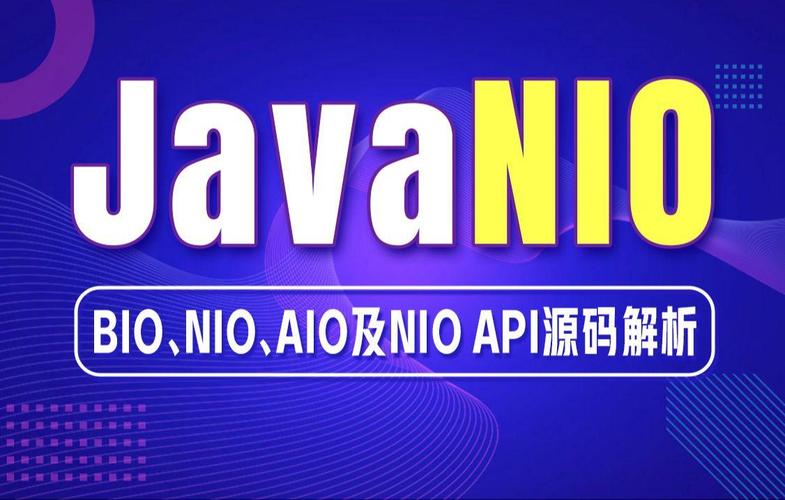
Of course! This is an excellent topic. Java NIO (New I/O) was introduced in Java 1.4 as a more powerful alternative to the traditional blocking I/O (BIO). However, the real game-changer for NIO came with Java 7, which introduced the java.nio.file package and significantly improved the NIO API.
Let's break this down into three parts:
- Core Concepts of Java NIO (Pre-Java 7): The foundation.
- Java 7's Major NIO Enhancements (
NIO.2): The game-changer. - Putting It All Together: A Practical Example.
Core Concepts of Java NIO (Pre-Java 7)
Before Java 7, traditional I/O was blocking. When you read from a stream or wrote to a stream, the thread would block (wait) until data was available or the operation was complete. This was inefficient for high-concurrency applications like servers, as each connection often required its own thread.
Java NIO introduced a non-blocking, event-driven model based on three core components:
a. Buffers
Buffers are the heart of NIO. All data is read into a Buffer or written from a Buffer. Unlike a stream (which is one-way), a Buffer is a fixed-size container that can be read from and written to.
- Key Feature: It's a data container with a position, limit, and capacity. You can "flip" a buffer from writing mode to reading mode.
- Types:
ByteBuffer,CharBuffer,IntBuffer,LongBuffer, etc.
// Example: Writing to a ByteBuffer
ByteBuffer buffer = ByteBuffer.allocate(1024); // Allocate space
String data = "Hello, NIO!";
buffer.put(data.getBytes()); // Put data into the buffer
buffer.flip(); // Switch from write mode to read mode
b. Channels
A Channel is like a stream, but it's bi-directional (you can read from and write to it). It's also not tied to a specific thread. Data is transferred between a Buffer and a Channel.
- Key Feature: Non-blocking. You can ask a channel to read, and if no data is available, it simply returns
0instead of blocking the thread. - Types:
FileChannel,SocketChannel,ServerSocketChannel.
// Example: Reading from a FileChannel into a ByteBuffer
try (FileChannel channel = FileChannel.open(Paths.get("test.txt"))) {
    ByteBuffer buffer = ByteBuffer.allocate(1024);
    int bytesRead = channel.read(buffer); // Non-blocking read
    while (bytesRead != -1) {
        // Process data in buffer...
        buffer.clear(); // Prepare for next read
        bytesRead = channel.read(buffer);
    }
}
c. Selectors
Selectors are the mechanism for multiplexing. A single thread can monitor multiple SelectableChannel instances (like SocketChannel) for events like "connection ready," "data ready to be read," or "data ready to be written."
This is how you can handle thousands of connections with just a few threads.
// High-level Selector concept
Selector selector = Selector.open();
SocketChannel channel = SocketChannel.open();
channel.configureBlocking(false); // Must be non-blocking
channel.register(selector, SelectionKey.OP_READ); // Register for read events
// In a loop:
selector.select(); // Blocks until at least one channel is ready
Set<SelectionKey> selectedKeys = selector.selectedKeys();
// ... iterate over selectedKeys and handle the events
Java 7's Major NIO Enhancements (NIO.2)
The NIO introduced in Java 1.4 was often called "NIO.1". The enhancements in Java 7 were so significant they were branded NIO.2, also known as the More New I/O APIs. This is where NIO became truly powerful and user-friendly.
a. The java.nio.file Package
This is the centerpiece of NIO.2. It provides a much richer, object-oriented API for file system operations.
Key Improvements over java.io.File:
| Feature | java.io.File (Old) |
java.nio.file.Path (NIO.2) |
|---|---|---|
| API | Clunky, static methods. | Fluent, object-oriented API. |
| Symbolic Links | No native support. | Full support and control. |
| File Operations | Copy, move, delete are separate, often verbose operations. | A single, powerful Files utility class with methods like copy(), move(), delete(). |
| Metadata | lastModified(), length(). |
Rich BasicFileAttributes (and others) for creation time, last access time, etc. |
| I/O | FileInputStream, FileOutputStream. |
Files.newInputStream(), Files.newOutputStream(), Files.readAllBytes(). |
| Walking File Tree | Very manual and complex. | Built-in, powerful Files.walkFileTree() method. |
Key NIO.2 Classes:
PathandPaths: The modern replacement forjava.io.File. APathobject represents a location in the file system.Paths.get("path/to/file")is the factory method to create one.Files: A utility class with static methods for all file and directory operations (copy, move, delete, read, write, check attributes, etc.).FileSystem: Represents the file system itself. You can get a default one or access others (like a zip file system!).WatchService: A long-awaited feature. It allows you to register a directory to watch for events (create, modify, delete) without polling.
b. java.nio.file.attribute Package
This package provides fine-grained control over file metadata.
BasicFileAttributes: Common attributes (size, time, etc.).DosFileAttributes: Windows-specific attributes (hidden, system, archive).PosixFileAttributes: For POSIX-compliant systems (Unix, Linux, macOS), including owner, group, and permissions.
c. java.nio.file.spi Package
This allows for pluggable file system providers. The most exciting feature is the Zip File System Provider, which lets you treat a .zip or .jar file as a real file system.
// Example: Treating a zip file as a directory
Map<String, String> env = new HashMap<>();
env.put("create", "true"); // If the zip file doesn't exist, create it.
URI uri = URI.create("jar:file:/path/to/archive.zip");
try (FileSystem zipfs = FileSystems.newFileSystem(uri, env)) {
    Path pathInZip = zipfs.getPath("/new_file_inside_zip.txt");
    Files.write(pathInZip, "Hello from inside a zip!".getBytes());
}
Putting It All Together: A Practical Example
Let's compare reading all lines from a file using the old java.io and the new java.nio.file (NIO.2) API.
Old Way (java.io)
import java.io.BufferedReader;
import java.io.FileReader;
import java.io.IOException;
import java.util.ArrayList;
import java.util.List;
public class OldFileReader {
    public List<String> readLines(String filePath) throws IOException {
        List<String> lines = new ArrayList<>();
        // The try-with-resources statement ensures the reader is closed
        try (BufferedReader reader = new BufferedReader(new FileReader(filePath))) {
            String line;
            while ((line = reader.readLine()) != null) {
                lines.add(line);
            }
        }
        return lines;
    }
}
New Way (java.nio.file - NIO.2)
import java.io.IOException;
import java.nio.file.Files;
import java.nio.file.Path;
import java.nio.file.Paths;
import java.util.List;
public class NewFileReader {
    public List<String> readLines(String filePath) throws IOException {
        Path path = Paths.get(filePath);
        // This single line does everything: opens the file, reads all lines, and closes the resource.
        return Files.readAllLines(path);
    }
}
Why is the NIO.2 version better?
- Conciseness: It's a single, readable line of code.
- Clarity:
Files.readAllLinesexplicitly states its intent. - Power: It uses the
Pathobject, which can be easily manipulated (e.g.,path.resolve("subdir")) and works seamlessly with other NIO.2 features. - Efficiency (for small files):
Files.readAllLinesis highly optimized for reading all lines of a file into memory.
Summary
| Feature | Java NIO (1.4) | Java NIO.2 (Java 7+) |
|---|---|---|
| Core Focus | Non-blocking I/O for networking (Channels, Selectors, Buffers) |
All I/O, especially file system operations. |
| File API | FileChannel (better than FileInputStream but still clunky) |
Path, Files: A complete, modern, fluent API. |
| File Operations | Manual, low-level operations. | Files.copy(), Files.move(), Files.walkFileTree(). |
| Key Addition | Channels, Buffers, Selectors | WatchService, FileSystem providers (zip), rich attributes. |
| Best For | High-performance, scalable network servers (e.g., web servers, chat apps). | All modern file and directory operations. It's the standard for file I/O today. |
In conclusion, while the original NIO laid the groundwork for non-blocking I/O, Java 7's NIO.2 (java.nio.file) is what made NIO indispensable for all Java developers, providing a powerful, safe, and intuitive way to interact with the file system.