Of course! "Python subsurface" can mean a few different things, but the most common interpretation is using Python for subsurface modeling, which is a core task in geoscience, petroleum engineering, and mining.
I'll break this down into the key areas:
- What is Subsurface Modeling? (A quick context)
- The Core Python Libraries for Subsurface Modeling (The essential tools)
- A Concrete Workflow Example (From data to a 3D model)
- Specialized Libraries & Commercial Platforms
- Learning Resources
What is Subsurface Modeling?
This is the process of creating a 3D digital representation of the Earth's layers below the surface. It's used to understand and manage resources like:
- Oil & Gas: Finding and extracting hydrocarbons.
- Water: Managing groundwater aquifers.
- Mining: Locating and planning ore extraction.
- Geothermal Energy: Harnessing heat from the Earth.
- Carbon Capture: Storing CO2 underground.
The models are built using data from wells, seismic surveys, and other geophysical measurements.
The Core Python Libraries for Subsurface Modeling
You don't need one single "subsurface" library. Instead, you combine powerful, general-purpose libraries with specialized ones. Here are the pillars:
| Library | Purpose | Key Subsurface Use Case |
|---|---|---|
| Pandas | Data manipulation and analysis. | Loading, cleaning, and managing well log data (LAS files), production data, and tabular survey data. |
| NumPy | Numerical computing. | Handling large arrays of gridded data (e.g., seismic amplitudes, property values). The foundation for almost everything else. |
| Matplotlib | Plotting and visualization. | Creating 2D cross-sections, maps, and well log plots. |
| PyVista | 3D plotting and mesh analysis. | Crucial for 3D. Visualizing and working with 3D grids, surfaces, and well paths. It's the go-to for 3D model visualization. |
| Scikit-learn | Machine learning. | Facies classification (predicting rock types from logs), property modeling (predicting porosity), and data analysis. |
| Dask | Parallel computing. | Handling datasets that are too large to fit into memory (common with seismic volumes and large 3D grids). |
Specialized Libraries (The "Subsurface" Part)
These libraries are built specifically for geoscience workflows and understand industry-standard file formats.
welly: Excellent for loading, processing, and analyzing well log data, especially LAS files (the standard for well logs).lasio: A simple, robust library for reading and writing LAS files. A must-have.GeoPandas: Extends Pandas to allow for spatial operations on geometric types. Perfect for managing and analyzing well locations, map data (shapefiles), and other 2D vector data.pyshtools: For working with spherical harmonics, often used in geodesy and global geophysical modeling.pykrige: For kriging, a popular geostatistical method for spatial interpolation, used to create property models from sparse well data.
A Concrete Workflow Example: Building a Simple 3D Model
Let's walk through a simplified but realistic workflow. We'll:
- Load well data using
welly. - Create a 3D grid.
- Populate the grid with a property (e.g., a simple extrapolated value from a well).
- Visualize the 3D model using
PyVista.
Step 1: Setup and Installation
First, you need to install the necessary libraries.
pip install numpy pandas matplotlib pyvista well lasio
Step 2: The Code
import numpy as np
import pandas as pd
import pyvista as pv
from well import Well
# --- 1. Load and Prepare Well Data ---
# For this example, we'll create a synthetic well log.
# In a real project, you would load a file like: well = Well.from_las("path/to/your/well.las")
# Let's create a simple DataFrame and convert it to a Well object
data = {
    'DEPTH': [1000, 1010, 1020, 1030, 1040, 1050],
    'GR': [50, 55, 80, 120, 90, 60],  # Gamma Ray (API)
    'RHOB': [2.65, 2.67, 2.70, 2.75, 2.68, 2.66] # Bulk Density (g/cc)
}
df = pd.DataFrame(data)
# Create a Well object from the DataFrame
well = Well.from_dataframe(df, basis='depth')
# Get the curve data we want to model
gr_curve = well.data['GR']
depths = gr_curve.basis
# --- 2. Define the 3D Grid Geometry ---
# We'll create a simple 3D grid that our well passes through.
# Grid dimensions: (nx, ny, nz)
grid_dimensions = (20, 20, 30)
# Grid cell sizes (dx, dy, dz)
cell_sizes = (25, 25, 5) # meters
# Grid origin (x, y, z) - where the first cell starts
origin = (4000, 3000, 950) # x, y, and top depth of the model
# Create the PyVista grid object
grid = pv.UniformGrid()
grid.dimensions = grid_dimensions
grid.cell_spacing = cell_sizes
grid.origin = origin
print(f"Grid created with {grid.n_cells} cells and {grid.n_points} points.")
# --- 3. Populate the Grid with a Property ---
# This is the core of modeling. Here, we'll do a very simple thing:
# For each cell in the grid, calculate its distance to the well.
# Then, assign a GR value based on the closest depth in the well.
# Get the well's 3D path (we'll assume it's at (x=4125, y=3125))
well_x = 4125
well_y = 3125
# Get the cell centers of the entire grid
cell_centers = grid.cell_centers
# Initialize an array for our GR model
gr_model = np.zeros(grid.n_cells)
# Loop through every cell in the grid
for i, cell_center in enumerate(cell_centers.points):
    # Calculate the horizontal distance from the cell to the well
    dist_to_well = np.sqrt((cell_center[0] - well_x)**2 + (cell_center[1] - well_y)**2)
    # Get the depth of the current cell
    cell_depth = cell_center[2]
    # Find the closest depth in our well log
    # We'll use a simple approach: find the log value at the nearest depth
    closest_depth_idx = np.argmin(np.abs(depths - cell_depth))
    # Assign the well's GR value to the grid cell
    # You could make this more complex, e.g., by averaging nearby values or
    # using geostatistics (kriging).
    gr_model[i] = gr_curve[closest_depth_idx]
    # As a simple example, let's say the GR value decays with distance from the well
    # This is a very simplistic "trending" model
    # gr_model[i] = gr_curve[closest_depth_idx] * np.exp(-dist_to_well / 100.0)
# Add the GR model as a cell data array to the grid
grid["GR"] = gr_model
# --- 4. Visualize the 3D Model ---
# Create a plotter
plotter = pv.Plotter(window_size=[800, 600])
# Add the grid to the plotter
# We'll slice the model to see inside it
plotter.add_mesh(grid, scalars="GR", cmap="viridis", show_edges=False)
# Add the well path as a red line
well_points = np.array([[well_x, well_y, d] for d in depths])
plotter.add_lines(well_points, color="red", line_width=5, label="Well Path")
# Add a scalar bar to show the GR values
plotter.add_scalar_bar(title="Gamma Ray (API)", n_labels=5)
# Add some basic labels and a title
plotter.add_title("Simple 3D Subsurface GR Model")
plotter.add_axes(xlabel="X (m)", ylabel="Y (m)", zlabel="Depth (m)")
plotter.view_isometric()
# Show the plot
plotter.show()
When you run this code, a window will pop up showing your 3D model. You can interact with it—rotate, pan, zoom—and see the slice of the Gamma Ray model, with the well path marked in red.
Specialized Libraries & Commercial Platforms
While Python is incredibly powerful, it's often part of a larger toolkit.
- Open-source:
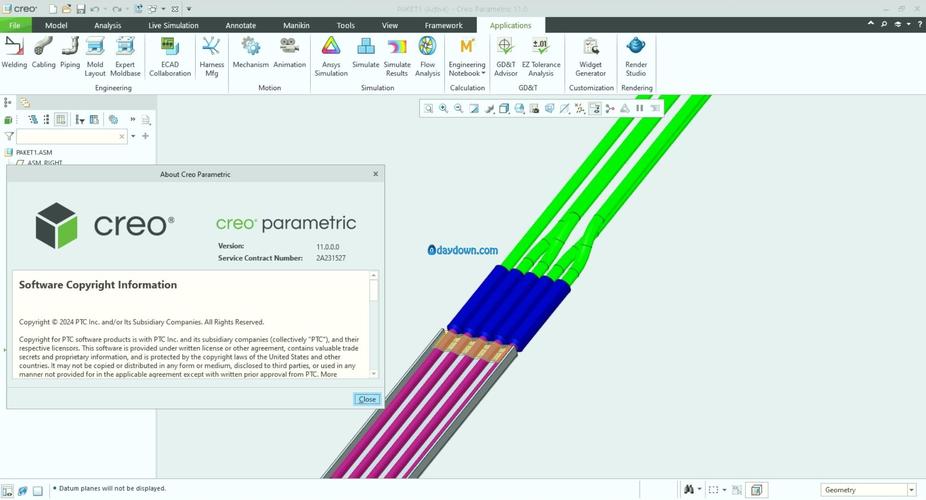
Loopis a modern, open-source platform built specifically for subsurface modeling in Python. It aims to integrate many of the libraries mentioned above into a cohesive workflow. - Commercial: Most major oil companies and service providers use commercial software like Petrel™ (Schlumberger), DecisionSpace™ (Halliburton), or JewelSuite™ (TGS). These platforms have their own Python APIs, allowing you to automate tasks, read/write data, and run custom scripts within the software environment. This is a very common "Python subsurface" use case in the industry.
Learning Resources
- PyVista Documentation: The best place to learn 3D visualization in Python for science. Their examples are fantastic.
- Welly Documentation: Great for learning how to work with well logs.
- Scikit-learn Documentation: The bible for machine learning in Python. Their section on "Outlier Detection" can be applied to QC seismic data.
- The Subsurface Guy's Blog: A great blog with practical Python examples for geoscience.
- Software Carpentry for Geoscientists: Look for workshops or materials on using Python for geoscientific data analysis.
To get started, pick a small task (e.g., "I want to plot all my well locations on a map using GeoPandas" or "I want to load a LAS file and plot the Gamma Ray curve using Matplotlib") and build from there. Good luck