Of course! Let's break down the TypeError exception in Python, which is one of the most common exceptions you'll encounter.
What is a TypeError?
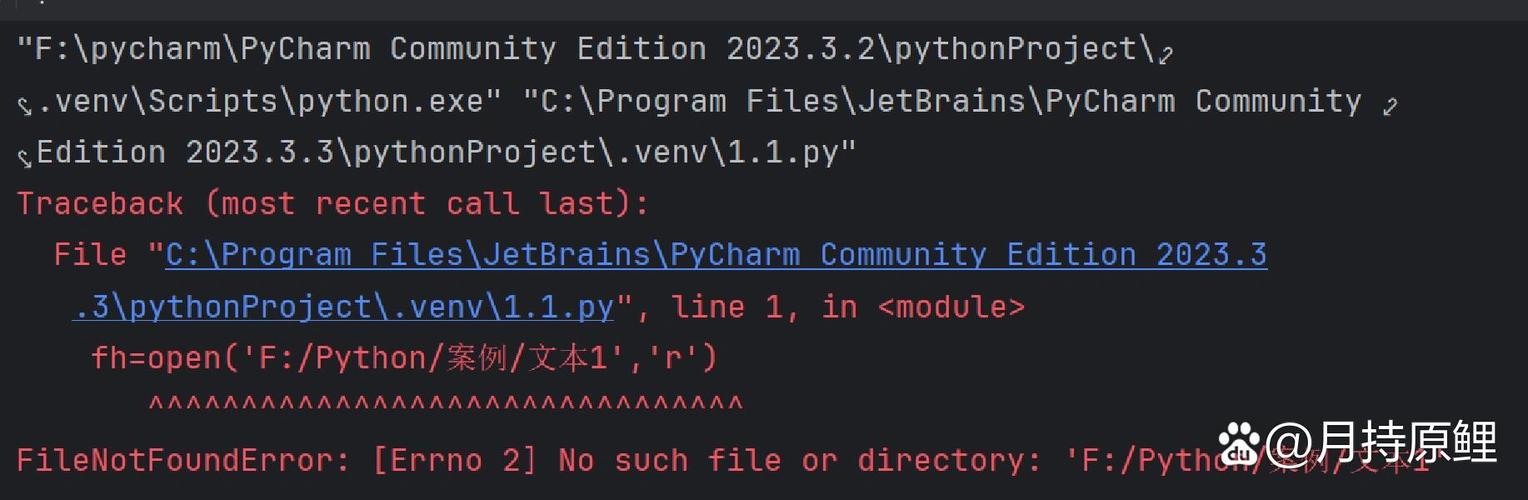
A TypeError is raised when an operation or function is applied to an object of inappropriate type.
In simpler terms, you're trying to do something with a variable that doesn't support that action because it's the wrong kind of data.
Think of it like this:
- You can't add a number to a word (e.g.,
5 + "hello"). - You can't ask a number for its length (e.g.,
len(123)). - You can't use a string as a list (e.g.,
"hello"[0]is fine, but"hello".append("world")is not).
Python expects specific types for specific operations. When you mix them up in a way that doesn't make sense, Python stops and raises a TypeError.

Common Scenarios and Examples
Here are the most frequent situations where a TypeError occurs.
Mixing Incompatible Types in an Operation
This is the most classic example. You're trying to perform an arithmetic operation on a string and a number.
# Example: Adding a number to a string
try:
    result = 10 + " apples"
except TypeError as e:
    print(f"An error occurred: {e}")
    print("You cannot add an integer and a string directly.")
# Output:
# An error occurred: unsupported operand type(s) for +: 'int' and 'str'
# You cannot add an integer and a string directly.
Why it happens: The operator means "addition" for numbers but "concatenation" (joining together) for strings. Python doesn't know which one you want, so it raises an error.
The Fix: Explicitly convert one type to the other.
# Convert the number to a string
result = str(10) + " apples"
print(result)  # Output: 10 apples
# Or, convert the string to a number (if it makes sense)
# num_apples = int("10") + 5
Calling a Method on an Incompatible Type
You might be trying to use a method that only exists for one type (like lists) on another type (like a string or an integer).
# Example: Trying to append to a string (strings are immutable)
try:
    my_string = "hello"
    my_string.append(" world")
except AttributeError as e:
    # Note: This is actually an AttributeError, but it's a very common
    # mistake that feels like a type error.
    print(f"An error occurred: {e}")
    print("Strings do not have an 'append' method. Use '+' or join() instead.")
# Example: Trying to get the length of a number
try:
    length = len(12345)
except TypeError as e:
    print(f"An error occurred: {e}")
    print("The built-in len() function only works on sequences (like lists, strings) or collections (like dicts).")
# Output:
# An error occurred: 'str' object has no attribute 'append'
# Strings do not have an 'append' method. Use '+' or join() instead.
# An error occurred: object of type 'int' has no len()
# The built-in len() function only works on sequences (like lists, strings) or collections (like dicts).
Incorrect Number of Arguments for a Function or Method
You call a function with too many or too few arguments, and one of the types you provided is not what the function expects.
# Example: Calling the built-in print() function with an extra argument
try:
    # print() expects one or more arguments, but not a keyword argument like 'separator'
    print("Hello", "World", separator=" - ")
except TypeError as e:
    print(f"An error occurred: {e}")
    print("The print() function does not accept a 'separator' argument by name in this way.")
# Correct way to use separator:
print("Hello", "World", sep=" - ") # Output: Hello - World
# Output:
# An error occurred: print() got multiple values for argument 'sep'
# The print() function does not accept a 'separator' argument by name in this way.
Using an Operator on a Non-Supported Type
Some operators only work with certain types.
# Example: Using the 'in' operator on an integer
try:
    if 5 in 12345:
        print("Found it!")
except TypeError as e:
    print(f"An error occurred: {e}")
    print("You cannot use the 'in' operator to check for a member in an integer. 'in' works on iterables like lists or strings.")
# Output:
# An error occurred: argument of type 'int' is not iterable
# You cannot use the 'in' operator to check for a member in an integer. 'in' works on iterables like lists or strings.
How to Handle TypeError with try...except
When you anticipate that a piece of code might cause a TypeError (for example, if you're getting user input that could be anything), you can gracefully handle it instead of letting your program crash.
def add_to_list(value, my_list):
    """Appends a value to a list, converting it if necessary."""
    try:
        # This block might raise a TypeError if 'value' is not iterable
        # or if my_list is not a list.
        my_list.append(value)
        print(f"Successfully added '{value}'.")
    except TypeError as e:
        print(f"Error: Could not add '{value}'. Reason: {e}")
        # You could add fallback logic here, like converting the value
        # print(f"Attempting to convert '{value}' to a list...")
        # my_list.append([value])
    return my_list
# --- Test Cases ---
my_numbers = [1, 2, 3]
# This will work
add_to_list(4, my_numbers)
print(f"Current list: {my_numbers}\n")
# This will fail because we can't append a number to a string
add_to_list(5, "hello")
print("\n")
# This will fail because the second argument is not a list
add_to_list("a", 123)
Best Practices to Avoid TypeError
-
Be Explicit with Types: If a function expects a number, convert your input to a number (
int(),float()) at the beginning of the function.def calculate_discount(price, discount_percent): price = float(price) # Explicitly convert discount_percent = float(discount_percent) return price * (1 - discount_percent / 100) -
Use Type Hinting: Modern Python (3.5+) supports type hints. They don't prevent
TypeErrors at runtime, but they are invaluable for static analysis tools (like MyPy) and for other developers (including your future self) to understand what your code expects.from typing import List def add_to_list_explicit(value: any, my_list: List[any]) -> List[any]: """Appends a value to a list.""" try: my_list.append(value) except TypeError as e: print(f"Error: Could not add '{value}'. Reason: {e}") return my_list -
Validate User Input: If your script takes input from a user, always validate or sanitize it before using it in calculations or other operations.
user_input = input("Enter a number to square: ") try: number = int(user_input) result = number ** 2 print(f"The square is: {result}") except ValueError: # Note: This is a ValueError because int() can't convert the string print(f"Invalid input: '{user_input}' is not a valid integer.") except TypeError: print("An unexpected type error occurred.") -
Read the Error Message Carefully: The traceback Python gives you is your best friend. It tells you:
- The file and line number where the error occurred.
- The exact operation that failed (e.g.,
unsupported operand type(s) for +: 'int' and 'str'). - The types of the objects involved in the operation.