Of course! This is a fundamental concept in Java concurrency. While both sleep() and wait() are used to pause the execution of a thread, they are very different in their purpose, behavior, and how they are used.
Here’s a detailed breakdown, starting with a quick summary table.
At a Glance: sleep() vs. wait()
| Feature | Thread.sleep() |
Object.wait() |
|---|---|---|
| What is it? | A static method of the Thread class. |
An instance method of the Object class. |
| What does it do? | Pauses the current thread for a specified time. | Pauses the current thread and releases the object's lock. |
| Lock Behavior | Does not release any locks. The thread keeps its locks. | Releases the lock on the object it's called on. |
| How is it used? | Called on the Thread class. |
Called on a shared object, usually inside a synchronized block. |
| How is it "woken up"? | The specified time expires. | It can be woken up by: Another thread calling notify() or notifyAll() on the same object. The specified time (if using an overloaded version like wait(long timeout)). |
| Exception | InterruptedException |
InterruptedException, IllegalMonitorStateException |
| Common Use Case | Pausing for a fixed duration (e.g., a delay, polling). | Implementing thread communication and synchronization (e.g., Producer-Consumer). |
Detailed Explanation
Let's dive deeper into each method.
Thread.sleep()
sleep() is used to introduce a simple, fixed delay in the execution of a single thread. It's like telling a thread, "Hey, just take a nap for this amount of time, and then wake up and continue where you left off."
Key Characteristics:
- Static Method: You call it directly on the
Threadclass (Thread.sleep()), not on an instance of a thread. - Does Not Release Locks: This is a crucial point. If a thread is holding a lock on a monitor (i.e., it's inside a
synchronizedblock or method) and callssleep(), it does not release that lock. Other threads that need the same lock will have to wait until the sleeping thread wakes up and finishes itssynchronizedblock. - Wakes Up on Timeout: The thread automatically becomes active again after the specified number of milliseconds (or nanoseconds).
Example: sleep()
public class SleepExample {
    public static void main(String[] args) {
        System.out.println("Starting the main thread.");
        // Create a new thread
        Thread thread = new Thread(() -> {
            try {
                System.out.println("Worker thread is going to sleep for 2 seconds.");
                Thread.sleep(2000); // Sleep for 2000 milliseconds (2 seconds)
                System.out.println("Worker thread has woken up.");
            } catch (InterruptedException e) {
                System.out.println("Worker thread was interrupted.");
            }
        });
        thread.start(); // Start the worker thread
        // The main thread continues its execution
        System.out.println("Main thread continues while the other thread sleeps.");
    }
}
Output:
Starting the main thread.
Main thread continues while the other thread sleeps.
Worker thread is going to sleep for 2 seconds.
// (2 seconds of pause)
Worker thread has woken up.
Object.wait()
wait() is a core part of Java's thread synchronization mechanism. It's used to make a thread wait for a specific condition to become true. It's almost always used in conjunction with synchronized blocks.
Key Characteristics:
- Instance Method: You call
wait()on an object, which acts as a lock or monitor. This object is often referred to as the "condition variable". - Releases Lock: When a thread calls
wait(), it immediately releases the lock on the object it's waiting on. This is the most important difference fromsleep(). This release allows other threads to enter asynchronizedblock on that same object and potentially change the condition that the waiting thread is waiting for. - Requires
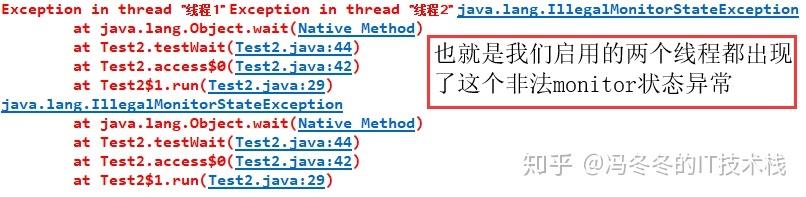
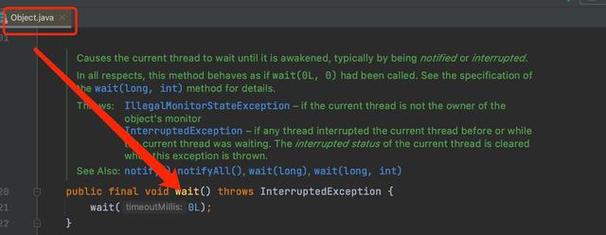
synchronized: You can only callwait()from within asynchronizedcontext on the same object. If you try to call it without holding the lock, you'll get anIllegalMonitorStateException. - Wakes Up on
notify()ornotifyAll(): A thread that is waiting is not woken up by a timeout (unless you usewait(long timeout)). It must be explicitly woken up by another thread that callsnotify()ornotifyAll()on the exact same object.notify(): Wakes up one randomly chosen thread that is waiting on this object.notifyAll(): Wakes up all threads that are waiting on this object. They will then compete for the lock.
Example: wait() and notify()
The classic example is the Producer-Consumer problem. A producer adds items to a queue, and a consumer takes them out. The consumer should wait if the queue is empty, and the producer should notify the consumer when an item is added.
import java.util.LinkedList;
import java.util.Queue;
class SharedBuffer {
    private final Queue<Integer> buffer = new LinkedList<>();
    private final int capacity;
    public SharedBuffer(int capacity) {
        this.capacity = capacity;
    }
    // Called by the Producer
    public synchronized void put(int item) throws InterruptedException {
        // Wait while the buffer is full
        while (buffer.size() == capacity) {
            System.out.println("Buffer is full. Producer is waiting.");
            wait(); // Releases the lock and waits
        }
        buffer.add(item);
        System.out.println("Produced: " + item);
        notifyAll(); // Notify waiting consumers that an item has been added
    }
    // Called by the Consumer
    public synchronized int get() throws InterruptedException {
        // Wait while the buffer is empty
        while (buffer.isEmpty()) {
            System.out.println("Buffer is empty. Consumer is waiting.");
            wait(); // Releases the lock and waits
        }
        int item = buffer.remove();
        System.out.println("Consumed: " + item);
        notifyAll(); // Notify waiting producers that space is available
        return item;
    }
}
public class WaitNotifyExample {
    public static void main(String[] args) {
        SharedBuffer buffer = new SharedBuffer(2); // Small buffer for demonstration
        // Producer Thread
        Thread producer = new Thread(() -> {
            try {
                for (int i = 1; i <= 5; i++) {
                    buffer.put(i);
                    Thread.sleep(500); // Simulate production time
                }
            } catch (InterruptedException e) {
                e.printStackTrace();
            }
        });
        // Consumer Thread
        Thread consumer = new Thread(() -> {
            try {
                for (int i = 1; i <= 5; i++) {
                    buffer.get();
                    Thread.sleep(1000); // Simulate consumption time (slower than producer)
                }
            } catch (InterruptedException e) {
                e.printStackTrace();
            }
        });
        producer.start();
        consumer.start();
    }
}
Possible Output:
Produced: 1
Consumed: 1
Produced: 2
Produced: 3
Buffer is full. Producer is waiting.
Consumed: 2
Produced: 3
Buffer is full. Producer is waiting.
Consumed: 3
Produced: 4
Consumed: 4
Produced: 5
Consumed: 5
(Note: The exact output can vary due to thread scheduling, but the core logic of waiting and notifying will be evident.)
Key Differences Summarized Again
-
Purpose:
sleep(): For a simple, timed delay.wait(): For inter-thread communication and waiting for a condition.
-
Locking:
sleep(): Holds onto its locks.wait(): Releases the lock on the specific object it's called on.
-
Calling Context:
sleep(): Called on theThreadclass (Thread.sleep()).wait(): Called on an object (object.wait()) and must be inside asynchronizedblock for that object.
-
Waking Up:
sleep(): Automatically wakes up after the timeout.wait(): Needs to be explicitly notified bynotify()ornotifyAll().
Modern Alternatives (Java 5+)
For more advanced and robust concurrency, Java provides higher-level utilities in the java.util.concurrent package. These are often preferred over raw wait() and notify().
LockandConditioninterface: A more flexible and powerful replacement forsynchronizedandwait()/notify(). ALockobject can have multipleConditionobjects, allowing for more fine-grained control over which threads to wake up.BlockingQueue: This is the go-to solution for the Producer-Consumer problem. It handles all the waiting and notifying logic internally, making your code much simpler and less error-prone.
Example using BlockingQueue:
import java.util.concurrent.ArrayBlockingQueue;
import java.util.concurrent.BlockingQueue;
public class BlockingQueueExample {
    public static void main(String[] args) {
        // A thread-safe queue with a capacity of 2
        BlockingQueue<Integer> queue = new ArrayBlockingQueue<>(2);
        // Producer Thread
        Thread producer = new Thread(() -> {
            try {
                for (int i = 1; i <= 5; i++) {
                    System.out.println("Producing: " + i);
                    queue.put(i); // Blocks if the queue is full
                }
            } catch (InterruptedException e) {
                e.printStackTrace();
            }
        });
        // Consumer Thread
        Thread consumer = new Thread(() -> {
            try {
                for (int i = 1; i <= 5; i++) {
                    Integer item = queue.take(); // Blocks if the queue is empty
                    System.out.println("Consuming: " + item);
                    Thread.sleep(1000);
                }
            } catch (InterruptedException e) {
                e.printStackTrace();
            }
        });
        producer.start();
        consumer.start();
    }
}