Of course! Working with BLOBs (Binary Large Objects) in Java with MySQL is a common task for storing things like images, documents, videos, or serialized Java objects.
Here’s a comprehensive guide covering the concepts, best practices, and complete code examples.
What is a BLOB?
A BLOB is a MySQL data type used to store large amounts of binary data. It's ideal for:
- Images (
.jpg,.png,.gif) - Documents (
.pdf,.docx,.txt) - Audio/Video files (
.mp3,.mp4) - Serialized Java objects
Important MySQL BLOB Types:
| Type | Maximum Size | Description |
|---|---|---|
TINYBLOB |
255 bytes | Very small binary objects. |
BLOB |
65,535 bytes (64 KB) | The standard "small" BLOB. |
MEDIUMBLOB |
16,777,215 bytes (16 MB) | Medium-sized binary objects. |
LONGBLOB |
4,294,967,295 bytes (4 GB) | Very large binary objects. |
Choose the type that best fits your data size to avoid wasting space.
Prerequisites
- MySQL Server: You need a running MySQL server.
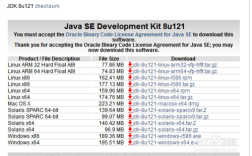
- Java Development Kit (JDK): Version 8 or newer.
- MySQL JDBC Driver: You need the driver to connect Java to MySQL. If you're using a build tool like Maven or Gradle, you can add it as a dependency.
Maven Dependency (pom.xml):
<dependency>
    <groupId>com.mysql</groupId>
    <artifactId>mysql-connector-j</artifactId>
    <version>8.0.33</version> <!-- Use the latest version -->
</dependency>
Setting up the MySQL Database
First, let's create a table in MySQL to store our BLOB data.
CREATE DATABASE my_app_db;
USE my_app_db;
CREATE TABLE files (
    id INT AUTO_INCREMENT PRIMARY KEY,
    name VARCHAR(255) NOT NULL,
    file_data LONGBLOB,
    content_type VARCHAR(100),
    created_at TIMESTAMP DEFAULT CURRENT_TIMESTAMP
);
id: A unique identifier for each file.name: A descriptive name for the file (e.g., "profile.jpg").file_data: The column that will store the binary data. We choseLONGBLOBfor large files.content_type: Stores the MIME type (e.g., "image/jpeg"), which is useful for when you retrieve the file.created_at: A timestamp for when the record was created.
Complete Java Examples
We'll create a single Java class with a main method to demonstrate inserting, retrieving, and deleting a BLOB.
Key Steps:
-
Inserting:
- Get a
Connectionto the database. - Prepare an
INSERTSQL statement. - Use
PreparedStatement.setBinaryStream()orPreparedStatement.setBytes()to set the BLOB parameter. - Execute the update.
- Get a
-
Retrieving:
- Get a
Connection. - Prepare a
SELECTSQL statement. - Execute the query to get a
ResultSet. - Use
ResultSet.getBinaryStream()orResultSet.getBytes()to get the BLOB data. - Write the binary data to a file or an output stream.
- Get a
-
Deleting:
- This is a standard
DELETESQL statement, no special BLOB handling is needed.
- This is a standard
Here is the full, runnable Java code:
import java.io.File;
import java.io.FileInputStream;
import java.io.FileOutputStream;
import java.io.IOException;
import java.io.InputStream;
import java.sql.Connection;
import java.sql.DriverManager;
import java.sql.PreparedStatement;
import java.sql.ResultSet;
import java.sql.SQLException;
import java.sql.Statement;
public class MysqlBlobExample {
    // --- Database Connection Details ---
    private static final String DB_URL = "jdbc:mysql://localhost:3306/my_app_db?useSSL=false&serverTimezone=UTC";
    private static final String USER = "root"; // Your MySQL username
    private static final String PASS = "yourpassword"; // Your MySQL password
    public static void main(String[] args) {
        // A sample image file to insert
        File fileToInsert = new File("sample_image.jpg"); // Make sure this file exists in your project
        File fileToRetrieve = new File("retrieved_image.jpg");
        try {
            // 1. Insert a BLOB into the database
            System.out.println("Inserting BLOB...");
            long id = insertBlob(fileToInsert, "sample_image.jpg", "image/jpeg");
            System.out.println("Inserted file with ID: " + id);
            // 2. Retrieve the BLOB from the database
            System.out.println("\nRetrieving BLOB...");
            retrieveBlob(id, fileToRetrieve);
            System.out.println("Retrieved file saved to: " + fileToRetrieve.getAbsolutePath());
            // 3. Delete the BLOB from the database
            System.out.println("\nDeleting BLOB...");
            deleteBlob(id);
            System.out.println("Deleted file with ID: " + id);
        } catch (Exception e) {
            e.printStackTrace();
        }
    }
    /**
     * Inserts a file into the database as a BLOB.
     * @param file The file to insert.
     * @param name The name of the file.
     * @param contentType The MIME type of the file.
     * @return The generated ID of the new record.
     */
    public static long insertBlob(File file, String name, String contentType) throws SQLException, IOException {
        String sql = "INSERT INTO files (name, file_data, content_type) VALUES (?, ?, ?)";
        // Using try-with-resources to ensure connection is closed
        try (Connection conn = DriverManager.getConnection(DB_URL, USER, PASS);
             PreparedStatement pstmt = conn.prepareStatement(sql, Statement.RETURN_GENERATED_KEYS)) {
            // Set parameters for the prepared statement
            pstmt.setString(1, name);
            pstmt.setString(3, contentType);
            // Use setBinaryStream for large files to avoid loading the whole file into memory
            try (FileInputStream fis = new FileInputStream(file)) {
                pstmt.setBinaryStream(2, fis, (int) file.length());
            }
            // Execute the update
            int affectedRows = pstmt.executeUpdate();
            if (affectedRows == 0) {
                throw new SQLException("Creating file failed, no rows affected.");
            }
            // Get the generated ID
            try (ResultSet generatedKeys = pstmt.getGeneratedKeys()) {
                if (generatedKeys.next()) {
                    return generatedKeys.getLong(1);
                } else {
                    throw new SQLException("Creating file failed, no ID obtained.");
                }
            }
        }
    }
    /**
     * Retrieves a BLOB from the database and saves it to a file.
     * @param id The ID of the file to retrieve.
     * @param outputFile The file to save the retrieved data to.
     */
    public static void retrieveBlob(long id, File outputFile) throws SQLException, IOException {
        String sql = "SELECT name, file_data, content_type FROM files WHERE id = ?";
        try (Connection conn = DriverManager.getConnection(DB_URL, USER, PASS);
             PreparedStatement pstmt = conn.prepareStatement(sql)) {
            pstmt.setLong(1, id);
            try (ResultSet rs = pstmt.executeQuery()) {
                if (rs.next()) {
                    String fileName = rs.getString("name");
                    InputStream is = rs.getBinaryStream("file_data");
                    // Write the binary stream to a file
                    try (FileOutputStream fos = new FileOutputStream(outputFile)) {
                        byte[] buffer = new byte[1024];
                        int bytesRead;
                        while ((bytesRead = is.read(buffer)) != -1) {
                            fos.write(buffer, 0, bytesRead);
                        }
                    }
                    System.out.println("Successfully retrieved file: " + fileName);
                } else {
                    System.out.println("No file found with ID: " + id);
                }
            }
        }
    }
    /**
     * Deletes a record from the database by its ID.
     * @param id The ID of the record to delete.
     */
    public static void deleteBlob(long id) throws SQLException {
        String sql = "DELETE FROM files WHERE id = ?";
        try (Connection conn = DriverManager.getConnection(DB_URL, USER, PASS);
             PreparedStatement pstmt = conn.prepareStatement(sql)) {
            pstmt.setLong(1, id);
            int deletedRows = pstmt.executeUpdate();
            if (deletedRows > 0) {
                System.out.println("Successfully deleted record with ID: " + id);
            } else {
                System.out.println("No record found to delete with ID: " + id);
            }
        }
    }
}
Best Practices and Important Considerations
⚠️ CRITICAL: Avoid Storing Large BLOBs in the Database
This is the most important piece of advice. While it's technically possible, it is often a bad idea for production applications.
- Database Performance: The database's primary job is to manage structured data. Large binary objects can significantly slow down backups, replication, queries, and overall database performance.
- Backup and Recovery: Backing up a multi-gigabyte database becomes a massive and time-consuming task.
- Web Server Scalability: Serving files directly from the database ties up valuable database connections. Web servers (like Nginx or Apache) are highly optimized and scalable for serving static files.
The Recommended Alternative: The "Hybrid" Approach
This is the industry-standard best practice for handling files.
- Store the File on the File System: Save the actual file (image, document, etc.) on your server's file system or, even better, in a cloud storage service like Amazon S3 or Google Cloud Storage.
- Store the Path in the Database: In your database table, store the file's path or URL in a
VARCHARcolumn instead of the binary data itself.
Example Table Structure (Hybrid Approach):
CREATE TABLE files (
    id INT AUTO_INCREMENT PRIMARY KEY,
    name VARCHAR(255) NOT NULL,
    file_path VARCHAR(1024) NOT NULL, -- e.g., "/var/www/uploads/profile_pics/user_123.jpg"
    file_url VARCHAR(255),            -- e.g., "https://mydomain.com/uploads/profile_pics/user_123.jpg"
    content_type VARCHAR(100),
    created_at TIMESTAMP DEFAULT CURRENT_TIMESTAMP
);
Benefits of this approach:
- High Performance: The database is fast, and the web server is fast.
- Scalability: Easy to scale file storage independently of your database.
- Simplicity: Standard file management tools can be used.
- Cost-Effective: Cloud storage is often cheaper than database storage for large objects.
When is Storing BLOBs Acceptable?
There are valid use cases for storing BLOBs directly in the database:
- Small Files: Avatars, small icons, or short text documents.
- Data Integrity: When the file must be tightly coupled with the database record and cannot be orphaned.
- Security: When the database provides a simpler, more secure way to manage access to sensitive files compared to a complex file system permission structure.
- Portability: When you need to move the entire application and its data as a single unit.
Memory Management
- For Large Files: Always use
setBinaryStream()andgetBinaryStream(). This streams the data in chunks, preventing you from loading the entire multi-gigabyte file into your application's memory. - For Small Files:
setBytes()andgetBytes()are simpler and perfectly fine, as they load the entire BLOB into a byte array in memory.