That's an excellent question that points to a common confusion for people new to programming.
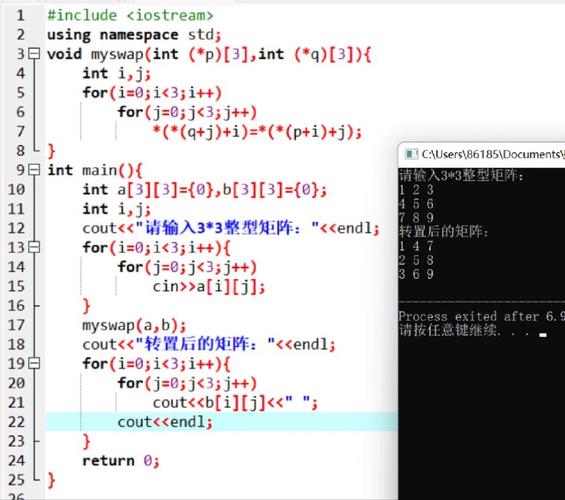
The short answer is: You do not, and cannot, use #include <stdio.h> in Python.
Let's break down why, and what you should use instead.
What is #include <stdio.h>?
This line of code is from the C programming language (and other languages like C++).
#include: This is a "preprocessor directive." Before the code is compiled, a program called the "preprocessor" goes through your code and finds all lines starting with . It literally copies and pastes the content of the file you're including into your current file.<stdio.h>: This is the "Standard Input/Output Header" file. It contains declarations for functions related to input and output, such as:printf()for printing formatted text to the console.scanf()for reading input from the console.fgets()for reading a line from a file.
In C, you have to explicitly tell the compiler which "libraries" or "toolboxes" of functions you want to use by including their header files.
How is Python Different?
Python is a much higher-level language. It has a different philosophy and a different syntax.
- No Preprocessor: Python does not have a preprocessor. It doesn't work by copying and pasting source code files before execution.
- Automatic Imports: When you write a Python script, you don't need to declare which libraries you're going to use at the top. You just
importthem when you need them. - No
.hFiles: Python does not use header files (.h). All the code for a library or module is contained within the.pyfile itself.
The Python Equivalent of stdio.h
The functions in stdio.h are for basic console and file I/O (Input/Output). Python has its own, much simpler, built-in ways to do this.
C (stdio.h) Function |
Python Equivalent | Explanation |
|---|---|---|
printf("Hello, %s!", "World"); |
print("Hello, World!") |
The print() function is Python's standard way to output text to the console. It's simpler than printf and handles formatting automatically. |
scanf("%d", &my_number); |
my_number = int(input("Enter a number: ")) |
Python's input() function reads a line of text from the console. Since it always returns a string, you use int() to convert it to an integer. |
fopen("myfile.txt", "r") |
open("myfile.txt", "r") |
Python's open() function is used to work with files. It returns a "file object" that you can use to read from or write to. |
What about other libraries?
In C, you might include other libraries like <math.h> for math functions or <string.h> for string functions.
In Python, you do the same thing, but with the import keyword.
C:
#include <math.h>
// ...
double result = sqrt(16.0); // Calculate the square root
Python:
import math
# ...
result = math.sqrt(16) # Calculate the square root
You can also import specific functions to avoid having to write the module name every time:
from math import sqrt
result = sqrt(16)
Summary
| Feature | C (using stdio.h) |
Python |
|---|---|---|
| Include Mechanism | #include <header.h> (preprocessor) |
import module (executed at runtime) |
| Console Output | printf("text"); |
print("text") |
| Console Input | scanf("%d", &var); |
var = input("prompt") |
| File I/O | fopen(), fread(), fwrite() |
open() with a with statement |
| Philosophy | Manual declaration of dependencies. | Implicit, on-demand loading of modules. |
In short: Forget #include <stdio.h>. In Python, just start using print() and input() directly. They are always available without any imports.