Of course! This is a fantastic topic. Let's break down algorithms in Python, from the fundamental concepts to practical implementations and best practices.
What is an Algorithm?
At its core, an algorithm is simply a well-defined, step-by-step procedure for solving a problem or accomplishing a task. Think of it as a recipe:
- Problem: Bake a cake.
- Algorithm: The recipe. It lists the ingredients (inputs) and the precise steps (process) to follow to get a cake (output).
In computer science, algorithms are the heart of programming. They take input data, process it through a series of defined steps, and produce output.
Key Characteristics of a Good Algorithm
Not all algorithms are created equal. A good algorithm typically has these characteristics:
- Correctness: It always produces the correct output for a given valid input.
- Efficiency: It solves the problem without using excessive resources like time or memory. This is often measured using Big O Notation.
- Clarity & Readability: The code is easy for other humans (and your future self) to understand.
Big O Notation: Measuring Efficiency
Big O Notation is a mathematical way to describe the performance of an algorithm. It focuses on how the runtime or memory usage grows as the size of the input (n) grows.
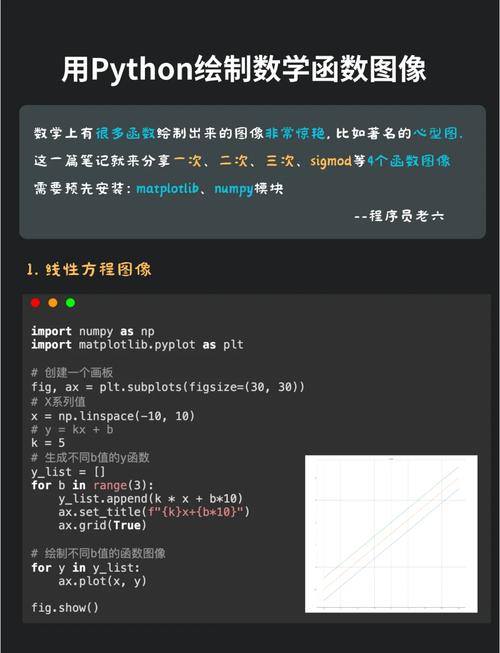
| Notation | Name | Description | Example (Python) |
|---|---|---|---|
| O(1) | Constant | The runtime is the same, regardless of input size. | Accessing an item in a list by index: my_list[0] |
| O(log n) | Logarithmic | The runtime grows logarithmically. Very efficient for large datasets. | Binary Search |
| O(n) | Linear | The runtime grows linearly with the input size. | Iterating through a list: for item in my_list: |
| O(n log n) | Linearithmic | Very common for efficient sorting algorithms. | Merge Sort, Quick Sort |
| O(n²) | Quadratic | The runtime is proportional to the square of the input size. Can be slow. | Simple sorting algorithms like Bubble Sort |
| O(2ⁿ) | Exponential | The runtime doubles with each addition to the input set. Extremely slow. | Recursive Fibonacci without memoization |
Why does this matter? For a list of 10 items, the difference between O(n) and O(n²) is tiny (10 vs. 100 operations). For a list of 1,000,000 items, it's a massive difference (1,000,000 vs. 1,000,000,000,000 operations).
Common Algorithm Categories in Python
Let's explore some of the most important categories of algorithms with Python code examples.
Searching Algorithms
These algorithms are used to find a specific element within a data structure.
a. Linear Search (O(n))
The simplest search. Checks every single element in a list until it finds a match.
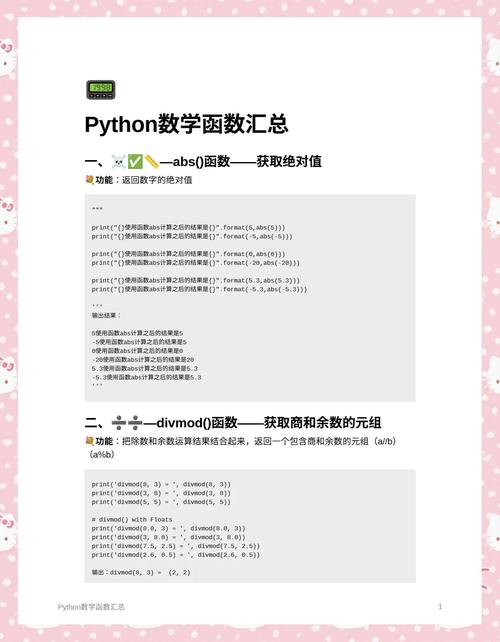
def linear_search(data, target):
    """
    Searches for the target in the list 'data'.
    Returns the index of the target if found, otherwise -1.
    """
    for index, element in enumerate(data):
        if element == target:
            return index
    return -1
my_list = [4, 2, 8, 9, 3, 7]
target_value = 9
result = linear_search(my_list, target_value)
if result != -1:
    print(f"Element {target_value} found at index {result}.")
else:
    print(f"Element {target_value} not found in the list.")
# Output: Element 9 found at index 3.
b. Binary Search (O(log n))
A much faster search, but requires the list to be sorted first. It works by repeatedly dividing the search interval in half.
def binary_search(sorted_data, target):
    """
    Searches for the target in the sorted list 'sorted_data'.
    Returns the index of the target if found, otherwise -1.
    """
    low = 0
    high = len(sorted_data) - 1
    while low <= high:
        mid = (low + high) // 2
        guess = sorted_data[mid]
        if guess == target:
            return mid
        if guess > target:
            high = mid - 1
        else:
            low = mid + 1
    return -1
my_sorted_list = [2, 3, 4, 7, 8, 9]
target_value = 4
result = binary_search(my_sorted_list, target_value)
if result != -1:
    print(f"Element {target_value} found at index {result}.")
else:
    print(f"Element {target_value} not found in the list.")
# Output: Element 4 found at index 2.
Sorting Algorithms
These algorithms arrange elements in a specific order (e.g., ascending or descending).
a. Bubble Sort (O(n²))
A simple but inefficient algorithm. It repeatedly steps through the list, compares adjacent elements, and swaps them if they are in the wrong order.
def bubble_sort(data):
    """Sorts a list in ascending order using Bubble Sort."""
    n = len(data)
    # Traverse through all list elements
    for i in range(n):
        # Last i elements are already in place
        for j in range(0, n - i - 1):
            # Traverse the list from 0 to n-i-1
            # Swap if the element found is greater than the next element
            if data[j] > data[j+1]:
                data[j], data[j+1] = data[j+1], data[j]
    return data
unsorted_list = [64, 34, 25, 12, 22, 11, 90]
sorted_list = bubble_sort(unsorted_list)
print(f"Bubble Sorted List: {sorted_list}")
# Output: Bubble Sorted List: [11, 12, 22, 25, 34, 64, 90]
b. Merge Sort (O(n log n))
A highly efficient, "divide and conquer" algorithm. It divides the list into halves, sorts each half recursively, and then merges the sorted halves back together.
def merge_sort(data):
    """Sorts a list using the Merge Sort algorithm."""
    if len(data) > 1:
        mid = len(data) // 2
        left_half = data[:mid]
        right_half = data[mid:]
        # Recursively sort both halves
        merge_sort(left_half)
        merge_sort(right_half)
        i = j = k = 0
        # Merge the sorted halves
        while i < len(left_half) and j < len(right_half):
            if left_half[i] < right_half[j]:
                data[k] = left_half[i]
                i += 1
            else:
                data[k] = right_half[j]
                j += 1
            k += 1
        # Check for any leftover elements
        while i < len(left_half):
            data[k] = left_half[i]
            i += 1
            k += 1
        while j < len(right_half):
            data[k] = right_half[j]
            j += 1
            k += 1
    return data
unsorted_list = [38, 27, 43, 3, 9, 82, 10]
sorted_list = merge_sort(unsorted_list)
print(f"Merge Sorted List: {sorted_list}")
# Output: Merge Sorted List: [3, 9, 10, 27, 38, 43, 82]
Graph Algorithms
Graphs are used to model networks of connections (e.g., social networks, maps).
a. Breadth-First Search (BFS)
Explores a graph layer by layer, starting from a given node. It's great for finding the shortest path in an unweighted graph.
from collections import deque
def bfs(graph, start_node):
    """Performs a Breadth-First Search on a graph."""
    visited = set()
    queue = deque([start_node])
    while queue:
        node = queue.popleft()
        if node not in visited:
            print(f"Visiting: {node}")
            visited.add(node)
            # Add all unvisited neighbors to the queue
            for neighbor in graph[node]:
                if neighbor not in visited:
                    queue.append(neighbor)
# Example graph represented as an adjacency list
graph = {
    'A': ['B', 'C'],
    'B': ['A', 'D', 'E'],
    'C': ['A', 'F'],
    'D': ['B'],
    'E': ['B', 'F'],
    'F': ['C', 'E']
}
print("BFS Traversal starting from 'A':")
bfs(graph, 'A')
# Output:
# BFS Traversal starting from 'A':
# Visiting: A
# Visiting: B
# Visiting: C
# Visiting: D
# Visiting: E
# Visiting: F
Dynamic Programming
A method for solving complex problems by breaking them down into simpler, overlapping subproblems. It avoids redundant calculations by storing the results of subproblems (this is called memoization).
Example: Fibonacci Sequence
A naive recursive solution is very slow (O(2ⁿ)). Dynamic programming makes it fast (O(n)).
# Naive (slow) recursive Fibonacci
def fib_naive(n):
    if n <= 1:
        return n
    return fib_naive(n-1) + fib_naive(n-2)
# Dynamic Programming (fast) Fibonacci with memoization
memo = {}
def fib_dp(n):
    if n in memo:
        return memo[n]
    if n <= 1:
        return n
    # Store the result before returning
    memo[n] = fib_dp(n-1) + fib_dp(n-2)
    return memo[n]
print(f"Naive Fib(35): {fib_naive(35)}") # Can be very slow
print(f"DP Fib(35): {fib_dp(35)}")      # Instant
How to Practice Algorithms
The best way to get better is to practice!
-
Online Judges: Websites that give you programming problems to solve.
- LeetCode: Extremely popular for technical interview prep.
- HackerRank: Great for beginners and has specific "tracks" for different topics.
- Codewars: Gamified platform that uses "kyu" (difficulty) ranks.
-
Books:
- "Grokking Algorithms" by Aditya Bhargava: The best visual introduction to algorithms. Highly recommended for beginners.
- "Introduction to Algorithms" by Cormen et al. (CLRS): The definitive, academic textbook. Very dense but comprehensive.
-
Python's Built-in Algorithms: Don't reinvent the wheel! Learn when to use Python's highly optimized, built-in functions.
- Sorting: Use
list.sort()(in-place) orsorted()(returns a new list). These use a highly efficient algorithm called Timsort (a hybrid of Merge Sort and Insertion Sort). - Searching: Use the
inkeyword (if item in my_list:) or.index()method. These are optimized for the underlying data structure (lists, dicts, sets).
- Sorting: Use
Summary
| Concept | What it is | Why it's important |
|---|---|---|
| Algorithm | A step-by-step procedure for solving a problem. | The foundation of all programming and problem-solving. |
| Big O Notation | A way to measure an algorithm's efficiency. | Helps you choose the right algorithm for the job, especially with large data. |
| Searching | Finding data in a structure. | A fundamental operation in almost every application. |
| Sorting | Ordering data. | Crucial for efficient searching (e.g., for binary search) and data presentation. |
| Graphs | Modeling networks and relationships. | Essential for problems involving maps, social networks, and dependencies. |
| Dynamic Programming | Solving complex problems by breaking them down. | A powerful technique to optimize solutions with overlapping subproblems. |
Understanding algorithms will make you a more effective, efficient, and valuable programmer. Start with the basics, focus on understanding the "why" behind each algorithm, and practice consistently.