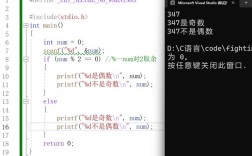
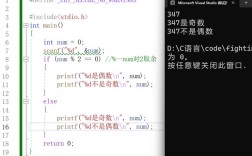
Of course! The operator (modulo operator) is frequently used with hashCode() in Java, primarily for two main purposes: constraining a hash code to a specific range and distributing items into buckets.
Let's break it down.
The Core Idea: What is hashCode()?
In Java, every object has a hashCode() method defined in the Object class. This method returns an integer value that is, ideally, unique for each unique object.
Think of it as a "digital fingerprint" or a "summary" of an object's state. The primary purpose of hashCode() is to support data structures that use hashing, most notably HashMap, HashSet, and Hashtable.
The contract of hashCode() is:
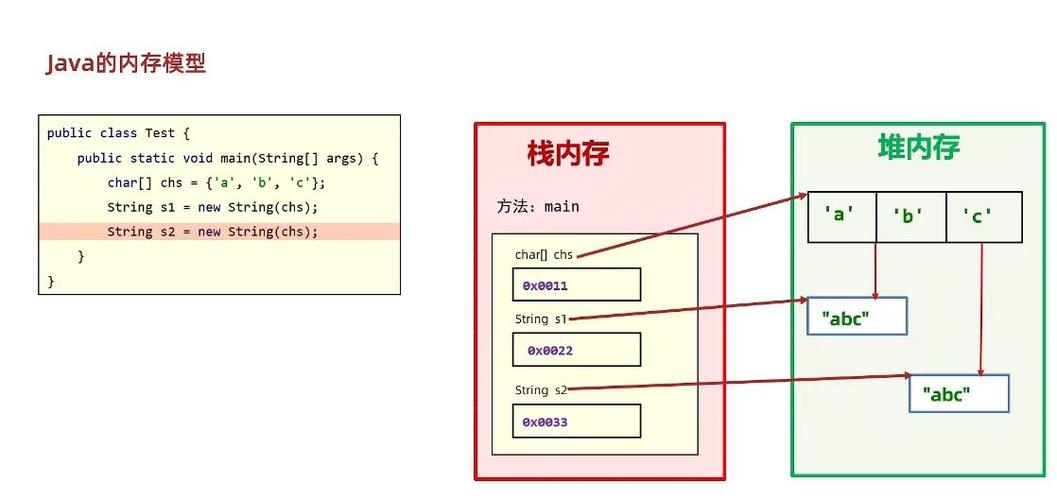
- If two objects are equal (according to their
equals()method), they must have the samehashCode(). - If two objects have the same
hashCode(), they are not necessarily equal. This is called a hash collision.
Why Use the Modulo Operator () with hashCode()?
A hashCode() can be any 32-bit integer, ranging from -2,147,483,648 to 2,147,483,647. This is often too large or has the wrong distribution for a specific use case. The modulo operator helps solve this.
The formula is simple:
int bucketIndex = Math.abs(object.hashCode()) % numberOfBuckets;
object.hashCode(): Gets the hash code of the object.Math.abs(): Ensures the result is non-negative, as array indices cannot be negative.% numberOfBuckets: The modulo operation. This "wraps" the large hash code value into a smaller range from0tonumberOfBuckets - 1.
Primary Use Case: Implementing a Hash Table (e.g., HashMap)
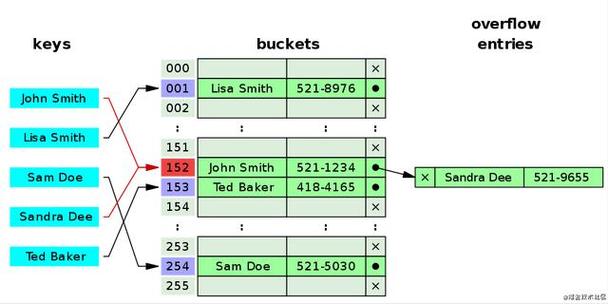
This is the most common and important use case. Java's HashMap uses an array of "buckets" (or "nodes") to store its key-value pairs.
How it works:
-
Determine the Bucket: When you put a key-value pair into a
HashMap, the first thing it does is calculate the bucket index for the key using the formula above.// Inside HashMap's put() method (simplified) int hash = key.hashCode(); int index = (hash & 0x7FFFFFFF) % table.length; // Uses bitwise AND instead of Math.abs for performance
The
table.lengthis thenumberOfBuckets. -
Store the Entry: The
HashMapthen looks in the bucket at thatindex.- If the bucket is empty, it stores the new entry there.
- If the bucket is not empty, a collision has occurred. The new entry is then linked to the existing entry in that bucket, usually forming a linked list (or a balanced tree in Java 8+ if the list gets too long).
Example:
Imagine a small HashMap with a capacity of 10 buckets (an array of size 10).
Map<String, String> map = new HashMap<>(10); // numberOfBuckets = 10
map.put("apple", "A red fruit");
map.put("banana", "A yellow fruit");
Let's say:
"apple".hashCode()returns96354"banana".hashCode()returns-1456128(a negative number)
Calculating the bucket for "apple":
int hash = 96354;
int index = Math.abs(96354) % 10;
// index = 96354 % 10
// index = 4
The entry for "apple" will be placed in bucket 4.
Calculating the bucket for "banana":
int hash = -1456128;
int index = Math.abs(-1456128) % 10;
// index = 1456128 % 10
// index = 8
The entry for "banana" will be placed in bucket 8.
If we add another fruit, say "grape", and "grape".hashCode() returns 96360:
int hash = 96360;
int index = Math.abs(96360) % 10;
// index = 96360 % 10
// index = 0
"grape" goes into bucket 0.
What if a collision happens?
Let's say "cherry".hashCode() returns 96354 (same as "apple").
int hash = 96354;
int index = Math.abs(96354) % 10;
// index = 4
The HashMap will go to bucket 4, see that "apple" is already there, and add "cherry" to the linked list in that bucket. When you later call map.get("cherry"), it will go to bucket 4 and iterate through the list to find the correct entry.
Secondary Use Case: Custom Hashing Logic
Sometimes you need to implement your own hashing mechanism, for example, in a custom data structure or for distributing work across multiple servers or threads. The modulo operator is perfect for this.
Example: Distributing Tasks
Imagine you have a list of tasks and 4 worker threads. You want to assign each task to a worker in a round-robin fashion based on the task's ID.
import java.util.List;
public class TaskDistributor {
    private final List<WorkerThread> workers;
    public TaskDistributor(List<WorkerThread> workers) {
        this.workers = workers;
    }
    public void assignTask(Task task) {
        // Use the task's hash code to pick a worker
        int workerIndex = Math.abs(task.getId().hashCode()) % workers.size();
        WorkerThread selectedWorker = workers.get(workerIndex);
        selectedWorker.addTask(task);
        System.out.println("Task " + task.getId() + " assigned to Worker " + workerIndex);
    }
}
// --- Sample Usage ---
// List<WorkerThread> workers = ...; // Initialize 4 workers
// TaskDistributor distributor = new TaskDistributor(workers);
// distributor.assignTask(new Task("task-123")); // e.g., hash=123 -> index 123 % 4 = 3
// distributor.assignTask(new Task("task-456")); // e.g., hash=456 -> index 456 % 4 = 0
Important Considerations and Best Practices
-
Performance of Operator: For powers of two, using the bitwise AND operator (
&) is significantly faster than modulo (). TheHashMapimplementation in Java uses this optimization.index = hash % 16;// Slowerindex = hash & 15;// Faster (because 16 is 2^4)
-
Don't Reinvent the Wheel: For implementing standard data structures like hash maps, you should almost always use the built-in Java Collections (
HashMap,HashSet). They are highly optimized. -
When Implementing
hashCode()Yourself: If you create a class that will be used as a key in aHashMap, you must overridehashCode()(andequals()).- Your
hashCode()method should be fast. - It should use significant fields of the object.
- A common and effective technique is to combine the hash codes of the object's fields using a prime number (like 31) to reduce collisions.
@Override
public int hashCode() {
// A common and effective pattern
return 31 * name.hashCode() + age;
}
- Your
Summary
| Aspect | Description |
|---|---|
What is hashCode()? |
An integer "fingerprint" for an object, used by hash-based collections. |
| What is used for? | To constrain a large integer (like a hash code) into a smaller, specific range (e.g., 0 to N-1). |
| Primary Use Case | HashMap/HashSet bucketing. It determines which bucket (array index) a key-value pair should be stored in. |
| Secondary Use Case | Custom logic like distributing work across a fixed number of resources (threads, servers, etc.). |
| Key Formula | int index = Math.abs(object.hashCode()) % numberOfBuckets; |
| Best Practice | For standard collections, use Java's built-in classes. For custom logic, ensure your use of hashCode() and is efficient and correct. |