Of course! Using Python for SuperMemo is a fantastic idea. It gives you ultimate flexibility to create a personalized, powerful flashcard system that's perfectly tailored to your needs.
Let's break this down into three parts:
- The Philosophy: How SuperMemo works and why it's so effective.
- The Python Implementation: A complete, well-commented Python code example that implements the core SuperMemo algorithm (SM-2).
- Going Further: How to expand this simple script into a full-fledged application.
The Philosophy: How SuperMemo Works (The SM-2 Algorithm)
The magic of SuperMemo is its spaced repetition algorithm. Instead of reviewing cards at fixed intervals (e.g., every day), it schedules reviews based on how well you remember each card.
The core of this is the SM-2 algorithm, created by Dr. Piotr Wozniak. Here's the simplified logic:
Each flashcard has a few key attributes:
interval: The number of days until the next review.repetitions: The number of times you have successfully recalled the card.easiness(orEF- Easiness Factor): A multiplier that adjusts the interval. It starts at 2.5 and can range from 1.3 to 2.5. A highereasinessmeans the card is easier and will be reviewed less frequently.
After you review a card, you rate your recall from 0 (complete blackout) to 5 (perfect response). The algorithm then updates the card's attributes:
Update Easiness Factor (EF):
EF' = EF + (0.1 - (5 - quality) * (0.08 + (5 - quality) * 0.02))
- If
qualityis less than 3, the EF is not updated (it's capped). - This formula adjusts the "ease" of remembering the card. If you recall it well, the EF increases, making future intervals longer. If you struggle, the EF decreases, making future intervals shorter.
Update Repetitions and Interval:
This depends on the quality score:
-
If
quality< 3 (You failed to recall it):repetitions = 0interval = 1(Review it again tomorrow)
-
If
quality>= 3 (You recalled it, but maybe not perfectly):- If
repetitions == 0:interval = 1(Review tomorrow)
- If
repetitions == 1:interval = 6(Review in 6 days)
- If
repetitions > 1:interval = previous_interval * EF(Multiply the last interval by the new EF)
- If
-
Finally, increment
repetitions:repetitions = repetitions + 1
This simple set of rules is incredibly powerful. Python is the perfect tool to automate this logic.
The Python Implementation (A Complete Script)
This script will:
- Define a
Flashcardclass to hold the data. - Implement the
calculate_next_reviewfunction with the SM-2 algorithm. - Simulate a user reviewing a deck of cards.
- Save and load the card data to a JSON file, so your progress is persistent.
import json
import os
from datetime import datetime, timedelta
# --- 1. The Flashcard Class ---
# This class holds all the data for a single flashcard.
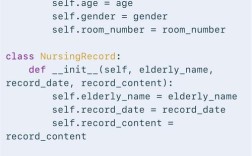
class Flashcard:
    def __init__(self, question, answer, interval=1, repetitions=0, easiness_factor=2.5, last_reviewed=None):
        self.question = question
        self.answer = answer
        self.interval = interval  # Days until next review
        self.repetitions = repetitions
        self.easiness_factor = easiness_factor
        self.last_reviewed = last_reviewed if last_reviewed else datetime.now()
    def to_dict(self):
        """Converts the flashcard object to a dictionary for JSON serialization."""
        return {
            "question": self.question,
            "answer": self.answer,
            "interval": self.interval,
            "repetitions": self.repetitions,
            "easiness_factor": self.easiness_factor,
            "last_reviewed": self.last_reviewed.isoformat()
        }
    @classmethod
    def from_dict(cls, data):
        """Creates a Flashcard object from a dictionary."""
        # Parse the date string back into a datetime object
        data['last_reviewed'] = datetime.fromisoformat(data['last_reviewed'])
        return cls(**data)
    def __str__(self):
        return f"Q: {self.question}\nA: {self.answer}\nNext Review: {self.last_reviewed + timedelta(days=self.interval)}"
# --- 2. The SuperMemo Algorithm (SM-2) ---
def calculate_next_review(card, quality: int):
    """
    Calculates the next review interval for a flashcard based on the SM-2 algorithm.
    :param card: The Flashcard object.
    :param quality: A rating from 0 (complete blackout) to 5 (perfect recall).
    :return: The updated Flashcard object.
    """
    # 1. Update Easiness Factor (EF)
    # The formula can produce EF < 1.3, so we cap it.
    new_ef = card.easiness_factor + (0.1 - (5 - quality) * (0.08 + (5 - quality) * 0.02))
    card.easiness_factor = max(new_ef, 1.3)
    # 2. Update Repetitions and Interval
    if quality < 3:
        # If you failed, reset repetitions and review tomorrow
        card.repetitions = 0
        card.interval = 1
    else:
        # If you succeeded
        if card.repetitions == 0:
            card.interval = 1
        elif card.repetitions == 1:
            card.interval = 6
        else:
            # Multiply the last interval by the new Easiness Factor
            card.interval = int(round(card.interval * card.easiness_factor))
        card.repetitions += 1
    # 3. Update the last reviewed date to today
    card.last_reviewed = datetime.now()
    return card
# --- 3. Data Persistence (Save/Load) ---
FILE_NAME = "flashcards.json"
def save_deck(deck: list[Flashcard]):
    """Saves the deck of flashcards to a JSON file."""
    with open(FILE_NAME, 'w') as f:
        json.dump([card.to_dict() for card in deck], f, indent=4)
    print(f"Deck saved to {FILE_NAME}")
def load_deck() -> list[Flashcard]:
    """Loads the deck of flashcards from a JSON file."""
    if not os.path.exists(FILE_NAME):
        return []
    with open(FILE_NAME, 'r') as f:
        data = json.load(f)
    return [Flashcard.from_dict(card_data) for card_data in data]
# --- 4. The Main Application Logic ---
def main():
    """Main function to run the flashcard review session."""
    # Load the deck or create a sample one
    deck = load_deck()
    if not deck:
        print("No deck found. Creating a sample deck...")
        deck = [
            Flashcard("What is the capital of France?", "Paris"),
            Flashcard("What is 2 + 2?", "4"),
            Flashcard("What is the chemical symbol for water?", "H2O"),
        ]
        save_deck(deck)
    print("Welcome to your Python SuperMemo session!")
    print("Rate your recall from 0 (complete blackout) to 5 (perfect).\n")
    # Get cards that are due for review
    today = datetime.now()
    cards_to_review = [card for card in deck if (card.last_reviewed + timedelta(days=card.interval)) <= today]
    if not cards_to_review:
        print("No cards are due for review today. Great job!")
        return
    for card in cards_to_review:
        print("-" * 20)
        print(f"Question: {card.question}")
        input("Press Enter to see the answer...")
        print(f"Answer: {card.answer}")
        # Get user rating
        while True:
            try:
                quality = int(input("How well did you know this? (0-5): "))
                if 0 <= quality <= 5:
                    break
                else:
                    print("Please enter a number between 0 and 5.")
            except ValueError:
                print("Invalid input. Please enter a number.")
        # Update the card using the SM-2 algorithm
        updated_card = calculate_next_review(card, quality)
        print(f"Updated! Next review in {updated_card.interval} days.")
        # Save the updated deck after each card
        save_deck(deck)
if __name__ == "__main__":
    main()
How to Run This Script
- Save the code as a Python file (e.g.,
supermemo.py). - Run it from your terminal:
python supermemo.py - The first time, it will create a
flashcards.jsonfile. - Each time you run it, it will load the deck, show you the cards that are due, and save your updated progress.
Going Further: Building a Full-Fledged Application
The script above is a great start. Here are some ideas to turn it into a powerful learning tool:
Use a Database
For a large number of cards, a JSON file can be slow. A proper database is much better.
- SQLite: Perfect for this. It's built into Python and requires no server. You can create a
flashcardstable with columns likeid,question,answer,interval,repetitions,easiness_factor, andlast_reviewed. - SQLAlchemy: An ORM (Object-Relational Mapper) that makes working with SQLite (or other databases like PostgreSQL) much cleaner.
Build a User Interface (UI)
The command-line interface is functional, but a GUI is much more user-friendly.
- Tkinter: Built into Python. Great for simple, desktop GUIs.
- PyQt / PySide: More powerful and professional-looking toolkits.
- Web Framework (Flask/Django): Create a web-based application that you can access from any browser. This is a very popular approach.
Add More Features
- Card Import/Export: Allow users to import cards from CSV, Anki (
.apkg), or text files. - Rich Text Formatting: Allow users to use bold, italics, and images in their questions and answers.
- Statistics Dashboard: Show charts and graphs of your review history, number of cards due, retention rate, etc.
- Cram Mode: A mode to review a large batch of cards at once, regardless of their due date.
- Different Card Types: Support for multiple-choice questions, fill-in-the-blanks, etc.
Leverage Existing Libraries
Don't reinvent the wheel! There are Python libraries that can help you build a spaced repetition system.
mnemosyne: A powerful, mature open-source spaced repetition application. You could potentially use its Python backend or learn from its architecture.anki: The most popular SRS tool. It has a Python API (anki) for creating and managing decks programmatically. You could build a custom front-end that uses Anki's database.
By starting with the simple Python script, you understand the core logic. From there, you can build out the features that matter most to you, creating the perfect spaced repetition tool for your workflow.