Java正则表达式判断正整数
在Java中,可以使用正则表达式来判断一个字符串是否表示正整数,以下是几种常用的正则表达式方法:
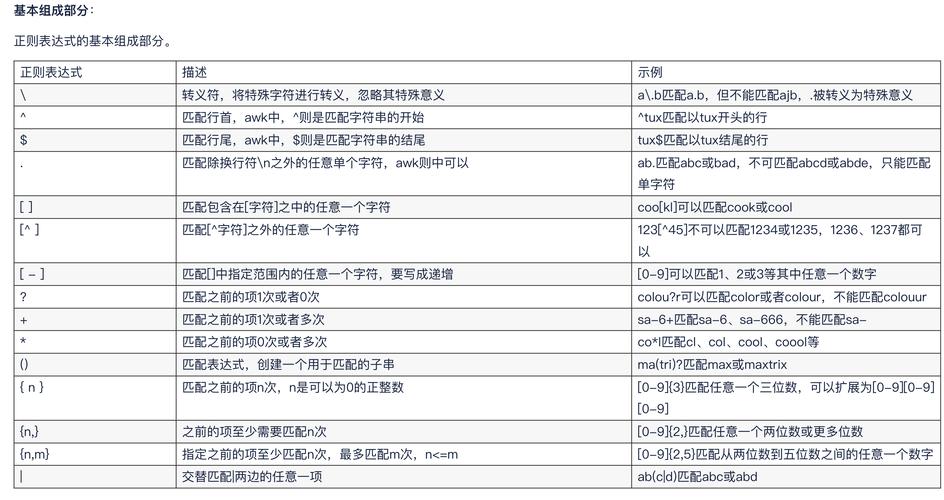
(图片来源网络,侵删)
方法1:基本正则表达式
public class PositiveIntegerChecker {
    public static boolean isPositiveInteger(String str) {
        // 正则表达式:^\\d+$ 表示1个或多个数字
        return str != null && str.matches("^\\d+$");
    }
    public static void main(String[] args) {
        System.out.println(isPositiveInteger("123"));   // true
        System.out.println(isPositiveInteger("0"));     // false (因为0不是正整数)
        System.out.println(isPositiveInteger("123a"));  // false
        System.out.println(isPositiveInteger(""));      // false
        System.out.println(isPositiveInteger(null));    // false
    }
}
方法2:排除0的正则表达式
如果需要严格排除0(只允许1及以上的正整数):
public static boolean isStrictPositiveInteger(String str) {
    // 正则表达式:^[1-9]\\d*$ 表示以1-9开头,后面跟着0个或多个数字
    return str != null && str.matches("^[1-9]\\d*$");
}
方法3:考虑大数的情况
如果需要处理非常大的正整数(超出long范围):
public static boolean isLargePositiveInteger(String str) {
    // 正则表达式:^[1-9]\\d*$ 或 ^\\d+$ 根据是否允许0
    return str != null && str.matches("^[1-9]\\d*$");
}
方法4:使用Pattern和Matcher
对于需要多次使用的正则表达式,可以预编译Pattern:
import java.util.regex.Pattern;
public class PositiveIntegerChecker {
    private static final Pattern POSITIVE_INTEGER_PATTERN = Pattern.compile("^[1-9]\\d*$");
    public static boolean isPositiveInteger(String str) {
        return str != null && POSITIVE_INTEGER_PATTERN.matcher(str).matches();
    }
}
注意事项
- 上述方法中,
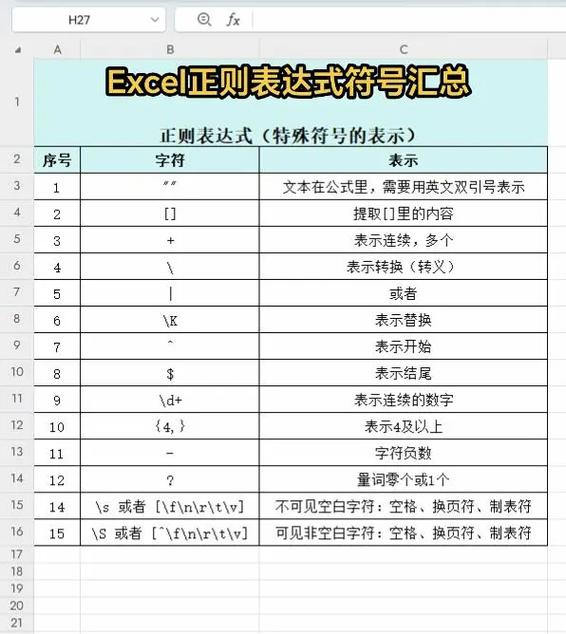
^表示字符串开始,表示字符串结束,确保整个字符串匹配 \\d表示任意数字(0-9)- 如果需要允许前导零(如"00123"),可以使用
^\\d+$,但这通常不是正整数的标准表示 - 对于性能要求高的场景,建议预编译正则表达式(使用Pattern)
选择哪种方法取决于你的具体需求,是否允许0,是否需要处理非常大的数字等。
(图片来源网络,侵删)