Of course! Let's dive deep into Python's http.client module.
What is http.client?
http.client is a low-level, built-in Python library for making HTTP requests. It's part of Python's standard library, meaning you don't need to install anything extra to use it.
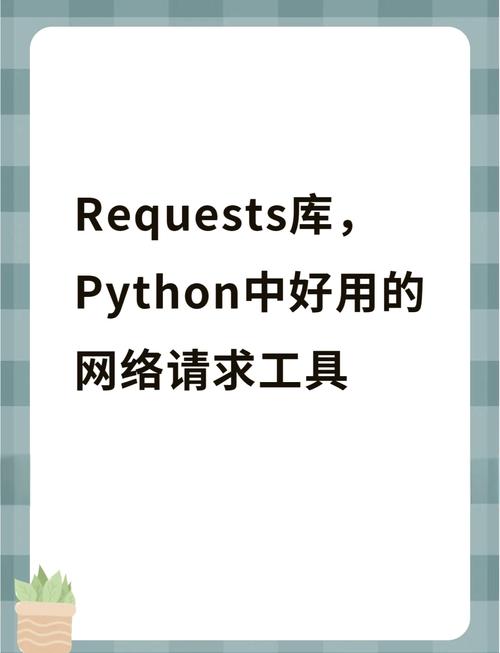
Think of it as the engine under the hood of more user-friendly libraries like the requests library. While requests is often preferred for its simplicity, understanding http.client is valuable because:
- It's Built-in: No dependencies required.
- It's Powerful: It gives you fine-grained control over the entire HTTP request/response cycle.
- It's Foundational: It helps you understand what happens "under the hood" when you use other HTTP libraries.
Key Concepts
Before we write code, let's understand the main components:
- Connection: You first create a connection object to a specific server (e.g.,
www.example.com). This is like opening a phone line. - Request: You create a request object, specifying the HTTP method (GET, POST, etc.), the path (), and any headers.
- Sending the Request: You send the request object over the connection.
- Response: The server sends back a response object. This object contains:
- Status Code: A number like
200(OK),404(Not Found), or500(Server Error). - Headers: Key-value pairs from the server (e.g.,
Content-Type,Content-Length). - Body: The actual data sent by the server (e.g., HTML, JSON, an image).
- Status Code: A number like
Basic Usage: Making a GET Request
This is the most common scenario: fetching data from a URL.
Let's fetch the main page of httpbin.org, a fantastic service for testing HTTP requests.
import http.client
import json # We'll use this to parse the JSON response
# 1. Create a connection object
# http.client.HTTPSConnection("host", port)
# For httpbin.org, we use HTTPS on port 443
conn = http.client.HTTPSConnection("httpbin.org")
try:
    # 2. Make a GET request to the /get endpoint
    # The request method sends the request and returns a response object
    conn.request("GET", "/get")
    # 3. Get the response from the server
    response = conn.getresponse()
    # 4. Check the status code
    print(f"Status Code: {response.status}")
    print(f"Reason: {response.reason}")
    # 5. Read the response body
    # It's important to read the body to free up the connection resources
    data = response.read()
    # The body is in bytes, so we decode it to a string
    # httpbin.org returns JSON, so we can parse it
    response_body = json.loads(data.decode("utf-8"))
    print("\n--- Response Body (as a Python dict) ---")
    print(json.dumps(response_body, indent=2))
finally:
    # 6. Close the connection
    # This is crucial! It releases the network resources.
    conn.close()
Output:
Status Code: 200
Reason: OK
--- Response Body (as a Python dict) ---
{
  "args": {},
  "headers": {
    "Accept-Encoding": "identity",
    "Host": "httpbin.org",
    "User-Agent": "Python-3.x.x",
    "X-Amzn-Trace-Id": "Root=..."
  },
  "origin": "YOUR_IP_ADDRESS",
  "url": "https://httpbin.org/get"
}
Making a POST Request
A POST request is used to send data to the server, typically for creating a new resource. We'll send JSON data to the /post endpoint.
import http.client
import json
# 1. Create a connection
conn = http.client.HTTPSConnection("httpbin.org")
# The data we want to send
payload_data = {
    'username': 'test_user',
    'message': 'Hello from http.client!'
}
# The payload must be bytes, so we encode the JSON string
payload = json.dumps(payload_data).encode('utf-8')
try:
    # 2. Make a POST request
    # We pass the path, the body (payload), and headers
    # Headers are VERY important for POST requests
    headers = {
        'Content-Type': 'application/json',
        'Content-Length': str(len(payload))
    }
    conn.request("POST", "/post", body=payload, headers=headers)
    # 3. Get the response
    response = conn.getresponse()
    print(f"Status Code: {response.status}")
    print(f"Reason: {response.reason}")
    # 4. Read and print the response body
    response_data = response.read().decode('utf-8')
    response_body = json.loads(response_data)
    print("\n--- Response Body ---")
    print(json.dumps(response_body, indent=2))
finally:
    # 5. Close the connection
    conn.close()
Output:
Status Code: 200
Reason: OK
--- Response Body ---
{
  "args": {},
  "data": "{\"username\": \"test_user\", \"message\": \"Hello from http.client!\"}",
  "files": {},
  "form": {},
  "headers": {
    "Accept-Encoding": "identity",
    "Content-Length": "59",
    "Content-Type": "application/json",
    "Host": "httpbin.org",
    "User-Agent": "Python-3.x.x",
    "X-Amzn-Trace-Id": "Root=..."
  },
  "json": {
    "message": "Hello from http.client!",
    "username": "test_user"
  },
  "origin": "YOUR_IP_ADDRESS",
  "url": "https://httpbin.org/post"
}
Notice how the server received our JSON in the json and data fields.
Handling Different URL Schemes
http.client has specific classes for different protocols:
http.client.HTTPConnection: For insecurehttp://URLs.http.client.HTTPSConnection: For securehttps://URLs. This handles SSL/TLS encryption automatically.
Example with http:// (non-HTTPS):
import http.client
# Use HTTPConnection for http://
conn = http.client.HTTPConnection("example.com")
try:
    conn.request("GET", "/")
    response = conn.getresponse()
    print(f"Status: {response.status}")
    # You can read the HTML content if you want
    # html_content = response.read()
    # print(html_content.decode('utf-8'))
finally:
    conn.close()
Error Handling
Network operations can fail. It's good practice to handle potential exceptions.
http.client.HTTPException: The base class for all errors from this module.http.client.BadStatusLine: Raised when the server returns an invalid status line.http.client.NotConnected: Raised if you try to use a connection that isn't established.TimeoutErrororsocket.timeout: Raised if the connection or read operation times out.
import http.client
import socket
try:
    conn = http.client.HTTPSConnection("non-existent-domain-12345.com")
    conn.request("GET", "/")
    response = conn.getresponse()
    print(f"Status: {response.status}")
except socket.gaierror as e:
    print(f"DNS Error: Could not resolve hostname. {e}")
except http.client.HTTPException as e:
    print(f"HTTP Error: An error occurred with the HTTP connection. {e}")
except ConnectionRefusedError as e:
    print(f"Connection Refused: The server actively refused the connection. {e}")
finally:
    # It's safe to call close() even if the connection failed to be established
    if 'conn' in locals() and conn:
        conn.close()
When to Use http.client vs. requests
| Feature | http.client |
requests |
|---|---|---|
| Ease of Use | Low-level, verbose | High-level, simple |
| Dependencies | None (built-in) | requests library (pip install requests) |
| Features | Basic HTTP/HTTPS | Sessions, Cookies, Auth, Streaming, JSON handling, Timeouts, Proxies |
| Best For | ||
| - Simple scripts without external dependencies. - Learning the fundamentals of HTTP. - Situations where you need maximum control. |
- Almost all general-purpose web scraping and API interaction. - Applications that require sessions, cookies, or complex auth. - Most development and production use cases. |
Conclusion: For 99% of your day-to-day HTTP needs, the requests library is the better choice due to its simplicity and rich feature set. However, knowing http.client is a great skill for understanding web protocols and for situations where you can't or don't want to add external dependencies to your project.