open() 和 write()
最基本的方法是使用内置的 open() 函数打开一个文件,然后使用 write() 方法写入内容。
(图片来源网络,侵删)
关键点:
- 模式:打开文件时,模式参数至关重要。
'w'(Write): 写入模式,如果文件存在,会先清空内容再写入;如果文件不存在,会创建新文件。'a'(Append): 追加模式,如果文件存在,会在文件末尾追加内容;如果文件不存在,会创建新文件。- 强烈建议使用
'w'或'a'模式时,加上'b'(二进制模式),如'wb'或 `'ab',以处理编码问题,尤其是在 Windows 系统上。
- 数据类型:
write()方法只能接受字符串(str)或字节串(bytes),在写入float之前,必须先将其转换为字符串。 - 换行符:如果你想在写入多个数字后换行,需要手动添加换行符
\n。 - 关闭文件:操作完成后,必须调用
close()方法关闭文件,以确保所有缓冲区的数据都被写入磁盘。
示例 1:写入单个浮点数
这是最简单的场景。
# 1. 定义一个浮点数
pi = 3.14159
# 2. 打开文件(使用 'w' 模式,会覆盖原有文件)
#    使用 'with' 语句可以自动管理文件,即使在写入过程中出错也会自动关闭文件,是最佳实践。
with open('pi.txt', 'w', encoding='utf-8') as f:
    # 3. 将 float 转换为 string 并写入
    f.write(str(pi))
print("单个浮点数已写入 pi.txt")
运行后,pi.txt 文件的内容是:
14159示例 2:写入多个浮点数(每行一个)
如果你有一个浮点数列表,想把每个数字都写入新的一行。
(图片来源网络,侵删)
# 1. 定义一个浮点数列表
temperatures = [23.5, 24.1, 22.8, 25.0, 26.3]
# 2. 使用 'w' 模式打开文件
with open('temperatures.txt', 'w', encoding='utf-8') as f:
    # 3. 遍历列表,将每个 float 转换为 string 并写入,同时添加换行符
    for temp in temperatures:
        f.write(str(temp) + '\n') # 或者使用 f.write(f"{temp}\n")
print("多个浮点数已写入 temperatures.txt")
运行后,temperatures.txt 文件的内容是:
5
24.1
22.8
25.0
26.3
示例 3:追加浮点数到文件
如果你想在现有文件的基础上添加新的数据,而不是覆盖它,应该使用 'a' (append) 模式。
假设 temperatures.txt 已经存在,内容如上,现在我们要添加新的温度数据。
# 1. 定义新的浮点数列表
new_temperatures = [27.1, 26.9]
# 2. 使用 'a' 模式打开文件
with open('temperatures.txt', 'a', encoding='utf-8') as f:
    # 3. 遍历并追加,同样需要转换和换行
    for temp in new_temperatures:
        f.write(str(temp) + '\n')
print("新的浮点数已追加到 temperatures.txt")
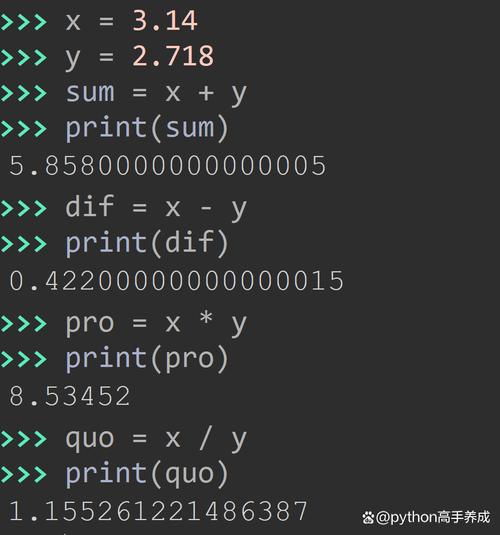
运行后,temperatures.txt 文件的内容变成了:
(图片来源网络,侵删)
5
24.1
22.8
25.0
26.3
27.1
26.9
更好的方法:使用 f-string 或 format()
直接使用 str() 虽然可行,但有时会输出很多不必要的有效数字(str(3.0) 会得到 '3.0'),使用 f-string 或 format() 可以更精确地控制输出格式。
price = 99.98
# 使用 f-string (推荐,现代Python版本)
formatted_price_f = f"{price:.2f}"  # 保留两位小数
print(formatted_price_f) # 输出: 99.98
# 使用 format() 方法
formatted_price_format = format(price, '.2f') # 保留两位小数
print(formatted_price_format) # 输出: 99.98
# 写入文件
with open('price.txt', 'w', encoding='utf-8') as f:
    f.write(f"{price:.2f}") # 直接写入格式化后的字符串
print("格式化后的浮点数已写入 price.txt")
运行后,price.txt 的内容是:
98常用格式化符号:
f"{x:.2f}": 保留 2 位小数。f"{x:.4f}": 保留 4 位小数。f"{x:.0f}": 不保留小数,转换为整数(但本质还是浮点数,如0)。
进阶方法:使用 csv 模块
如果你的数据是表格式的(多行多列),使用 csv (Comma-Separated Values) 模块是最佳选择,它能自动处理引号、逗号等特殊情况,避免格式错误。
import csv
# 数据是一个列表的列表
sales_data = [
    ['Product A', 150.75, 20],
    ['Product B', 89.99, 35],
    ['Product C', 245.0, 10]
]
# 使用 'w' 模式打开文件,newline='' 是一个好习惯,可以防止在Windows上出现多余的空行
with open('sales.csv', 'w', newline='', encoding='utf-8') as f:
    # 创建一个 csv writer 对象
    writer = csv.writer(f)
    # 写入表头 (可选)
    writer.writerow(['Product Name', 'Price', 'Quantity'])
    # 写入数据行
    writer.writerows(sales_data)
print("CSV 数据已写入 sales.csv")
运行后,sales.csv 文件的内容是:
Product Name,Price,Quantity
Product A,150.75,20
Product B,89.99,35
Product C,245.0,10
进阶方法:使用 json 模块
如果你需要将数据结构(如列表、字典)与浮点数一起保存,以便其他程序或语言也能轻松读取,json 格式是首选。
import json
# 数据可以是一个包含浮点数的字典
data = {
    'experiment_id': 'EXP-001',
    'temperature': 98.6,
    'pressure': 1013.25,
    'readings': [1.1, 2.2, 3.3, 4.4]
}
# 使用 'w' 模式打开文件
with open('data.json', 'w', encoding='utf-8') as f:
    # json.dump() 直接将 Python 对象写入文件
    # indent=4 使 JSON 文件更易读(缩进4个空格)
    json.dump(data, f, indent=4)
print("JSON 数据已写入 data.json")
运行后,data.json 文件的内容是:
{
    "experiment_id": "EXP-001",
    "temperature": 98.6,
    "pressure": 1013.25,
    "readings": [
        1.1,
        2.2,
        3.3,
        4.4
    ]
}
总结与建议
| 场景 | 推荐方法 | 优点 |
|---|---|---|
| 简单写入单个或少量数字 | with open(...) + f.write(str(f)) 或 f"{f:.2f}" |
简单直接,无需额外模块。 |
| 写入列表或数组(每行一个) | with open(...) + for 循环 + f.write(f"{f}\n") |
灵活,格式可控。 |
| 追加数据到现有文件 | with open(..., 'a') |
不会覆盖原有数据。 |
| 处理表格数据(多行多列) | csv 模块 |
标准格式,处理引号、逗号等专业,不易出错。 |
| 需要跨平台/跨语言交换数据 | json 模块 |
结构化,可读性好,是数据交换的事实标准。 |
对于初学者,掌握 with open(...) 和 f-string 格式化 是最核心的技能,随着项目复杂度的增加,再逐步学习和使用 csv 和 json 模块。