Of course! In Java, converting between String and Number types (like int, double, etc.) is a very common task. Here’s a comprehensive guide covering the best ways to do it, including parsing, formatting, and handling potential errors.
Converting a String to a Number (Parsing)
This is the process of reading a numeric value from a string representation.
For Primitive Types (int, double, etc.)
The standard way is to use the parseXxx() static methods from the corresponding wrapper classes (Integer, Double, etc.).
Key Points:
- They are
staticmethods. - They return a primitive value (
int,double). - They throw a
NumberFormatExceptionif the string is not a valid number.
String to int
Use Integer.parseInt().
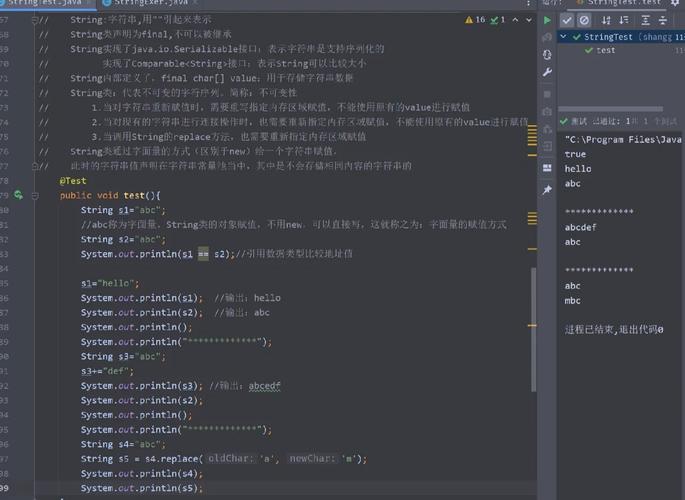
String numberStr = "123";
int number = 0;
try {
    number = Integer.parseInt(numberStr);
    System.out.println("The integer is: " + number); // Output: The integer is: 123
} catch (NumberFormatException e) {
    System.out.println("Invalid integer string: " + numberStr);
}
// Example of invalid input
String invalidStr = "abc";
try {
    Integer.parseInt(invalidStr);
} catch (NumberFormatException e) {
    System.out.println("Caught exception for '" + invalidStr + "': " + e.getMessage());
}
String to double
Use Double.parseDouble().
String doubleStr = "99.99";
double dNumber = 0.0;
try {
    dNumber = Double.parseDouble(doubleStr);
    System.out.println("The double is: " + dNumber); // Output: The double is: 99.99
} catch (NumberFormatException e) {
    System.out.println("Invalid double string: " + doubleStr);
}
Other Primitive Types
The pattern is the same for other primitives:
Long.parseLong("12345")Float.parseFloat("12.34")Short.parseShort("10")Byte.parseByte("5")
For Wrapper Classes (Integer, Double, etc.)
Sometimes you need an Integer object instead of a primitive int. You can use the valueOf() method.
Key Points:
- They are
staticmethods. - They return a wrapper object (
Integer,Double). - They also throw a
NumberFormatExceptionon invalid input.
String to Integer
Use Integer.valueOf().
String numberStr = "456";
Integer numberObj = null;
try {
    numberObj = Integer.valueOf(numberStr);
    System.out.println("The Integer object is: " + numberObj); // Output: The Integer object is: 456
    System.out.println("Its type is: " + numberObj.getClass().getName()); // java.lang.Integer
} catch (NumberFormatException e) {
    System.out.println("Invalid integer string: " + numberStr);
}
Bonus: Autoboxing
Java has a feature called autoboxing, which automatically converts a primitive to its wrapper object. Because of this, you can often use parseInt() where an Integer is expected.
// Autoboxing in action
Integer myInt = Integer.parseInt("789"); // int 789 is automatically converted to Integer(789)
System.out.println(myInt); // 789
Converting a Number to a String
This is usually simpler and more straightforward.
For Primitive Types
Use the static String.valueOf() method. This is the most direct and recommended approach.
int myInt = 123;
double myDouble = 45.67;
String intStr = String.valueOf(myInt);  // "123"
String doubleStr = String.valueOf(myDouble); // "45.67"
System.out.println(intStr);
System.out.println(doubleStr);
For Wrapper Classes
Wrapper objects have a built-in .toString() method.
Integer myIntObj = 987;
Double myDoubleObj = 12.34;
String intObjStr = myIntObj.toString(); // "987"
String doubleObjStr = myDoubleObj.toString(); // "12.34"
System.out.println(intObjStr);
System.out.println(doubleObjStr);
The Easy Way (Concatenation)
Java makes this even easier. When you use the operator with a String and any other object, Java automatically calls the object's toString() method.
int num = 100;
String result = "The number is: " + num; // Java automatically converts num to a String
System.out.println(result); // The number is: 100
Formatting Numbers into Strings
Sometimes you don't want the default string representation. You might want to format a number with a specific number of decimal places, add currency symbols, or use thousands separators. For this, use String.format() or System.out.printf().
The String.format() method is the most versatile as it returns a formatted string.
| Specifier | Data Type Example | Output |
|---|---|---|
%d |
int, long |
Integer: 123 |
%f |
float, double |
Decimal: 456789 |
%.2f |
double |
2 decimal places: 46 |
%s |
String |
String: hello |
%,d |
int, long |
With commas: 10,000 |
%,.2f |
double |
With commas & 2 decimals: 1,234.57 |
double price = 1234.5678;
int quantity = 10000;
// Basic formatting
String formattedPrice = String.format("Price: $%.2f", price);
System.out.println(formattedPrice); // Price: $1234.57
// Formatting with commas
String formattedQuantity = String.format("Quantity: %,d", quantity);
System.out.println(formattedQuantity); // Quantity: 10,000
// Combining multiple values
String receipt = String.format("Item: Widget, Price: $%,.2f, Qty: %,d", price, quantity);
System.out.println(receipt); // Item: Widget, Price: $1,234.57, Qty: 10,000
Summary Table
| Conversion | Method | Example | Returns | Throws |
|---|---|---|---|---|
| String -> int | Integer.parseInt() |
Integer.parseInt("42") |
int |
NumberFormatException |
| String -> Integer | Integer.valueOf() |
Integer.valueOf("42") |
Integer |
NumberFormatException |
| String -> double | Double.parseDouble() |
Double.parseDouble("3.14") |
double |
NumberFormatException |
| String -> Double | Double.valueOf() |
Double.valueOf("3.14") |
Double |
NumberFormatException |
| int -> String | String.valueOf() |
String.valueOf(42) |
"42" |
Never |
| Integer -> String | .toString() |
new Integer(42).toString() |
"42" |
Never |
| Formatting | String.format() |
String.format("%.2f", 3.14159) |
"3.14" |
Never |