Of course! Using a MySQL database with Python is a common task. Here’s a comprehensive guide covering the most popular and recommended methods, from the classic mysql-connector-python to the modern and powerful SQLAlchemy.
We'll cover:
- Prerequisites: What you need before you start.
- Method 1:
mysql-connector-python(Official Driver): The direct, straightforward way. - Method 2:
PyMySQL(Popular Pure-Python Driver): A great alternative, often used in Docker environments. - Method 3:
SQLAlchemy(The ORM / High-Level Toolkit): The professional standard for database interactions in Python. - Best Practices: Connection pooling, security, and managing connections.
Prerequisites
Before you write any Python code, you need a MySQL server running and a database to connect to.
A. Install the MySQL Server:
If you don't have MySQL installed, you can get it from the official MySQL website or use a package manager like apt (for Debian/Ubuntu) or brew (for macOS).
B. Create a Database and User: Connect to your MySQL server using a client like the MySQL command-line, MySQL Workbench, or DBeaver.
-- 1. Create a new database
CREATE DATABASE my_python_db;
-- 2. Create a new user with privileges on that database
CREATE USER 'python_user'@'localhost' IDENTIFIED BY 'your_strong_password';
-- 3. Grant all privileges on the new database to the new user
GRANT ALL PRIVILEGES ON my_python_db.* TO 'python_user'@'localhost';
-- 4. Flush the privileges to apply the changes
FLUSH PRIVILEGES;
-- 5. Exit the client
EXIT;
C. Install a Python MySQL Driver: You need a "driver" or "connector" to allow Python to communicate with MySQL. We'll install the one for our chosen method.
Method 1: mysql-connector-python (Official Driver)
This is the official driver from Oracle. It's a good choice if you want a direct, low-level connection to the database.
A. Installation:
pip install mysql-connector-python
B. Example Code: This example shows how to connect, execute a query, and fetch the results.

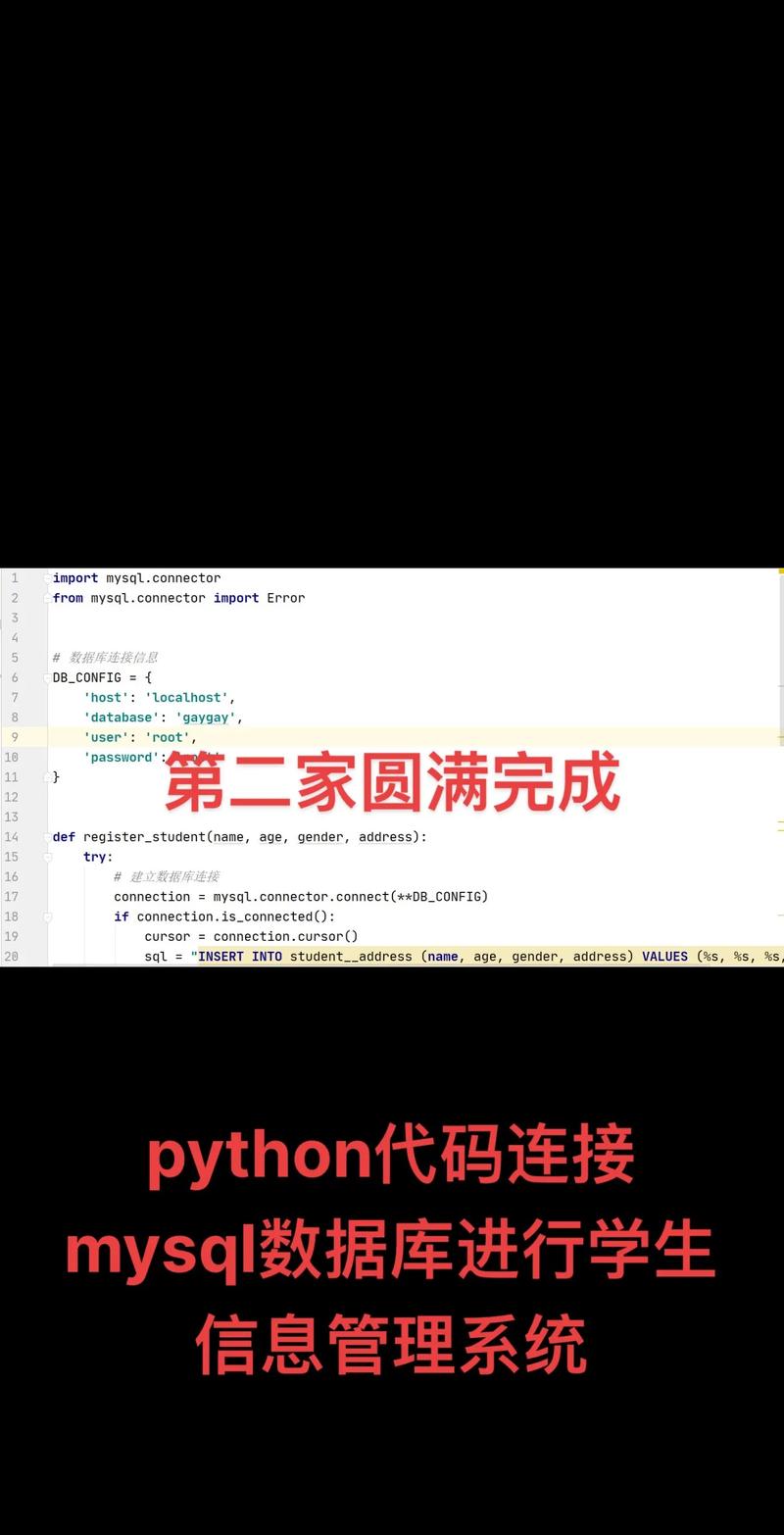
import mysql.connector
from mysql.connector import Error
def connect_to_mysql():
    """Connect to the MySQL database and return the connection object."""
    try:
        # Establish the connection
        connection = mysql.connector.connect(
            host='localhost',          # Your MySQL server host
            database='my_python_db',   # Your database name
            user='python_user',        # Your username
            password='your_strong_password' # Your password
        )
        if connection.is_connected():
            db_info = connection.get_server_info()
            print(f"Successfully connected to MySQL Server version {db_info}")
            cursor = connection.cursor()
            cursor.execute("select database();")
            record = cursor.fetchone()
            print(f"You're connected to database: {record[0]}")
            # --- Example of a SELECT query ---
            print("\n--- Fetching data ---")
            cursor.execute("SELECT id, name, email FROM users;")
            results = cursor.fetchall()
            print("ID | Name | Email")
            print("--------------------")
            for row in results:
                print(f"{row[0]} | {row[1]} | {row[2]}")
            # --- Example of an INSERT query ---
            print("\n--- Inserting new user ---")
            insert_query = "INSERT INTO users (name, email) VALUES (%s, %s)"
            user_data = ('Jane Doe', 'jane.doe@example.com')
            cursor.execute(insert_query, user_data)
            connection.commit() # IMPORTANT: Commit the transaction
            print(f"{cursor.rowcount} record inserted.")
            return connection
    except Error as e:
        print(f"Error while connecting to MySQL: {e}")
        return None
# --- Main execution ---
if __name__ == "__main__":
    connection = connect_to_mysql()
    if connection and connection.is_connected():
        cursor = connection.cursor()
        cursor.execute("SELECT id, name, email FROM users;")
        results = cursor.fetchall()
        print("\nFinal list of users:")
        print("ID | Name | Email")
        print("--------------------")
        for row in results:
            print(f"{row[0]} | {row[1]} | {row[2]}")
        cursor.close()
        connection.close()
        print("\nMySQL connection is closed.")
Key Points:
connection.commit(): CRITICAL. For anyINSERT,UPDATE, orDELETEquery, you must call this to save the changes to the database.connection.close(): Always close the connection and cursor when you're done to free up resources.%sPlaceholders: Use%sfor all values in your queries. This prevents SQL Injection attacks by ensuring that user input is treated as data, not as executable SQL code.
Method 2: PyMySQL (Popular Pure-Python Driver)
PyMySQL is another excellent, pure-Python implementation. It's often preferred in containerized environments because it doesn't require any C libraries to be compiled.
A. Installation:
pip install pymysql
B. Example Code:
The syntax is very similar to mysql-connector-python.
import pymysql
from pymysql import MySQLError
def connect_with_pymysql():
    try:
        connection = pymysql.connect(
            host='localhost',
            database='my_python_db',
            user='python_user',
            password='your_strong_password',
            cursorclass=pymysql.cursors.DictCursor  # Returns rows as dictionaries
        )
        print("Successfully connected to MySQL using PyMySQL")
        with connection.cursor() as cursor:
            # --- SELECT query ---
            sql_select_query = "SELECT id, name, email FROM users"
            cursor.execute(sql_select_query)
            records = cursor.fetchall()
            print("\nUsers in database:")
            for row in records:
                print(f"ID: {row['id']}, Name: {row['name']}, Email: {row['email']}")
            # --- INSERT query ---
            sql_insert_query = "INSERT INTO users (name, email) VALUES (%s, %s)"
            user_to_insert = ('John Smith', 'john.smith@example.com')
            cursor.execute(sql_insert_query, user_to_insert)
            connection.commit() # Commit the transaction
            print(f"\nInserted {cursor.rowcount} row.")
    except MySQLError as e:
        print(f"Error while connecting to MySQL using PyMySQL: {e}")
    finally:
        if 'connection' in locals() and connection.open:
            connection.close()
            print("\nMySQL connection is closed.")
if __name__ == "__main__":
    connect_with_pymysql()
Key Points:
- The
withstatement is a great way to ensure the cursor is closed automatically. - Using
cursorclass=pymysql.cursors.DictCursoris a nice feature that returns rows as dictionaries, making access to columns more readable (row['name']instead ofrow[1]).
Method 3: SQLAlchemy (The ORM / High-Level Toolkit)
ORM (Object-Relational Mapping) is a technique that lets you interact with your database using Python objects and classes instead of writing raw SQL. SQLAlchemy is the most popular ORM for Python.
A. Installation: SQLAlchemy is a toolkit, so you install the core library and a specific "driver" for your database.
pip install SQLAlchemy
pip install mysqlclient  # A popular C-based driver for SQLAlchemy
# OR
# pip install pymysql     # You can also use PyMySQL as the driver
B. Example Code (The "SQLAlchemy Way"):
This is a more involved setup but is much more powerful for large applications.
import sqlalchemy
from sqlalchemy import create_engine, Column, Integer, String
from sqlalchemy.orm import sessionmaker
from sqlalchemy.ext.declarative import declarative_base
# 1. Define the database connection URL
# Format: mysql+<driver>://<user>:<password>@<host>/<database>
# Using 'mysqlclient' driver
DATABASE_URL = "mysql+mysqlclient://python_user:your_strong_password@localhost/my_python_db"
# 2. Create the engine
# The engine is the core interface to the database.
engine = create_engine(DATABASE_URL)
# 3. Create a "Base" class for our models
Base = declarative_base()
# 4. Define the User table as a Python class (our model)
class User(Base):
    __tablename__ = 'users'  # The name of the table in the database
    id = Column(Integer, primary_key=True)
    name = Column(String(100))
    email = Column(String(100), unique=True)
    def __repr__(self):
        return f"<User(name='{self.name}', email='{self.email}')>"
# 5. Create the table in the database (if it doesn't exist)
# This is for demonstration. In a real app, you'd use schema migrations.
Base.metadata.create_all(engine)
# 6. Create a session to interact with the database
Session = sessionmaker(bind=engine)
session = Session()
# --- Example of querying and adding objects ---
# Add a new user
try:
    new_user = User(name='Alice Wonderland', email='alice@example.com')
    session.add(new_user)
    session.commit() # Commit the transaction
    print(f"Added new user: {new_user}")
except Exception as e:
    session.rollback() # Rollback in case of error
    print(f"Error adding user: {e}")
finally:
    session.close()
# Query for all users
session = Session() # Start a new session
try:
    users = session.query(User).all()
    print("\nAll users in the database:")
    for user in users:
        print(user)
except Exception as e:
    print(f"Error querying users: {e}")
finally:
    session.close()
Why use SQLAlchemy?
- Abstraction: Write Python code instead of SQL.
- Security: Automatically handles SQL injection protection.
- Relationships: Easily define relationships between tables (one-to-many, many-to-many).
- Database Agnostic: It's much easier to switch your database from MySQL to PostgreSQL or SQLite by just changing the connection URL.
- Powerful Features: Includes built-in connection pooling, migrations (with Alembic), and transaction management.
Best Practices
-
Don't Hardcode Credentials: Store your database credentials (host, user, password) in environment variables or a configuration file, not directly in your code.
import os user = os.getenv('DB_USER') password = os.getenv('DB_PASSWORD') -
Use Connection Pooling: For applications that make many database connections, creating a new one for every request is inefficient. Both
mysql-connector-pythonandSQLAlchemyhave built-in connection pooling. SQLAlchemy's engine handles this automatically. -
Always Use Context Managers (
with): Usewith connection.cursor() as cursor:to ensure your cursors are always closed, even if errors occur. -
Always Commit Transactions: For write operations, remember to call
connection.commit(). Wrap your logic intry...exceptblocks and useconnection.rollback()if an error occurs to leave your database in a consistent state. -
Prefer ORM for Complex Applications: If your application has complex data models, business logic, and you value maintainability, use SQLAlchemy. If you just need to run a quick script or prefer fine-grained control over your SQL, a direct driver like
mysql-connector-pythonorPyMySQLis perfectly fine.