
Of course! The Python readline() function is a fundamental method for reading input, especially from the command line. Here's a detailed breakdown of what it is, how it works, and when to use it.
What is readline()?
In Python, readline() is a method that belongs to file objects. Its primary job is to read one entire line from a file, including the newline character (\n) at the end.
While it's most commonly used with files, it's also the core function behind the built-in input() function for reading from the standard input (your keyboard).
Key Concepts
Reading from a File (The Most Common Use)
When you open a file in Python, you get a file object. You can then call the .readline() method on that object.
How it works:
- It reads characters from the current file position until it encounters a newline character (
\n) or reaches the end of the file (EOF). - The newline character (
\n) is included in the string that is returned. - After reading a line, the file's "cursor" moves to the position right after that newline, ready for the next read.
Example: Reading a file line by line
Let's say you have a file named my_file.txt with the following content:
Hello, World!
This is the second line.
And this is the third.
Here's how you'd read it using readline():
# It's crucial to open the file in a 'with' statement for automatic closing
try:
    with open('my_file.txt', 'r') as file:
        # First call to readline()
        line1 = file.readline()
        print(f"Line 1: {line1}") # Output: Line 1: Hello, World!\n
        # Second call to readline()
        line2 = file.readline()
        print(f"Line 2: {line2}") # Output: Line 2: This is the second line.\n
        # Third call to readline()
        line3 = file.readline()
        print(f"Line 3: {line3}") # Output: Line 3: And this is the third.\n
        # Fourth call to readline() - now we're at the end of the file
        line4 = file.readline()
        if line4 == '':
            print("End of file reached.")
        else:
            print(f"Line 4: {line4}")
except FileNotFoundError:
    print("Error: The file was not found.")
Important Note on the Newline Character (\n):
Notice the \n in the output. If you don't want it, you can easily strip it off using the .strip() method:
line1_stripped = file.readline().strip()
print(f"Line 1 (stripped): {line1_stripped}") # Output: Line 1 (stripped): Hello, World!
The input() Connection
The built-in input() function is essentially a user-friendly wrapper around sys.stdin.readline(). When you call input(), Python is reading a line from the standard input (your keyboard) and then automatically stripping the trailing newline character.
You can see this for yourself by importing the sys module:
import sys
print("Please type something and press Enter:")
# Directly use sys.stdin.readline()
typed_line = sys.stdin.readline()
print("\n--- Raw Output from sys.stdin.readline() ---")
print(repr(typed_line)) # repr() shows special characters like \n
print("\n--- Output from input() ---")
# The standard, user-friendly way
typed_line_input = input("Please type something again: ")
print(repr(typed_line_input))
Output of the above code:
Please type something and press Enter:
hello world
--- Raw Output from sys.stdin.readline() ---
'hello world\n'
--- Output from input() ---
Please type something again: hello world again
'hello world again'
As you can see, sys.stdin.readline() keeps the \n, while input() removes it.
readline() vs. readlines() vs. A for Loop
This is a very common point of confusion. Here’s a quick comparison:
| Method | What it Does | When to Use It |
|---|---|---|
file.readline() |
Reads one line from the file and returns it as a string. | When you need to process lines one by one and potentially stop early based on a condition (e.g., "find the first line that contains 'error'"). |
file.readlines() |
Reads all lines from the file to the end and returns them as a list of strings. | When you know the file is small enough to fit into memory and you need random access to lines (e.g., lines[5]). Avoid for very large files. |
for line in file: |
Iterates over the file object one line at a time. This is the most "Pythonic" and memory-efficient way to read a file. | This is the recommended approach for almost all cases. It's clean, efficient, and easy to read. Python handles the memory perfectly, even for multi-gigabyte files. |
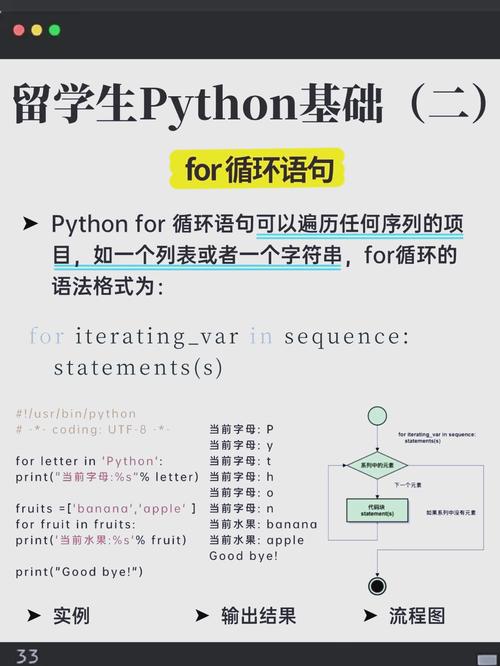
Example of the for loop (best practice):
with open('my_file.txt', 'r') as file:
    print("Reading file with a for loop:")
    for line in file:
        # The for loop automatically strips the newline for you in each iteration
        print(line.strip())
Advanced: The readline Module (for Command-Line Editing)
There is also a Python module named readline (note the lowercase 'r'). This is a completely different, advanced topic.
- What it is: A module that provides an interface to the GNU
readlinelibrary. - What it does: It enhances command-line applications by adding features like:
- Command history (using the up/down arrow keys).
- Command-line editing (moving the cursor, deleting text).
- Tab completion.
- When to use it: When you are building a sophisticated interactive command-line tool (like a REPL or a shell script) and want these powerful features.
Example of the readline module:
import readline
# Add some commands to the history
readline.add_history("ls -l")
readline.add_history("pwd")
print("Enter a command (use up/down arrows to see history):")
user_command = input("> ")
print(f"You entered: {user_command}")
Summary
| Feature | Description |
|---|---|
file.readline() |
Reads a single line from a file object, including the \n. Use for processing files line-by-line with potential early termination. |
input() |
A user-friendly function that reads from sys.stdin and automatically strips the \n. Use for simple command-line prompts. |
for line in file: |
The recommended, memory-efficient, and Pythonic way to read all lines from a file. |
readline module |
An advanced library for adding command-line history and editing features to your scripts. |


