Of course! Using EasyUI with JSON and Java is a very common and powerful combination for building web applications. The core idea is that the Java backend provides data in a standard JSON format, and the EasyUI frontend consumes this JSON to render its components (like DataGrids, Forms, Trees, etc.).
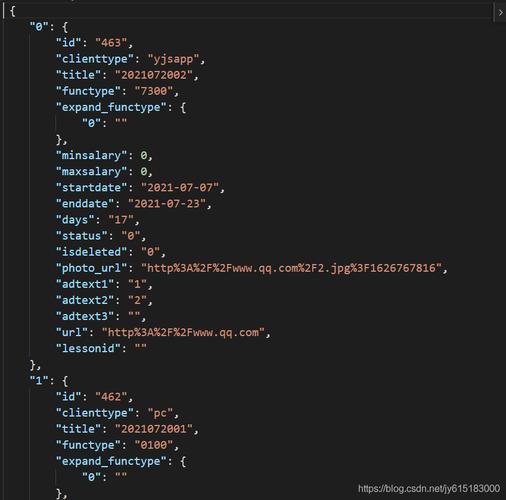
Here’s a comprehensive guide covering the concepts, a practical example, and best practices.
The Core Concept: The Request-Response Flow
The interaction follows a simple pattern:
- Frontend (EasyUI): An EasyUI component (e.g., a
datagrid) is initialized. It makes an AJAX request to a specific URL on your server to get its data. - Backend (Java): A Java servlet or controller (e.g., using Spring MVC) receives this request.
- Java Processing: The Java code fetches the required data from a database, service, or any other source.
- JSON Conversion: The Java code converts this data into a JSON string. This is the most critical step.
- Response: The server sends the JSON string back as the HTTP response.
- Frontend (EasyUI): The EasyUI component receives the JSON response and automatically parses it to populate itself (e.g., rows in the datagrid).
Step-by-Step Practical Example: Loading a DataGrid
Let's create a simple example where a Java servlet provides data for an EasyUI DataGrid.
Step 1: The Frontend (HTML + EasyUI)
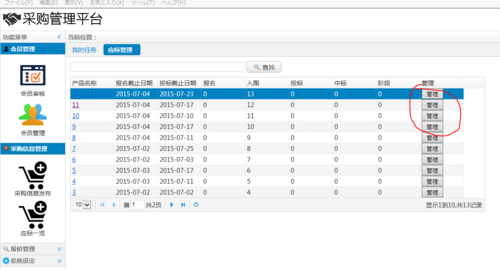
This HTML file contains the EasyUI DataGrid. Notice the url property in the datagrid initialization. This is where it will fetch its data.
<!DOCTYPE html>
<html>
<head>
    <meta charset="UTF-8">EasyUI DataGrid with Java</title>
    <!-- EasyUI CSS -->
    <link rel="stylesheet" type="text/css" href="https://www.jeasyui.com/easyui/themes/default/easyui.css">
    <link rel="stylesheet" type="text/css" href="https://www.jeasyui.com/easyui/themes/icon.css">
    <!-- jQuery -->
    <script type="text/javascript" src="https://code.jquery.com/jquery-1.12.4.min.js"></script>
    <!-- EasyUI JS -->
    <script type="text/javascript" src="https://www.jeasyui.com/easyui/jquery.easyui.min.js"></script>
</head>
<body>
    <h2>Basic DataGrid</h2>
    <p>This sample shows how to use a DataGrid to display data from a remote server.</p>
    <!-- The table for the datagrid -->
    <table id="dg" title="Users" class="easyui-datagrid" style="width:550px;height:250px"
            url="getUsers"  <!-- IMPORTANT: This is the URL that will call our Java servlet -->
            toolbar="#toolbar"
            rownumbers="true"
            fitColumns="true"
            singleSelect="true">
        <thead>
            <tr>
                <th field="id" width="50">ID</th>
                <th field="name" width="100">Name</th>
                <th field="email" width="150">Email</th>
                <th field="phone" width="150">Phone</th>
            </tr>
        </thead>
    </table>
    <div id="toolbar">
        <a href="#" class="easyui-linkbutton" iconCls="icon-add" plain="true">Add</a>
        <a href="#" class="easyui-linkbutton" iconCls="icon-edit" plain="true">Edit</a>
        <a href="#" class="easyui-linkbutton" iconCls="icon-remove" plain="true">Remove</a>
    </div>
</body>
</html>
Step 2: The Backend (Java Servlet)
We'll use a simple Java Servlet to handle the request. For a real-world application, you would use a framework like Spring MVC, which makes this process much cleaner with annotations like @RestController.
Maven Dependencies:
You'll need these in your pom.xml:
<dependencies>
    <!-- For Servlet API -->
    <dependency>
        <groupId>javax.servlet</groupId>
        <artifactId>javax.servlet-api</artifactId>
        <version>4.0.1</version>
        <scope>provided</scope>
    </dependency>
    <!-- For JSON conversion (Google's Gson is a great choice) -->
    <dependency>
        <groupId>com.google.code.gson</groupId>
        <artifactId>gson</artifactId>
        <version>2.10.1</version>
    </dependency>
</dependencies>
The Java Servlet:
import java.io.IOException;
import java.util.ArrayList;
import java.util.List;
import javax.servlet.ServletException;
import javax.servlet.annotation.WebServlet;
import javax.servlet.http.HttpServlet;
import javax.servlet.http.HttpServletRequest;
import javax.servlet.http.HttpServletResponse;
import com.google.gson.Gson;
// This annotation maps the servlet to the URL "/getUsers"
@WebServlet("/getUsers")
public class UserServlet extends HttpServlet {
    private static final long serialVersionUID = 1L;
    private Gson gson = new Gson();
    // Simulate a database
    private List<User> getUsersFromDB() {
        List<User> users = new ArrayList<>();
        users.add(new User(1, "John Doe", "john.doe@example.com", "123-456-7890"));
        users.add(new User(2, "Jane Smith", "jane.smith@example.com", "987-654-3210"));
        users.add(new User(3, "Peter Jones", "peter.jones@example.com", "555-123-4567"));
        return users;
    }
    protected void doGet(HttpServletRequest request, HttpServletResponse response) throws ServletException, IOException {
        // 1. Get data from the "database"
        List<User> userList = getUsersFromDB();
        // 2. Convert the Java List to a JSON string
        // EasyUI DataGrid expects a JSON object with a "rows" property.
        String json = gson.toJson(userList);
        // 3. Set the response content type to JSON
        response.setContentType("application/json");
        response.setCharacterEncoding("UTF-8");
        // 4. Write the JSON string to the response body
        response.getWriter().write(json);
    }
}
// A simple POJO (Plain Old Java Object) to represent a user
class User {
    private int id;
    private String name;
    private String email;
    private String phone;
    public User(int id, String name, String email, String phone) {
        this.id = id;
        this.name = name;
        this.email = email;
        this.phone = phone;
    }
    // Getters are crucial for Gson to serialize the object
    public int getId() { return id; }
    public String getName() { return name; }
    public String getEmail() { return email; }
    public String getPhone() { return phone; }
}
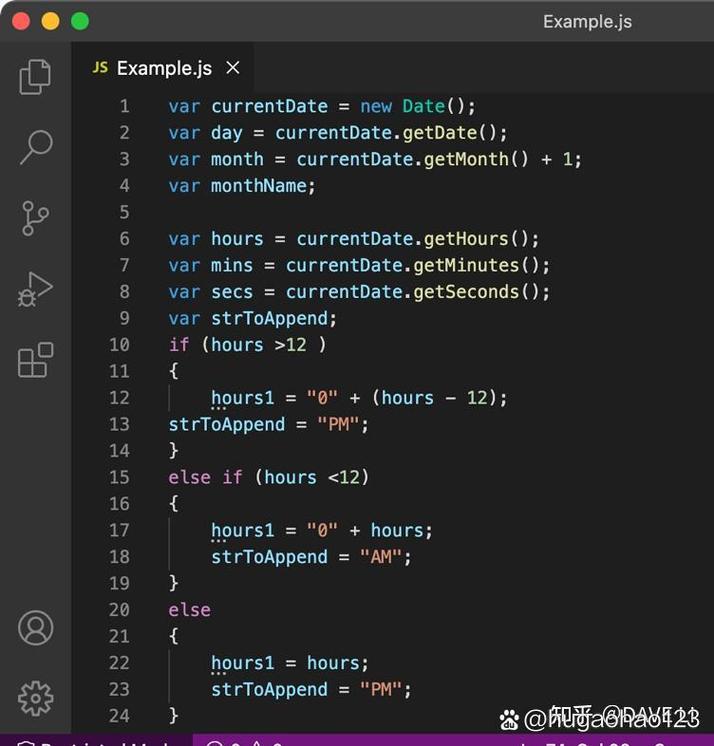
When you run this, the doGet method will be called. It will convert the List<User> into a JSON array like this:
[
  {"id":1,"name":"John Doe","email":"john.doe@example.com","phone":"123-456-7890"},
  {"id":2,"name":"Jane Smith","email":"jane.smith@example.com","phone":"987-654-3210"},
  {"id":3,"name":"Peter Jones","email":"peter.jones@example.com","phone":"555-123-4567"}
]
Handling Pagination and Sorting (Crucial for Large Datasets)
Real-world applications almost always need pagination and sorting. EasyUI DataGrid sends special parameters for this.
Updated Frontend (DataGrid with Pagination)
$('#dg').datagrid({
    url: 'getUsersPaginated',
    pagination: true,         // Enable pagination
    pageSize: 10,             // Default page size
    pageList: [10, 20, 50],   // Available page sizes
    // ... other columns
});
Updated Backend (Servlet with Pagination Logic)
The servlet now needs to read page, rows, sort, and order parameters from the request.
// Inside your doGet method in UserServlet
protected void doGet(HttpServletRequest request, HttpServletResponse response) throws ServletException, IOException {
    // 1. Get pagination and sorting parameters from the request
    int page = Integer.parseInt(request.getParameter("page"));
    int rows = Integer.parseInt(request.getParameter("rows"));
    String sort = request.getParameter("sort"); // Column name to sort by
    String order = request.getParameter("order"); // 'asc' or 'desc'
    // 2. Get all data (in a real app, you'd query the DB with these params)
    List<User> allUsers = getUsersFromDB();
    // 3. Apply sorting (simplified example)
    // In a real app, your database query would handle the ORDER BY clause.
    if ("name".equals(sort)) {
        allUsers.sort((u1, u2) -> {
            if ("asc".equals(order)) {
                return u1.getName().compareTo(u2.getName());
            } else {
                return u2.getName().compareTo(u1.getName());
            }
        });
    }
    // 4. Apply pagination
    int total = allUsers.size();
    int fromIndex = (page - 1) * rows;
    int toIndex = Math.min(fromIndex + rows, total);
    List<User> paginatedUsers = allUsers.subList(fromIndex, toIndex);
    // 5. Create the response object that EasyUI expects
    // It must have "total" and "rows" properties.
    PaginationResult result = new PaginationResult(total, paginatedUsers);
    // 6. Convert to JSON and send
    response.setContentType("application/json");
    response.setCharacterEncoding("UTF-8");
    response.getWriter().write(gson.toJson(result));
}
// A helper class to structure the JSON response for pagination
class PaginationResult {
    private int total;
    private List<?> rows; // Use List<?> to hold any type of data
    public PaginationResult(int total, List<?> rows) {
        this.total = total;
        this.rows = rows;
    }
    // Getters are required for Gson
    public int getTotal() { return total; }
    public List<?> getRows() { return rows; }
}
This updated servlet now returns a JSON object like this, which the EasyUI DataGrid expects for pagination:
{
  "total": 3,
  "rows": [
    {"id":1,"name":"Jane Smith","email":"jane.smith@example.com","phone":"987-654-3210"},
    {"id":2,"name":"John Doe","email":"john.doe@example.com","phone":"123-456-7890"},
    {"id":3,"name":"Peter Jones","email":"peter.jones@example.com","phone":"555-123-4567"}
  ]
}
Best Practices and Modern Alternatives
Use a Framework: Spring Boot
Manually writing servlets is good for understanding, but for any real project, use a framework like Spring Boot with @RestController. It dramatically simplifies the code.
Spring Boot Example:
import org.springframework.web.bind.annotation.GetMapping;
import org.springframework.web.bind.annotation.RequestParam;
import org.springframework.web.bind.annotation.RestController;
import com.google.gson.Gson;
@RestController
public class UserController {
    private final Gson gson = new Gson();
    @GetMapping("/getUsers") // Maps GET requests to /getUsers
    public String getUsers(@RequestParam(defaultValue = "1") int page,
                           @RequestParam(defaultValue = "10") int rows) {
        List<User> userList = getUsersFromDB(); // Your data logic
        String json = gson.toJson(userList);
        return json;
    }
    // ... getUsersFromDB() and User class are the same as before
}
This is cleaner, more scalable, and follows modern Java development standards.
Use a Robust JSON Library
While Gson is excellent, consider:
- Jackson: The de-facto standard in the Java ecosystem, especially with Spring. It's extremely powerful and performant.
- org.json: A simple, lightweight library.
Use DTOs (Data Transfer Objects)
Instead of sending your full database entity (e.g., a JPA@Entity), create a simple UserDTO class. This allows you to control exactly what data is exposed to the frontend, improving security and performance.
Handle Errors Gracefully
Your API should return structured error messages in JSON format when something goes wrong (e.g., invalid input, database error). The frontend can then display a user-friendly message.
// Example error response
{
  "success": false,
  "error": {
    "code": 500,
    "message": "Could not connect to the database."
  }
}