
Of course! The phrase "python idea import" can mean a few different things. I'll cover the most common interpretations, from the literal act of importing modules in Python code to the powerful features in PyCharm that help you with this.
Let's break it down.
The Literal Meaning: The import Statement in Python
This is the fundamental concept. In Python, you use the import statement to use code from other files, which are called modules. A module is simply a Python file (.py) containing Python definitions and statements.
The Basic Syntax
There are a few ways to import:
a) Importing an entire module: You use the module's name to access its functions and variables.
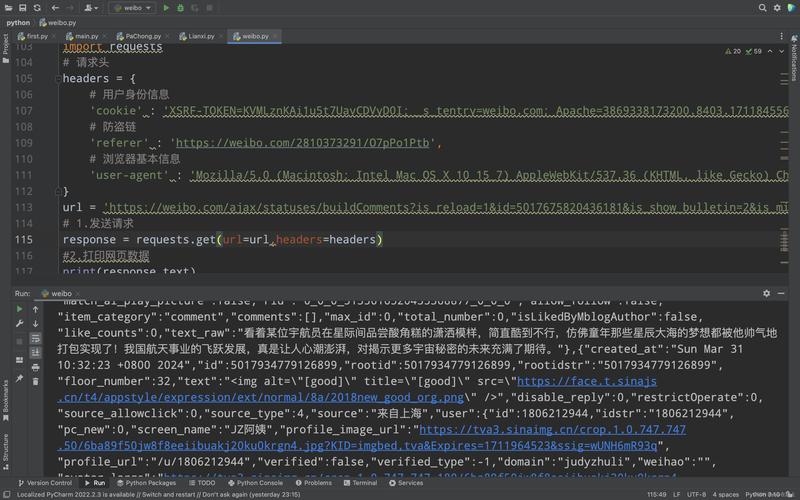
# Import the entire 'math' module
import math
# Now you can use functions from the math module
# by prefixing them with 'math.'
result = math.sqrt(16)  # Calculates the square root of 16
print(result)  # Output: 4.0
angle_in_radians = math.pi / 2
print(math.sin(angle_in_radians)) # Output: 1.0
b) Importing specific functions/variables from a module: This is useful if you only need a few things from a large module. It saves memory and makes your code cleaner.
# Import only the 'sqrt' function and the 'pi' constant from the 'math' module
from math import sqrt, pi
# You can now use 'sqrt' and 'pi' directly, without the 'math.' prefix
result = sqrt(25)
print(result)  # Output: 5.0
print(pi)  # Output: 3.141592653589793
c) Importing a module with an alias:
This is a common convention for very popular modules (like pandas, numpy, matplotlib) to shorten their names.
# Import the 'pandas' library and give it the shorter alias 'pd'
import pandas as pd
# Now you can use 'pd' instead of 'pandas'
data = {'col1': [1, 2], 'col2': [3, 4]}
df = pd.DataFrame(data)
print(df)
d) Importing all names from a module (Use with Caution!): This imports everything from the module into your current namespace. It's generally discouraged because it can lead to namespace pollution, where names from the imported module clash with names in your own code.
 # Imports all names (functions, variables) from the 'math' module
from math import *
# You can now use 'sqrt', 'pi', 'sin', etc. directly
print(sqrt(9)) # Output: 3.0
The "IDEA" Meaning: PyCharm's "Smart" Import Features
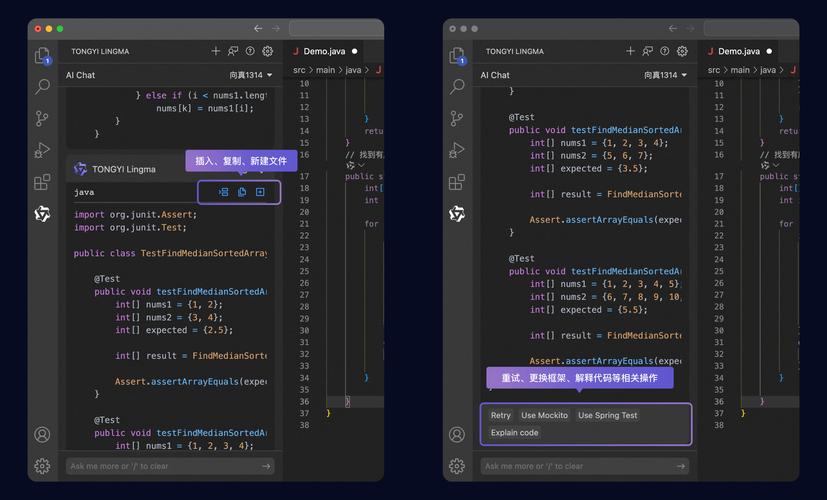
PyCharm is a very popular Integrated Development Environment (IDE) for Python. Its name is often used interchangeably with "Python IDE." PyCharm has powerful features to help you manage imports automatically.
This is likely what you're looking for if you're struggling with manual imports.
Key PyCharm Features for Imports:
a) The Yellow Lightbulb (Intention Actions) This is the most common and useful feature. When you use a function or class that PyCharm can't find (because it's not imported), a yellow lightbulb appears on the left side of the editor.
- How it works: Hover over the lightbulb, and a menu will pop up with suggestions.
- Example: You type
df = pd.DataFrame()but haven't importedpandas as pd. - PyCharm's suggestion: The menu will offer:
import pandas as pdfrom pandas import DataFrame- And other variations.
You can simply select the correct one, and PyCharm will add the import statement for you at the top of the file.
b) The "Optimize Imports" Feature Over time, your file might accumulate unused imports. PyCharm can automatically clean this up.
- How to use it:
- Keyboard Shortcut:
Ctrl + Alt + O(on Windows/Linux) orCmd + Option + O(on macOS). - Via Menu:
Code->Optimize Imports.
- Keyboard Shortcut:
- What it does: It scans your file, finds all
importstatements, and removes any that are not being used in the rest of the code. It also sorts the imports alphabetically, which is a standard convention.
c) The "Show Intentions" Feature This is a broader feature that powers the lightbulb. You can configure it or see it in action.
- How to use it: Right-click in the editor and go to
Show Intentionsor use the keyboard shortcutAlt + Enter(on Windows/Linux) orOption + Enter(on macOS). - What it does: It provides context-aware suggestions. If your cursor is on an unimported name, this will bring up the import suggestions.
The "Python" Meaning: The __import__ Function (Advanced)
Python also has a built-in function called __import__(). This is the low-level function that the import statement calls behind the scenes. You should almost always use the import statement instead of this function directly, as it's more readable and handles edge cases better.
This is generally considered an advanced topic and is not needed for everyday programming.
# This is how the import statement works under the hood
# It's much more complex than this simple example
math_module = __import__('math')
# Now you have to access the function like this
result = math_module.sqrt(100)
print(result) # Output: 10.0
Summary Table
| Concept | What it is | When to use it |
|---|---|---|
import statement |
The standard Python syntax to bring code from other modules into your script. | Always. This is the foundation of using libraries in Python. |
| PyCharm's Lightbulb | An IDE feature that suggests and automatically adds the correct import statement for you. | All the time. When you see a yellow lightbulb, use it to save time and avoid typos. |
Optimize Imports |
An IDE feature to remove unused imports and sort them alphabetically. | Regularly. A good habit to keep your code clean and organized. Run it before committing code to version control. |
__import__() function |
The low-level, built-in function that the import statement uses. |
Almost never. It's for very specific, advanced use cases like dynamic imports. |
If you're new to Python, focus on mastering the import statement. If you're using PyCharm, make sure to learn the lightbulb and optimize imports features, as they will make your life much easier.


