
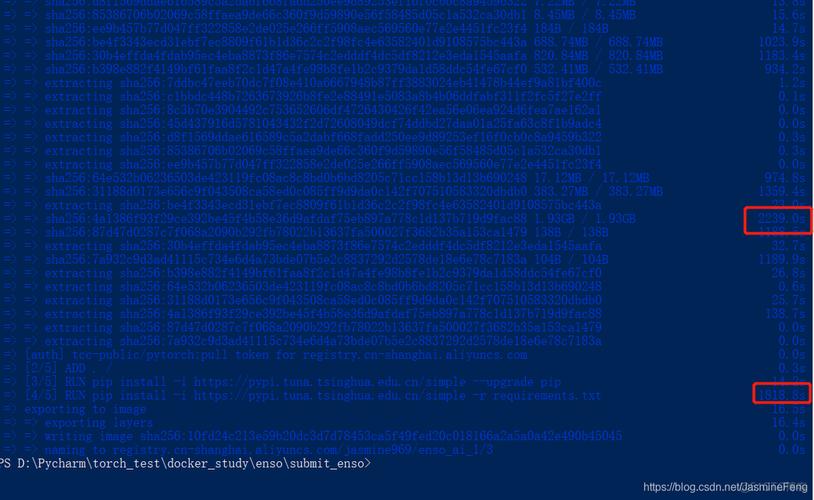
Of course! The command docker pull python is the fundamental way to download a Python image from the official Docker Hub registry.
Let's break down what this command does, how to use it effectively, and what you should do next.
The Basic Command
The simplest form of the command is:
docker pull python
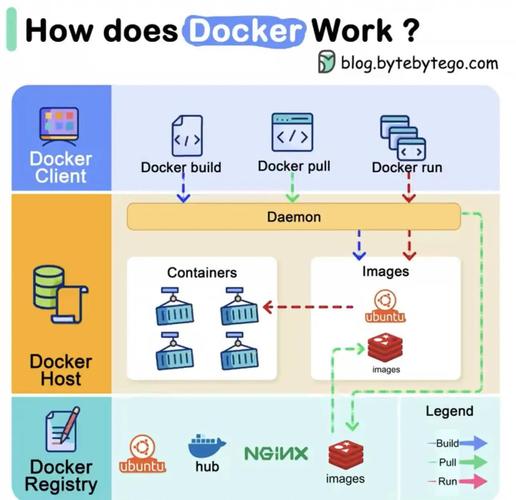
When you run this, Docker does the following:
- It goes to the official Docker Hub (the default registry).
- It looks for an image named
python. - It pulls the latest version of that image.
Understanding Tags (The Most Important Part)
Just like Git, Docker images use tags to identify different versions. Relying on latest is often not a good practice for production because it can change unexpectedly.
It's much better to specify a specific Python version, like 11, 10, or even a more specific one like 11.6.
Here are the common ways to pull a specific Python image:
Pull a Major.Minor Version (Recommended)
This pulls the latest patch version for a specific Python release (e.g., the latest 3.11.x).
# Pulls the latest Python 3.11 image
docker pull python:3.11
# Pulls the latest Python 3.10 image
docker pull python:3.10
Pull a Specific Version (Most Stable)
This is the most reliable method for ensuring your environment is reproducible. You specify the exact version you need.
# Pulls a specific Python 3.11.6 image
docker pull python:3.11.6
# Pulls a specific Python 3.9.18 image
docker pull python:3.9.18
Pull a "Slim" Version
For production applications, you often want a smaller image size with fewer dependencies. The -slim variants are perfect for this. They are based on Debian's slim distribution.
# Pulls the latest Python 3.11 slim image
docker pull python:3.11-slim
Pull an "Alpine" Version
For even smaller images, you can use the alpine variant. Alpine Linux is a very minimal Linux distribution, which results in tiny Docker images. Note: Alpine uses musl instead of glibc, which can sometimes cause compatibility issues with certain Python packages.
# Pulls the latest Python 3.11 alpine image
docker pull python:3.11-alpine
Verifying the Pull
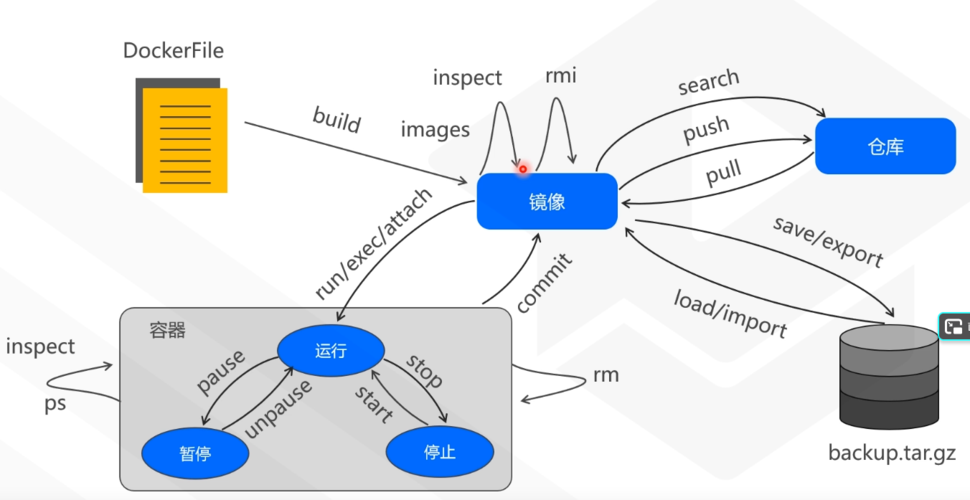
After the pull command completes, you can verify that the image is now on your local machine using:
docker images
You will see an output similar to this, showing the Python images you've pulled:
REPOSITORY   TAG       IMAGE ID       CREATED      SIZE
python       3.11      1a5...         2 weeks ago  894MB
python       3.11-slim f3c...         2 weeks ago  117MB
python       latest    1a5...         2 weeks ago  894MB
What to Do Next: Running a Python Container
Pulling the image is just the first step. The real power is in running a container from that image.
Here are a few common examples:
Example 1: Run an Interactive Shell
This is great for testing and exploring the Python environment inside the container.
# -it: runs in interactive mode
# --rm: removes the container when you exit
# python:3.11: the image to use
/bin/bash: the command to run inside the container
docker run -it --rm python:3.11 /bin/bash
Once inside, you can check the Python version:
python --version
# Python 3.11.6
Type exit to leave the container, and it will be automatically removed.
Example 2: Run a Python Script
Let's say you have a file named app.py.
app.py
import sys
import time
print(f"Hello from Python {sys.version_info.major}.{sys.version_info.minor}!")
print("Counting to 3...")
for i in range(1, 4):
    print(f"{i}...")
    time.sleep(1)
print("Done!")
You can run this script by mounting your local directory into the container:
# -v $(pwd):/app: Mounts the current directory on your host to /app in the container
# -w /app:          Sets the working directory inside the container to /app
# python:3.11:      The image to use
# python app.py:     The command to run
docker run -v $(pwd):/app -w /app python:3.11 python app.py
Output:
Hello from Python 3.11!
Counting to 3...
1...
2...
3...
Done!
Summary
| Command | What it Does |
|---|---|
docker pull python |
Pulls the latest Python image (not recommended for reproducibility). |
docker pull python:3.11 |
Recommended: Pulls the latest patch of Python 3.11. |
docker pull python:3.11.6 |
Best for Production: Pulls a specific, reproducible version. |
docker pull python:3.11-slim |
Pulls a smaller, more production-ready version of Python 3.11. |
docker pull python:3.11-alpine |
Pulls a very minimal image of Python 3.11 (watch for compatibility). |


