Of course! Let's dive deep into using hmset in Python with Redis.
The Short Answer (TL;DR)
The hmset command in Python's redis-py library is used to set multiple fields and their values in a single hash (a Redis data structure similar to a Python dictionary).
Important Note: As of Redis 4.0.0, HMSET is considered deprecated. The recommended command is HSET, which is more flexible. The redis-py library reflects this, and while hmset still works for backward compatibility, you should use the modern hset method.
Here is the modern, recommended way to do it:
import redis
# 1. Connect to Redis
r = redis.Redis(host='localhost', port=6379, db=0)
# 2. Prepare the data as a Python dictionary
user_data = {
    "name": "Alice",
    "email": "alice@example.com",
    "age": "30"  # Redis stores all values as strings
}
# 3. Use the hset method to set the hash
# This will create a hash named "user:1000" and populate it with the fields.
# If the hash already exists, this will overwrite the specified fields.
r.hset("user:1000", mapping=user_data)
print("Hash 'user:1000' has been set.")
Detailed Explanation
What is a Hash in Redis?
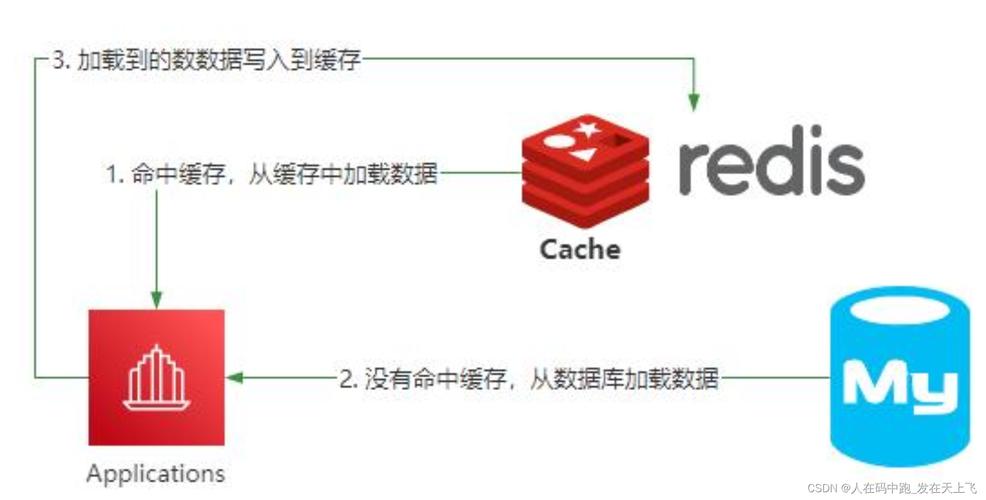
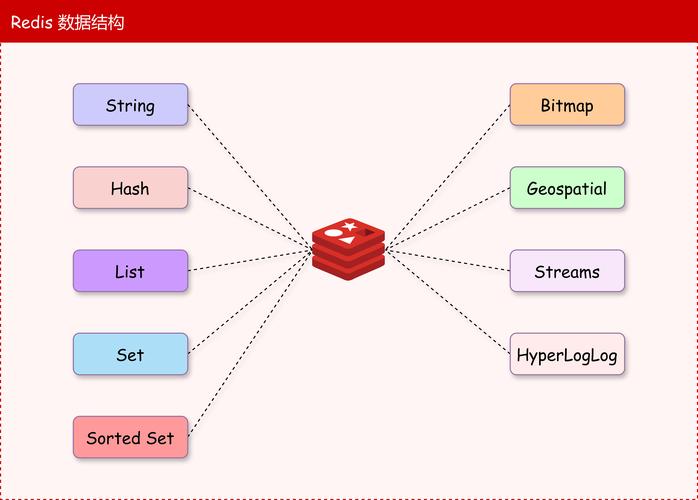
A Redis Hash is a collection of field-value pairs. It's perfect for storing objects. For example, you can represent a user, a product, or any other structured data as a hash.
- Key: The name of the hash (e.g.,
"user:1000"). - Field: An attribute of the object (e.g.,
"name","email"). - Value: The value of the attribute (e.g.,
"Alice","alice@example.com").
The hmset Command (The "Old" Way)
Before the HSET command was updated to handle multiple fields, HMSET was the standard. Its syntax in Python was:
# OLD SYNTAX (DEPRECATED)
r.hmset("key_name", {"field1": "value1", "field2": "value2"})
While this still works in redis-py, it's a best practice to avoid it because:
- It's deprecated in the Redis server itself.
- The new
HSETcommand is more powerful and efficient.
The Modern hset Command (Recommended)
The hset command is the modern replacement. It has a slightly different signature when setting multiple fields.
# MODERN, RECOMMENDED SYNTAX
r.hset("key_name", mapping={"field1": "value1", "field2": "value2"})
The mapping keyword argument clearly indicates that you are passing a dictionary of fields and values.
Complete Python Example
Here is a full, runnable example that demonstrates setting, getting, and checking for the existence of a hash.
import redis
import time
# --- 1. Connection ---
# Connect to your Redis instance.
# Make sure your Redis server is running on localhost:6379
try:
    r = redis.Redis(host='localhost', port=6379, db=0, decode_responses=True)
    # The `decode_responses=True` option is very useful for Python 3.
    # It automatically converts Redis bytes responses to regular strings.
    r.ping()  # Test the connection
    print("Successfully connected to Redis!")
except redis.ConnectionError as e:
    print(f"Could not connect to Redis: {e}")
    exit()
# --- 2. Setting the Hash (Multiple Fields) ---
# Let's create a hash to represent a user profile.
user_id = "user:500"
user_profile = {
    "username": "charlie",
    "email": "charlie@example.com",
    "is_active": "1",
    "signup_date": "2025-10-27"
}
print(f"\nSetting hash for '{user_id}'...")
r.hset(user_id, mapping=user_profile)
print("Hash set successfully.")
# --- 3. Getting All Fields and Values from the Hash ---
# Use hgetall to retrieve the entire hash as a dictionary.
print(f"\nGetting all data for '{user_id}':")
all_data = r.hgetall(user_id)
print(all_data)
# Expected Output: {'username': 'charlie', 'email': 'charlie@example.com', ...}
# --- 4. Getting a Single Field from the Hash ---
# Use hget to retrieve the value for a specific field.
print(f"\nGetting the 'email' for '{user_id}':")
email = r.hget(user_id, "email")
print(f"Email: {email}")
# --- 5. Checking if a Field Exists ---
# Use hexists to check if a specific field is in the hash.
print(f"\nDoes field 'age' exist in '{user_id}'?")
exists = r.hexists(user_id, "age")
print(f"Exists: {exists}") # Should be False
print(f"\nDoes field 'username' exist in '{user_id}'?")
exists = r.hexists(user_id, "username")
print(f"Exists: {exists}") # Should be True
# --- 6. Deleting a Field from the Hash ---
# Use hdel to remove a field.
print(f"\nDeleting 'signup_date' from '{user_id}'...")
r.hdel(user_id, "signup_date")
print("Field deleted.")
# Let's verify it's gone
all_data_after_delete = r.hgetall(user_id)
print(f"Data after deletion: {all_data_after_delete}")
hmset vs. hset Comparison
| Feature | hmset(key, mapping) (Old/Deprecated) |
hset(key, mapping=mapping) (New/Recommended) |
|---|---|---|
| Command | HMSET |
HSET |
| Redis Version | Pre-4.0.0 | 0.0+ |
| Python Syntax | r.hmset("k", {"f1":"v1"}) |
r.hset("k", mapping={"f1":"v1"}) |
| Flexibility | Only sets multiple fields. | Can set a single field (r.hset("k", "f1", "v1")) OR multiple fields (r.hset("k", mapping=...)). |
| Best Practice | Avoid. | Use this for all hash operations. |
When to Use a Hash vs. a String vs. a JSON String
This is a crucial design decision in Redis.
| Data Structure | When to Use | Example |
|---|---|---|
| Hash | When you have a set of related fields that you often need to access, update, or delete individually. Ideal for representing objects. | user:1000 -> {name: "Alice", email: "..."} |
| String | For simple key-value pairs where you always get and set the entire value at once. | session:abc123 -> "user_data_as_a_long_string" |
| JSON String | When you want to store a complex object in a single string and perform atomic updates to parts of it using JSON.SET/JSON.GET (RedisJSON module). This is different from a Redis Hash. |
user:1000 -> '{"name": "Alice", "email": "...", "tags": ["a", "b"]}' |
In summary: For storing objects, the Redis Hash is the native and most efficient data structure. Always prefer the hset method with the mapping argument over the deprecated hmset.