
Of course! Let's dive deep into Python's setattr() function, especially in the context of classes and objects. It's a powerful and often underutilized built-in function.

What is setattr()?
setattr() is a built-in Python function that allows you to set an attribute on an object dynamically at runtime. The name stands for "set attribute".
The Syntax
setattr(object, name, value)
object: The object on which you want to set the attribute. This can be an instance of a class, the class itself, or even a module.name: A string representing the name of the attribute you want to create or modify.value: The value you want to assign to that attribute.
It's important to understand that setattr() is essentially a programmatic way of doing this:
# The standard way
my_object.attribute = some_value
# The equivalent way using setattr
setattr(my_object, 'attribute', some_value)
setattr() with Class Instances
This is the most common use case. You can add new attributes or change existing ones on an object instance after it has been created.
Example 1: Adding a New Attribute
Let's say you have a Car class and you want to add a feature like a GPS, but only to certain cars.
class Car:
    def __init__(self, make, model):
        self.make = make
        self.model = model
        self.is_electric = False
# Create a car instance
my_tesla = Car("Tesla", "Model S")
# Check initial attributes
print(f"Make: {my_tesla.make}, Model: {my_tesla.model}")
# Output: Make: Tesla, Model: Model S
# Dynamically add a new attribute
setattr(my_tesla, 'has_gps', True)
# Now the object has the new attribute
print(f"Does it have GPS? {my_tesla.has_gps}")
# Output: Does it have GPS? True
# You can also check if the attribute exists
print(hasattr(my_tesla, 'has_gps'))
# Output: True
Example 2: Modifying an Existing Attribute
You can also use setattr() to change the value of an existing attribute.
class Car:
    def __init__(self, make, model):
        self.make = make
        self.model = model
        self.is_electric = False
my_tesla = Car("Tesla", "Model S")
print(f"Is electric? {my_tesla.is_electric}")
# Output: Is electric? False
# Modify the existing attribute
setattr(my_tesla, 'is_electric', True)
print(f"Is electric now? {my_tesla.is_electric}")
# Output: Is electric now? True
setattr() with the Class Itself
You can also use setattr() on a class object. This will add a class attribute, which is shared by all instances of that class.
class Dog:
    species = "Canis lupus"
# Add a new class attribute using setattr
setattr(Dog, 'class_sound', 'Bark!')
# Create two instances
dog1 = Dog()
dog2 = Dog()
# Both instances can access the new class attribute
print(f"Dog 1 sound: {dog1.class_sound}")
# Output: Dog 1 sound: Bark!
print(f"Dog 2 sound: {dog2.class_sound}")
# Output: Dog 2 sound: Bark!
# You can also modify a class attribute
setattr(Dog, 'species', 'Canis familiaris')
print(f"Dog 1 species: {dog1.species}")
# Output: Dog 1 species: Canis familiaris
The Powerful Combination: getattr() and setattr()
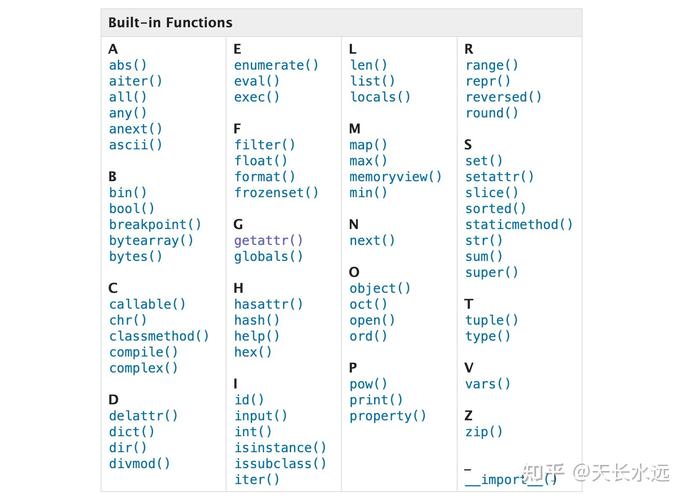
setattr() is often used alongside its counterpart, getattr(). getattr(object, name) retrieves the value of an attribute. This combination is extremely useful for writing dynamic and flexible code.
A classic example is a configuration system where you store settings in a dictionary and apply them to an object.
class ServerConfig:
    def __init__(self):
        self.host = 'localhost'
        self.port = 8080
        self.timeout = 30
        self.debug_mode = False
# Configuration settings loaded from a file or database
config_from_file = {
    'host': 'api.example.com',
    'port': 443,
    'timeout': 60,
    'use_ssl': True # A new setting not in the initial class
}
# Create a server config object
my_server = ServerConfig()
# Apply the settings from the dictionary dynamically
for key, value in config_from_file.items():
    # getattr(my_server, key) would fail if 'key' doesn't exist,
    # so we use a default value to be safe.
    # But here, we know we want to set it.
    setattr(my_server, key, value)
# Let's see the result
print(f"Host: {my_server.host}")
print(f"Port: {my_server.port}")
print(f"Timeout: {my_server.timeout}")
print(f"Debug Mode: {my_server.debug_mode}")
print(f"Use SSL: {my_server.use_ssl}") # The new attribute was added!
# Output:
# Host: api.example.com
# Port: 443
# Timeout: 60
# Debug Mode: False
# Use SSL: True
Advanced Usage: Dynamic Attribute Names
Sometimes, the attribute name itself is dynamic and comes from a variable or user input. setattr() shines here.
class User:
    def __init__(self, username):
        self.username = username
        # No 'email' or 'phone' attributes defined here
user1 = User("alice")
# Get the attribute name from user input (e.g., a command-line argument)
attribute_name = "email"
attribute_value = "alice@example.com"
# Safely set the attribute using the dynamic name
setattr(user1, attribute_name, attribute_value)
# Now the user object has an 'email' attribute
print(f"User {user1.username}'s email: {user1.email}")
# Output: User alice's email: alice@example.com
Important Considerations and Caveats
-
Overriding Methods: You can even use
setattr()to replace a method with a function or another method. This is powerful but can make code very hard to debug and understand. Use with extreme caution.class MyClass: def greet(self): return "Hello from MyClass!" def my_new_greet(self): return "This is a completely new greet function." obj = MyClass() print(obj.greet()) # Output: Hello from MyClass! # Replace the method setattr(obj, 'greet', my_new_greet) print(obj.greet()) # Output: This is a completely new greet function. -
Read-Only Attributes: If an attribute has a property with a setter that raises an error,
setattr()will also raise that error.class MyClass: def __init__(self): self._x = 0 @property def x(self): return self._x @x.setter def x(self, value): if not isinstance(value, int): raise TypeError("Value must be an integer.") self._x = value obj = MyClass() setattr(obj, 'x', 100) # This works fine print(obj.x) # Output: 100 setattr(obj, 'x', "not an int") # This will raise a TypeError -
Security Risk: Be very careful when using
setattr()with untrusted input (e.g., from a web form). A malicious user could potentially overwrite important attributes or inject malicious code.# DANGEROUS: Do not do this with user input! class BankAccount: def __init__(self): self.balance = 1000 self.is_locked = False account = BankAccount() print(f"Initial balance: {account.balance}") # A malicious user could provide this input malicious_input = ('balance', 0) # or ('is_locked', True) setattr(account, malicious_input[0], malicious_input[1]) print(f"Balance after attack: {account.balance}") # Output: Balance after attack: 0
Summary
| Function | Description | Example |
|---|---|---|
setattr(obj, 'attr', val) |
Sets an attribute on an object dynamically. | setattr(my_car, 'color', 'red') |
getattr(obj, 'attr', default) |
Gets an attribute's value. Returns default if not found. |
color = getattr(my_car, 'color', 'blue') |
hasattr(obj, 'attr') |
Checks if an attribute exists on an object. | if hasattr(my_car, 'color'): |
delattr(obj, 'attr') |
Deletes an attribute from an object. | delattr(my_car, 'color') |
`


