Of course! In Java, checking if an object is "not null" is a fundamental and very common operation. Here’s a comprehensive guide covering the best ways to do it, from the basic to the more modern approaches.
The Short and Sweet Answer
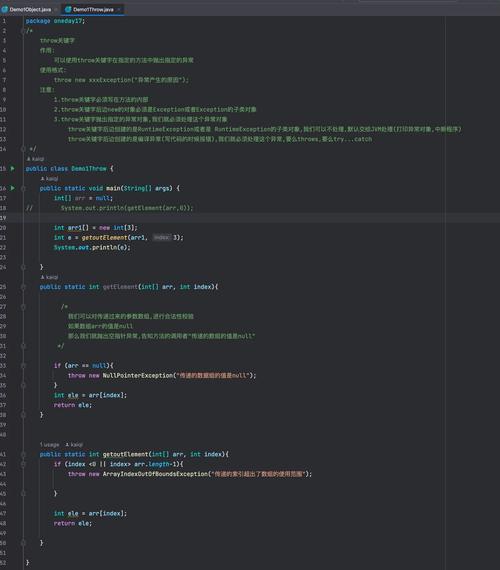
The most direct way to check if a variable is not null is with the operator.
String myString = "Hello, World!";
if (myString != null) {
    System.out.println("myString is not null, so I can use it safely.");
    // Now it's safe to call methods on myString
    System.out.println("The length is: " + myString.length());
}
Detailed Explanation and Best Practices
Let's break down the different scenarios and best practices for checking for "not null".
The Basic Check: != null
This is the most fundamental check. It simply verifies that the reference variable does not point to the null object.
public class NotNullExample {
    public static void main(String[] args) {
        String name = "Alice";
        String city = null;
        // Safe to use
        if (name != null) {
            System.out.println("Name: " + name.toUpperCase());
        }
        // This block will be skipped
        if (city != null) {
            System.out.println("City: " + city.toUpperCase());
        }
    }
}
When to use it: This is the building block for all other null-checking techniques. You'll use it in combination with other checks.
Preventing the NullPointerException (NPE)
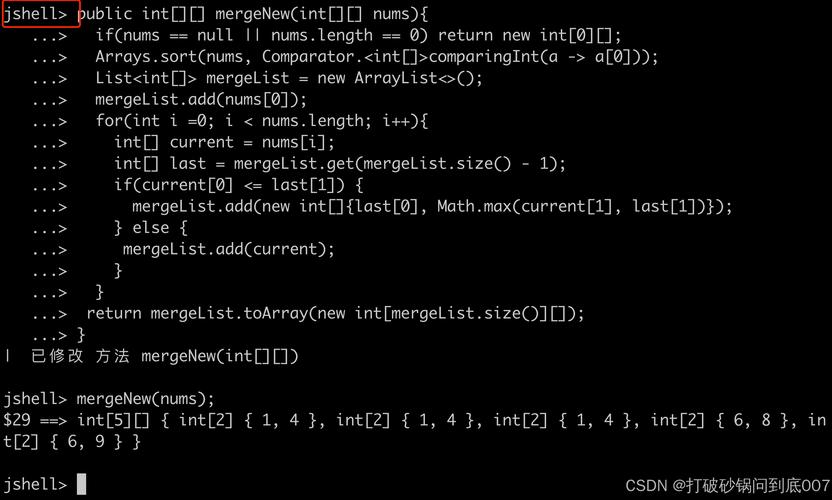
The entire point of checking for null is to avoid a NullPointerException, which occurs when you try to use a null reference as if it were a real object.
Bad Code (Causes NPE):
String text = null;
int length = text.length(); // Throws NullPointerException here!
Good Code (Prevents NPE):
String text = null;
if (text != null) {
    int length = text.length(); // Safe
    System.out.println("Length: " + length);
} else {
    System.out.println("The text variable is null.");
}
Combining Checks: != null and Other Conditions
Often, you need to check for null and another condition at the same time.
String username = "charlie";
Integer age = null;
// Check if username is not null AND has a length greater than 0
if (username != null && !username.isEmpty()) {
    System.out.println("Valid username: " + username);
}
// Check if age is not null AND is greater than 18
// IMPORTANT: The order matters! If age was null, age > 18 would throw an NPE.
// By putting `age != null` first, we prevent this.
if (age != null && age > 18) {
    System.out.println("User is an adult.");
} else {
    System.out.println("Age is not available or user is a minor.");
}
Key Point: In Java, the && (logical AND) operator "short-circuits." If the first condition (age != null) is false, the second condition (age > 18) is never evaluated, preventing the NPE.
Modern Java (Java 8+) Solutions: Optional and Objects.requireNonNull
Modern Java provides more elegant and expressive ways to handle null.
a) java.util.Optional<T>
Optional is a container object that may or may not contain a non-null value. It's designed to force you to explicitly handle the "absent" case, making your code more robust.
Creating an Optional:
Optional.of(value): ThrowsNullPointerExceptionifvalueisnull.Optional.ofNullable(value): Creates an emptyOptionalifvalueisnull, otherwise anOptionalcontaining the value.
Using Optional:
import java.util.Optional;
public class OptionalExample {
    public static void main(String[] args) {
        String nullableString = "some value";
        // String nullableString = null; // Try this as well
        // Safely wrap the potentially null string
        Optional<String> optionalString = Optional.ofNullable(nullableString);
        // isPresent() checks if a value is present
        if (optionalString.isPresent()) {
            System.out.println("Value is present: " + optionalString.get());
        } else {
            System.out.println("Value is absent.");
        }
        // The ifPresent() method is more elegant. It executes the given action
        // only if the value is present.
        optionalString.ifPresent(value -> System.out.println("Using ifPresent: " + value.toUpperCase()));
        // orElse() provides a default value if the optional is empty
        String result = optionalString.orElse("default_value");
        System.out.println("Result orElse: " + result);
    }
}
Best Practice: Use Optional as a return type for methods that might not return a value. This makes the API's behavior clear.
b) java.util.Objects.requireNonNull()
This is a utility method for validating method arguments. It throws a NullPointerException if the passed object is null. This is great for defensive programming.
import java.util.Objects;
public class UserService {
    private final String username;
    // The constructor enforces that username cannot be null
    public UserService(String username) {
        // If username is null, this constructor will throw an NPE
        // with a clear message.
        this.username = Objects.requireNonNull(username, "Username cannot be null");
    }
    public String getUsername() {
        return username;
    }
}
// --- Usage ---
public class Main {
    public static void main(String[] args) {
        try {
            UserService user1 = new UserService("bob"); // This works
            System.out.println("User created: " + user1.getUsername());
            UserService user2 = new UserService(null); // This throws NullPointerException
        } catch (NullPointerException e) {
            System.out.println("Error: " + e.getMessage());
        }
    }
}
Summary: Which Method to Use?
| Method | When to Use | Example |
|---|---|---|
!= null |
The standard, universal check. Use it everywhere. | if (myObject != null) |
ifPresent() (Optional) |
When you have an Optional and want to run code only if a value is present. Very clean. |
optional.ifPresent(val -> ...) |
orElse() (Optional) |
When you need a default value if the value is absent. | String name = optName.orElse("Guest"); |
requireNonNull() |
For validating parameters (in constructors or method arguments) to fail fast. | this.field = Objects.requireNonNull(param); |
@NonNull Annotation |
A static analysis tool (like Lombok or IDE inspections) to prevent nulls at compile time. |
public void setPerson(@NonNull Person p) |
Final Recommendation
- For general checks: Use the classic
if (variable != null). - For method return values: Consider returning
Optional<T>to make the "no result" case explicit. - For validating inputs: Use
Objects.requireNonNull()to enforce constraints and fail fast with a clear error. - For cleaner code with existing objects: Use
Optional.ofNullable(yourObject).ifPresent(...)for a more functional style.