使用Java DOM读取XML文件
DOM (Document Object Model) 是一种用于XML文档的编程接口,它将XML文档加载到内存中形成一个树形结构,便于遍历和操作,下面我将介绍如何使用Java的DOM API来读取XML文件。
(图片来源网络,侵删)
基本步骤
- 创建
DocumentBuilderFactory实例 - 创建
DocumentBuilder实例 - 解析XML文件,获取
Document对象 - 遍历DOM树并提取所需信息
示例代码
import org.w3c.dom.*;
import javax.xml.parsers.*;
import java.io.File;
public class DomReaderExample {
    public static void main(String[] args) {
        try {
            // 1. 创建DocumentBuilderFactory
            DocumentBuilderFactory factory = DocumentBuilderFactory.newInstance();
            // 2. 创建DocumentBuilder
            DocumentBuilder builder = factory.newDocumentBuilder();
            // 3. 解析XML文件,获取Document对象
            File xmlFile = new File("example.xml");
            Document document = builder.parse(xmlFile);
            // 4. 遍历DOM树
            // 获取根元素
            Element rootElement = document.getDocumentElement();
            System.out.println("根元素: " + rootElement.getNodeName());
            // 获取所有book节点
            NodeList bookList = rootElement.getElementsByTagName("book");
            System.out.println("共有 " + bookList.getLength() + " 本书");
            // 遍历每本书
            for (int i = 0; i < bookList.getLength(); i++) {
                Node bookNode = bookList.item(i);
                if (bookNode.getNodeType() == Node.ELEMENT_NODE) {
                    Element bookElement = (Element) bookNode;
                    // 获取属性
                    String id = bookElement.getAttribute("id");
                    System.out.println("\n书籍ID: " + id);
                    // 获取子元素
                    NodeList childNodes = bookElement.getChildNodes();
                    for (int j = 0; j < childNodes.getLength(); j++) {
                        Node childNode = childNodes.item(j);
                        if (childNode.getNodeType() == Node.ELEMENT_NODE) {
                            Element childElement = (Element) childNode;
                            System.out.println(childElement.getNodeName() + ": "
                                + childElement.getTextContent().trim());
                        }
                    }
                }
            }
        } catch (Exception e) {
            e.printStackTrace();
        }
    }
}
示例XML文件 (example.xml)
<bookstore>
    <book id="101">
        <title>Java编程思想</title>
        <author>Bruce Eckel</author>
        <year>2007</year>
        <price>85.00</price>
    </book>
    <book id="102">
        <title>Effective Java</title>
        <author>Joshua Bloch</author>
        <year>2025</year>
        <price>99.00</price>
    </book>
</bookstore>
常用DOM方法
-
文档相关方法:
getDocumentElement(): 获取根元素getElementsByTagName(String tagName): 获取指定标签名的节点列表
-
节点相关方法:
getNodeName(): 获取节点名称getNodeValue(): 获取节点值getNodeType(): 获取节点类型getTextContent(): 获取节点及其后代的文本内容
-
元素相关方法:
getAttribute(String name): 获取指定属性值getElementsByTagName(String tagName): 获取指定标签名的子元素列表
注意事项
- DOM会将整个XML文档加载到内存中,对于大文件可能会消耗较多内存
- 对于大型XML文件,考虑使用SAX或StAX等更高效的解析方式
- 需要处理
NullPointerException和SAXException等异常 - 确保XML文件格式正确,否则解析会失败
进阶用法
如果需要更复杂的XML处理,可以考虑使用XPath来查询XML文档:
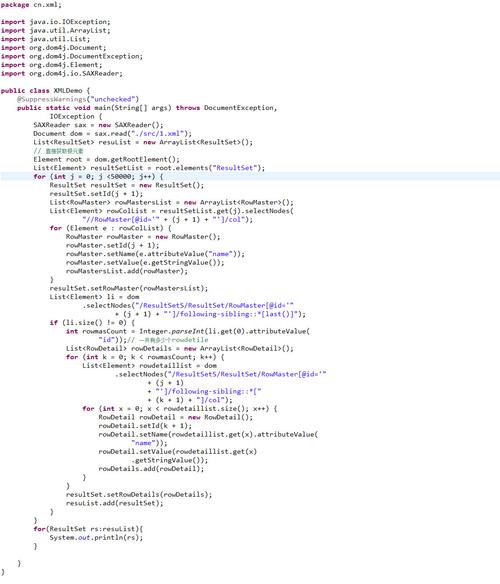
(图片来源网络,侵删)
// 创建XPath工厂
XPathFactory xPathFactory = XPathFactory.newInstance();
XPath xpath = xPathFactory.newXPath();
// 使用XPath表达式查询
String expression = "/bookstore/book[price>90]/title";
NodeList nodes = (NodeList) xpath.evaluate(expression, document, XPathConstants.NODELIST);
// 处理查询结果
for (int i = 0; i < nodes.getLength(); i++) {
    System.out.println(nodes.item(i).getTextContent());
}
希望这个指南对你有所帮助!如果需要更具体的示例或有其他问题,请随时提问。