Of course! "Boost Python" is a common way to refer to Boost.Python, a powerful C++ library from the Boost collection that makes it incredibly easy to integrate C++ and Python.
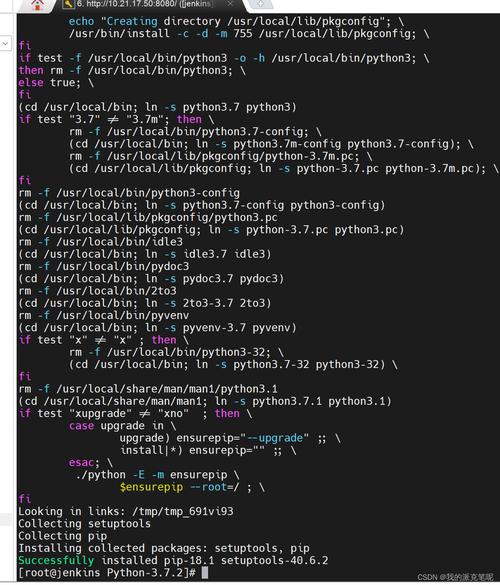
Here's a comprehensive guide covering what it is, why you'd use it, how to install it, and a step-by-step tutorial on creating your first extension.
What is Boost.Python?
Boost.Python is a C++ library that allows you to expose C++ classes, functions, and objects to Python code. It essentially acts as a "bridge" between the two languages.
Think of it as a tool that lets you write a C++ library and then use it as if it were a native Python module. You don't need to learn the intricate, low-level C API for Python.
Why Use Boost.Python? (Key Advantages)
- High-Level Abstraction: It's much easier and safer to use than the raw Python C API. You work with C++ concepts (like classes and functions) that are then automatically translated to Python.
- Bidirectional Binding: You can call Python functions from C++ and C++ functions from Python. This is a huge advantage for embedding Python within a C++ application.
- Excellent Support for C++ Features: It handles complex C++ constructs well, including:
- Classes, inheritance, and polymorphism.
- Overloaded functions.
- Operator overloading.
- Templates.
- Enums.
- Boost Quality: As part of the Boost libraries, it's well-tested, robust, and widely used in the industry.
- No Need for Separate
.h/.cppfiles for Python: You can often write the bindings directly alongside your existing C++ code.
How to Install Boost.Python
The installation process depends on your Linux distribution.
Option A: Using a Package Manager (Recommended)
This is the easiest method. The library is typically packaged as libboost-python-dev.
For Debian / Ubuntu / Mint:
sudo apt update
sudo apt install libboost-python-dev
Note: The package name might vary slightly depending on your Python version. For Python 3.10, it's often
libboost-python310-dev. You can find the exact package withapt search boost python.
For Fedora / CentOS / RHEL:
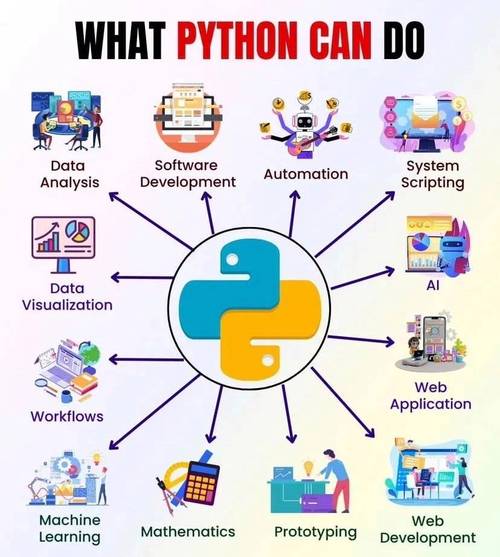
sudo dnf install boost-python-devel
Note: On older systems like CentOS 7, you might use
yum.
For Arch Linux:
sudo pacman -S boost
The Boost libraries in Arch are all-inclusive, so you don't need a separate -python package.
Option B: Building from Source
If you need a specific version not available in your repositories or want to customize the build, you can compile it from source.
-
Install Dependencies:
sudo apt install build-essential git python3-dev
-
Clone the Boost Superproject:
git clone --recursive https://github.com/boostorg/boost.git
cd boost
-
Bootstrap and Build: The
./bootstrap.shscript prepares the build system. The./b2script is the build tool (likemake)../bootstrap.sh ./b2 install
Tip: To speed up the build, you can use multiple cores:
./b2 -j$(nproc) install. This will compile all Boost modules. To build only Python, you can be more specific, but for most users, building everything is fine.
Step-by-Step: Creating a Simple C++ Extension
Let's create a C++ function that adds two numbers and expose it to Python.
Step 1: Write the C++ Code
Create a file named my_module.cpp. This file will contain both our C++ logic and the Python bindings.
#include <boost/python.hpp>
// 1. The C++ function we want to expose
int add(int a, int b) {
    return a + b;
}
// 2. The Python module definition
// This function is called when the module is imported in Python.
BOOST_PYTHON_MODULE(my_module) {
    // Expose the 'add' function to Python.
    // The first "add" is the name in Python, the second is the C++ function name.
    def("add", add);
}
Explanation:
#include <boost/python.hpp>: The main header for the library.BOOST_PYTHON_MODULE(my_module): This macro creates the entry point for our Python module namedmy_module.def("add", add);: This is the core of the binding. It tells Boost.Python: "Create a Python function namedaddthat calls the C++ functionadd."
Step 2: Write the Build Script (setup.py)
To compile C++ code into a Python extension, we use Python's setuptools framework. Create a setup.py file in the same directory.
from distutils.core import setup, Extension
import pybind11 # We'll use pybind11's helper, which is standard for this
from pybind11.setup_helpers import Pybind11Extension
# Define the extension module
my_module = Extension(
    'my_module',          # The name of the final Python module
    sources=['my_module.cpp'], # The C++ source file(s)
    # You might need to specify the Boost library path if not found automatically
    # library_dirs=['/usr/lib/x86_64-linux-gnu/'],
    # libraries=['boost_python'],
)
setup(
    name='my_module',
    version='0.1',
    description='A simple C++ module for Python',
    ext_modules=[my_module],
)
Note: While you can use
distutils.core.Extension, the modern and recommended way is to usepybind11.setup_helpers.Pybind11Extension, which simplifies finding include/library paths for both Boost and Python. Even if you don't usepybind11itself for bindings, its helper is excellent for building.
Step 3: Compile the Extension
Now, run the setup.py script using the build_ext command.
python3 setup.py build_ext --inplace
build_ext: Tellssetuptoolsto build an extension module.--inplace: Puts the compiled output directly in the current directory, making it easy to import.
If successful, you will see a new file. Its name will depend on your system:
- On Linux:
my_module.cpython-310-x86_64-linux-gnu.so(or similar) - On macOS:
my_module.cpython-310-darwin.so - On Windows:
my_module.cp310-win_amd64.pyd
The .so (Shared Object) file is your compiled C++ extension.
Step 4: Use the Module in Python
Create a Python script (e.g., test.py) in the same directory and run it.
# Import the module we just created
import my_module
# Call the C++ function from Python
result = my_module.add(5, 7)
print(f"The result from C++ is: {result}")
Run it:
python3 test.py
Expected Output:
The result from C++ is: 12Congratulations! You have successfully created and used a C++ extension with Boost.Python on Linux.
Next Steps and Advanced Topics
Once you're comfortable with the basics, you can explore more powerful features:
-
Exposing C++ Classes:
class MyClass {
public:
    int value;
    MyClass(int v) : value(v) {}
    void increment() { value++; }
};
BOOST_PYTHON_MODULE(my_module) {
    // Expose the class
    class_<MyClass>("MyClass", init<int>()) // Constructor taking an int
        .def("increment", &MyClass::increment) // Expose the method
        .def_readwrite("value", &MyClass::value); // Make the 'value' member readable/writable
}
In Python, you would then use it like this:
obj = my_module.MyClass(10)
obj.increment()
print(obj.value) # Prints 11
-
Handling Enums, Default Arguments, and Function Overloads: Boost.Python has specific tools for each of these.
-
Error Handling: Learn how to translate C++ exceptions into Python exceptions and vice-versa.
-
Using
boost::numpy: If you need to work with NumPy arrays from C++, this is the library to use. It provides a seamless interface betweenboost::pythonand NumPy's C API.